

blog/trends·Nov 1, 2026·6 min·by the eroq team
Halloween AI video effects: pumpkin head, sheet ghost and bat swarm
Three Halloween video effects in eroq: your head bursts into a jack-o'-lantern, a bedsheet turns you into a ghost, you scatter into bats. How to make each one.
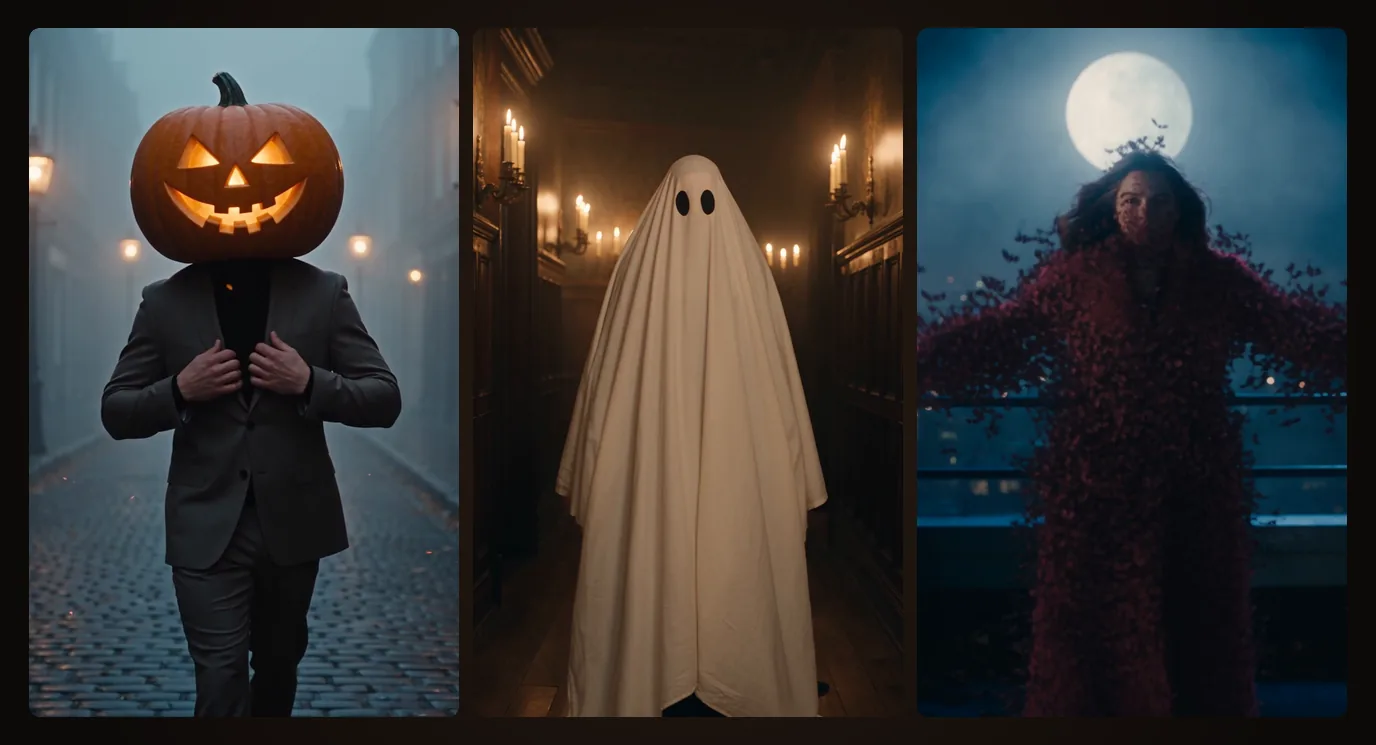
The video studio has three new Halloween effects: Pumpkin head, Sheet ghost and Bat swarm. Each one is a scene written in advance (the place, the light, the camera, the moment of the change), so all you bring is one picture: a photo of yourself, of a friend who agreed, or of a character you made. The effect builds its scene around them and returns a five-second clip. Here is what each one does, the words to add to make it yours, and how to make one in three steps. They sit in the Effects tab of Video, with the rest of the AI video effects.
Pumpkin head
You walk toward the camera down a foggy cobblestone street at night, in slow motion. Mid-stride, your head bursts into a swirl of orange embers and becomes a carved jack-o'-lantern with a crooked, toothy grin, candlelight flickering in its eyes; you keep walking, straighten your collar and give the camera a slow, cocky nod. It is shot like a fashion film, warm orange against cold blue fog: the moving version of the pumpkin head photoshoot.
Make it yours. What you type under the picture goes into the line that sets the light and the mood; the transformation stays as written. Name an outfit, change the weather, add one detail: a long black wool coat, purple streetlamps and light rain, a black cat crossing the street behind them.
Open Pumpkin head with these words, or without them.
Sheet ghost
You stand in the candlelit hallway of an old mansion and smile at the camera. A white bedsheet drops from above and covers you, settles into the classic ghost with two round black eye holes, lifts off the floor and floats toward the lens, its hem swaying, the candle flames bending as it drifts past. The oldest costume there is, played as a film shot, and more charming than scary.
Make it yours. Keep the candles or swap the light: moonlight through tall windows, dust floating in the air, a grandfather clock striking midnight.
Open Sheet ghost with these words, or without them.
Bat swarm
On a city rooftop under a huge full moon, you look into the camera, the wind in your hair, and spread your arms. Your whole body breaks apart into hundreds of small black bats that whirl upward and fly straight at the lens, filling the frame with wings, before the air clears over the empty rooftop. The vampire's exit, no fangs needed.
Make it yours. The moon and the coat do most of the work: a huge orange harvest moon, the city glowing gold far below, a long dark coat catching the wind.
Open Bat swarm with these words, or without them.
Make one in three steps
- Open the effect. Use one of the links above, or open the Effects tab of Video: the three are among the Trending effects.
- Add who stars. Add a character lists the characters you made; Or a picture takes any other photo, an upload or one of your creations. One person, clearly in frame, works best.
- Add a few words, then Generate. The words are optional: without them, the effect renders as designed. The Generate button shows the credits before you commit, and the clip is ready in a few minutes.
Seedance 2.5, and photos of real people
The three effects are set to Seedance 2.5, the engine their previews were made with, which comes with the Creator plan and up. Like every Seedance, it does not animate photos of real-looking people: it plays the effects with characters that are drawn, painted, anime or 3D. For a photo of yourself or a friend, use an engine that takes photos, Kling 3.0 for instance, from Hobby. You do not need to know which in advance: when the engine cannot take your picture, a line under it says so, with a button that switches engine or names the plan that opens one.
Ideas to make with them
- Couples. One effect each, then the two clips back to back in the Editor: one of you loses their head to a pumpkin, the other floats off as a ghost.
- Friends. Three friends, three effects, one reel: the pumpkin, the ghost and the bats, cut on the beat.
- Your characters. A vampire you designed in Characters was made for Bat swarm, and a drawn or 3D character plays on Seedance 2.5 as is.
- Costume first, effect second. Make your costume picture on the AI Halloween costume generator, then use it as the picture: the witch you became bursts into bats.
- After Halloween. A ghost in a hallway and a swarm of bats also open a horror short; the AI horror video generator has the shots that follow.
These three are written for a person: a photo of a dog or a cat is not what they expect. For pets, the costume ideas in this year's Halloween AI trends work better.
What it costs
A five-second effect costs 490 credits on Seedance 2.5 at 720p, and 270 credits on Kling 3.0. The Creator plan ($49 a month, 6,000 credits) holds 12 of them on Seedance 2.5; Hobby ($15 a month) opens Kling 3.0. The Generate button shows the exact figure before you commit, the credits come from your plan or a pack, and a render that fails is refunded.
FAQ
What are eroq's Halloween video effects?
Pumpkin head, Sheet ghost and Bat swarm, in the Effects tab of the video studio. Each one turns a single picture into a five-second clip: the head that bursts into a jack-o'-lantern, the bedsheet that becomes a floating ghost, the body that scatters into bats under the moon.
Can I use a photo of myself?
Yes, a photo of yourself or of someone who agreed to it, 18 or older. Seedance 2.5, the effects' default engine, does not animate photos of real-looking people, so for a photo switch to an engine that does, such as Kling 3.0; the studio offers the switch under the picture. Drawn, anime and 3D characters work on Seedance 2.5 as they are.
Which plan do I need?
Seedance 2.5 comes with the Creator plan and up, Kling 3.0 with Hobby and up. A locked engine stays visible in the studio, with the plan that opens it.
How much does one clip cost?
490 credits for five seconds on Seedance 2.5 at 720p, 270 on Kling 3.0. The Generate button shows the figure before you commit, and a failed render is refunded.
Can I change the street, the hallway or the rooftop?
The setting is part of the effect: it is what makes it recognizable. Your words change the light, the weather, the outfit and the details (the moon, the rain, a black cat). For an entirely different scene, write your own prompt in the Create tab of the video studio.
Can I make one with my kids or my pet?
Not with children: photos of minors are never allowed on eroq, and every effect works with people 18 or older and original characters. The three effects are written for a person, so a pet photo is not what they expect; for pets, see the costume ideas in the Halloween AI trends.
 Video
VideoMake it in eroq
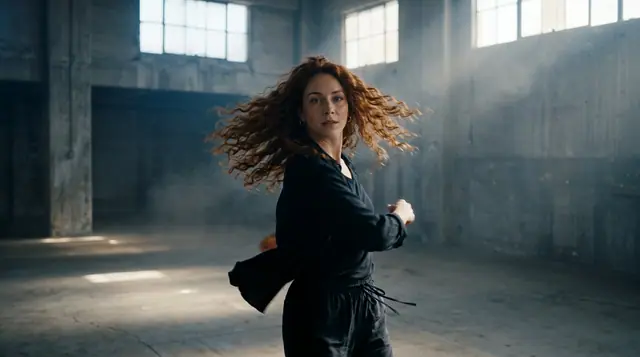
Shoot it in Video
Everything above happens in the studio: same engines, same settings, rendered on your click.
40 free credits · no card · private mode on every account