
Tool
Beat sync video editor: your clips, cut on the beat
The edits that travel on TikTok and Reels are cut on the music: a shot changes on the beat, the picture punches on the kick, flashes on the drop, goes thermal for a moment. eroq does that cut for you. Pick a style, add your clips and a song, and the editor reads the beats, slices your footage onto them and lays out the looks and the punches. Every cut stays on a real timeline you can change, and the export renders in your browser: no credits.
50 free credits · no card · private mode on every account
How an edit is made
- →Pick one of the four trending edits: Aura farming, Phonk, Villain arc or Velocity.
- →Add up to 12 clips and pictures from your creations or your own uploads, in the order you want them.
- →Add a song. Its beats are read in your browser: the tempo, every beat, the hits (snares, claps) and the drops.
- →Press Create: each clip is sliced so a moment never repeats, every cut lands on a beat, and the style's looks, moving cuts and punches go on.
- →Before you apply a style to an edit already on the timeline, Cut on the beat in the toolbar plays it live on your own clips.
Looks, punches and moving cuts
Each shot can wear up to three looks: thermal camera, echo trails, RGB split, glitch, VHS, pixelate, glow, mirror, invert and duotone, each with its own strength. Hits are bursts on the whole picture at one instant that die out: a zoom punch, a white flash, a shake, an RGB hit, a zoom blur, a glitch, a blackout or a strobe. They sit on their own lane as diamonds you drag, add with one key and tune one by one. Cuts can move the picture through them: a zoom cut, a whip pan, a spin or a glitch cut.
Copy the pacing of an edit you like
Give the editor a reference video: it reads where the reference cuts, where it flashes and the beats of its sound, right in your browser, then recreates that pacing with your own clips. Its sound can come along as the soundtrack.
Export
- →MP4 or WebM, from 480p to 1440p, at 24, 25, 30 or 60 frames per second.
- →Vertical 9:16, square 1:1, 4:5 or wide 16:9: every clip refits the frame.
- →Rendered in your browser: the edit itself costs no credits. Clips you generate with an AI engine cost their usual price; uploads and saved cuts count against your storage.
Clap · AI agent
Or let Clap make the whole film
Describe the film in Ask. Clap asks what it needs, writes each scene and its lines, casts your characters, storyboards the film and prices the plan. Once you approve, it renders each shot, and one click opens the cut in Cinema. Fully automated, from one sentence to a timeline.
- 1Clap asks one question at a time and keeps the brief, the cast and the storyboard up to date.
- 2The plan lists every render and its price before anything runs.
- 3One click on Approve and everything renders. Failed takes refund themselves.
Ask · Clap
Clap · Thought for 6s
The storyboard is ready: three scenes, a neo-noir look, Mara, Kai and Ivo cast from their sheets. Here is the plan.
Production

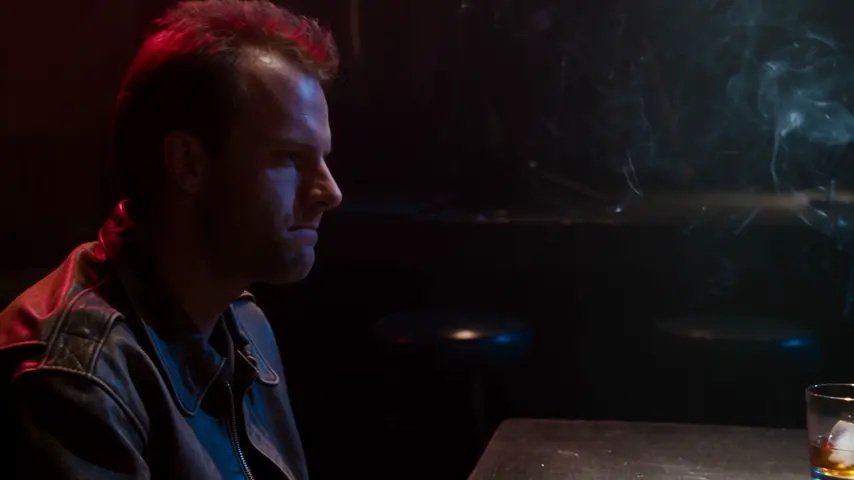

The cut opens in Cinema
Frequently asked questions
Is the beat sync editor free?
Yes. Reading the beats, laying out the edit, the looks, the punches and the export all run in your browser and cost no credits. Only generating new clips with an AI video engine costs credits.
Can I use my own videos?
Yes. Upload them to your Storage (or straight from the Cut on the beat window) and pick them next to your eroq creations. Pictures work too: each one gets a slow camera move.
How does it find the beats?
It listens to the song itself in your browser: the tempo, each beat, the hits and the drops. The cuts snap to them, and you can move any cut or punch by hand afterwards.
Can I change the edit after the auto cut?
Everything lands on a real timeline: trim or move any shot, change its looks, drag, add or remove a punch, swap the style and cut again, add titles and other sounds. Undo works on every step.
Can I ask Claude or ChatGPT to make the edit?
Yes. With eroq connected over MCP, ask for an edit in a style with your latest clips and a song: the make_edit tool answers a link that opens the edit in the studio, laid out on the beat.
Which formats can I export?
MP4 or WebM from 480p to 1440p, at 24 to 60 frames per second, in 9:16, 1:1, 4:5 or 16:9. A single frame exports as PNG and the soundtrack as WAV.
Keep exploring