
blog/product·Sep 10, 2026·5 min·by the eroq team
Film mode, community and film covers — what shipped in September
A product note on Film mode, the Community shelf and film covers. Why a progressive storyboard beats one long prompt, how publishing works, what stays private.
Three things shipped in the studio this month, and they belong together: Film mode, a progressive storyboard inside the Video tool; the Community shelf, where a creation or a whole film can go public; and film covers, so a published film has a face. This is the product note — what each does, why we built the storyboard the way we did, and what stays private when you publish.
What shipped
Film mode shipped in Video, next to Quick and Ads (films have their own home in Cinema today, up to 24 shots). You compose one scene at a time; "Add scene" renders it immediately and the timeline underneath grows. Per scene: 1 to 4 takes, keep the best; Edit reloads the shot into the composer; Re-render, Reorder, Duplicate, Delete. An assembled player plays the cut in order. Drafts save as "My films" and reopen where you left them.
Community at /community is a public shelf. Publish a clip, an image, a voice line or a film with a title and a cover; people can like it, comment on it, and views are counted. Unpublishing keeps the likes and comments for a later re-publish.
Film covers are the poster frame of a published film. Upload one, capture it from a frame of your own clip, or let the studio generate one from the film's title. Covers sit on the card in the shelf and in the player.
All three exist in the API too: films are /v1/films, publishing is /publish on a creation or a film, and the films docs cover the scripted version.
Why a storyboard beats one long prompt
Video engines make short clips: 5 or 10 seconds on Motion One, up to 30 on some premium engines. A "film" is a sequence of them. The intuitive move is to write one long prompt — "she walks in, sits down, the phone rings, she answers" — and the intuitive move produces a muddle, because an engine that gets four events in ten seconds compresses all of them into something that is none of them.
A storyboard fixes this by construction. Each scene is one subject, one motion, one camera move. The look — film type, era, tempo, camera gear, lens, aperture, palette, lighting from the director's rack — is set once and shared, so the scenes are lit and framed alike and cut together. Then the progressive part: you see scene one rendered before you write scene two, which is the only way to keep continuity honest.
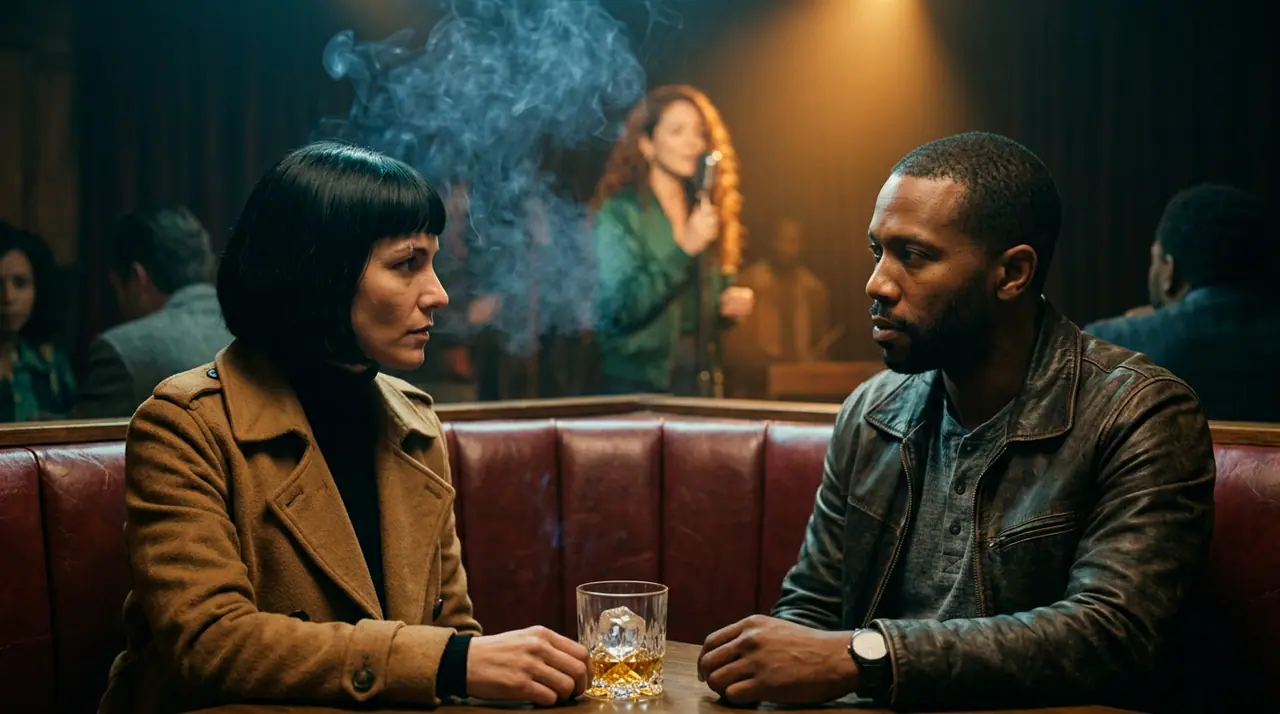
An example. Look: Film noir, 1960s, Tense, 35mm film, Anamorphic, f/1.4, Neon noir, Practicals. Scene one:
A detective in a rain-soaked trench coat waits under a flickering neon sign
outside a jazz club, slow push-in from across the street, headlights sweeping
through the drizzle, reflections pooling on the wet asphalt, cigarette smoke
curling, patient and tense mood.
Scene two is a close-up of his hands lighting the next cigarette (Static). Scene three, a whip pan to the club door as it opens. None of the three mentions "noir" or "1960s" — the look does that. If scene two comes out wrong, you re-render scene two; the other two do not move, and you do not pay for them again.
Takes matter more than they sound. Four takes of a hard scene cost four renders, but choosing the best of four is how editors work; there is no perfect prompt that removes the choice. Camera moves are picked per scene (Slow pan, Push-in, Orbit, Crane up, FPV drone, Snorricam and the rest) or written in the prompt — "wide shot", "dolly" — and detected either way.
How publishing works
From the Library or from a film in Cinema, hit Publish.
- Give it a title. That is the public name; the prompt is not.
- Pick a cover. For a clip or a film: upload an image, or capture a frame from the video. For a film there is also a generated cover — a poster built from the title, with a fresh palette on every click.
- Confirm. The entry appears on the shelf; a film plays its scenes back to back, in order, with a clickable strip of segments.
Every segment of a published film must be a render from your own library. Likes work without an account; comments need one. Take it down whenever you want — engagement is kept, and re-publishing restores it. Deleting a film draft deletes its community entry; the scene renders stay in your Library.
What goes public has to fit the acceptable-use policy — fiction only, nothing involving minors, no real identifiable people without consent, nothing illegal. The same rule that governs what renders governs what is shown.
What stays private
This is the part people ask about first, so plainly:
- Prompts. Never shown. Not on the card, not in the player, not to a viewer who asks.
- Settings. The look, the camera move, the negative prompt, the seed, the references, the cast — none of it. A viewer sees a film, not a recipe.
- Drafts. A film is yours until you publish it, and unpublished creations are visible only to you.
- The Library. Every render is saved there automatically, free, with its full recipe — for you. Remix reloads it; Animate turns an image into an image-to-video source. Nobody else sees it.
If you want to share how a shot was made, write it in a comment. Otherwise the recipe is your edge, and we treat it that way.
Credits and caps
A scene costs what a clip costs — 145 credits for 5 seconds or 290 for 10 on Motion One — and takes multiply it. Adding a scene to the storyboard without rendering costs nothing; a draft is free to keep. The free tier renders clips up to 10 seconds; Hobby 15, Creator 20, Studio and above 30. Motion One is the uncensored engine and is on every account; the premium engines are moderated upstream and plan-gated. Failed renders refund themselves.
FAQ
Can a film mix engines?
Yes. A published film is stitched from your own renders, whichever engine made them: switch the engine between two scenes and each keeps the take it rendered.
Do viewers see my prompt or settings?
No. Title, cover, media and counts are public; everything else is private, permanently.
Can I unpublish?
Yes, at any time. Likes, comments and views are kept, so re-publishing later does not start from zero.
Open Cinema and add a first scene — a draft costs nothing until you render.
 Cinema
Make it in eroq
Cut it in Cinema
Everything above happens in the studio: same engines, same settings, rendered on your click.
40 free credits · no card · private mode on every account