
blog/product·Oct 16, 2026·12 min·by the eroq team
eroq V2: a whole new studio, and now it sings
eroq V2 is here: every eroq engine rebuilt, a brand-new Cinema, a real video editor, voice conversations, music, and an API for all of it.
eroq V2 is the biggest update since launch. The promise has not moved: one private, uncensored studio for video, images, voice and text. Everything around it is new. Every engine eroq runs itself has been rebuilt, Cinema starts over, the Editor gets its own page, voices hold conversations, and eroq now writes and sings songs. Every tool works the same way, and all of it is in the API.
V2 in one minute
- Every eroq engine, rebuilt. A new Eroq One at 10 credits an image, eroq Motion One up to 2K, Replace Pro on eroq's own engine, sharper identity sheets, and eroq Music One.
- A brand-new Cinema. Scenes made of shots, shots that continue each other, dialogue, takes, then the cut and the cover.
- A real video editor. Beat detection, auto-edits, an FX lane, transitions that move the picture. Free, in your browser.
- Voice conversations. Several voices, one scene, one file.
- Music. Full songs with vocals, from one sentence, at 3 credits per 30 seconds.
- A new studio. A new look, a new logo, one composer and one feed in every tool.
- Share, follow, find again. A Share button with three levels, a watermark that takes 10% off, a new full-screen viewer, a searchable history in every tool, and renders you follow stage by stage.
- All of it in the API. Songs, conversations, Replace Pro, films, video references: every new tool has its endpoint.
Every eroq engine, rebuilt
The engines eroq runs itself are the private, uncensored heart of the studio: they keep nothing upstream and they render dark fiction under a written policy instead of a filter. In V2, every one of them was rebuilt.
- Eroq One. A new model under the hood: better text inside images, sharper identity sheets, the same speed, and half the price, at 10 credits an image.
- eroq Motion One, up to 2K. Render at 480p, 768p, 1080p or 2K, the last two through a finishing upscale; 2K comes with the Creator plan. Motion comes out cleaner, with less ghosting. A five-second clip at 480p is 35 credits, inside the 50 free credits a new account starts with.
- eroq Replace Pro, now our own. Replace Pro moves to an engine eroq runs itself, private and uncensored. Bring a clip and it puts your characters in the place of the people in it, up to four at once, straight from their identity sheets: each in their own outfit, or keeping the clip's clothes. Every move, gesture, expression and camera move stays, the scene around them stays, and so does the original sound. In 768p or HD 1080p, 30 credits / second, on every plan.
- Identity sheets that hold. A character's sheet now builds in two passes: all their photos melt into one neutral portrait first, then the sheet is drawn from it. Every angle comes out, no gesture is copied from a photo, and the outfit is completed down to the shoes.
- Your cast in the still. Krea2 and Eroq Uncensored now render a character straight from their sheet: face, hair and outfit held, in natural light.
- eroq Music One, new. eroq's own song engine, more on it below.
The named engines move too: 4K on Veo 3.1 and Seedance 2.0 from the Creator plan, and Seedance 2.x can start from a clip of yours. Sora 2 Pro has left the lineup, and old links and API calls now open Veo 3.1. The model lineup counts 16 video engines and 13 image models, each with its price.
A brand-new Cinema
Cinema is its own tool again, rebuilt for films. You write the Story as scenes, and each scene is filmed in shots. Every shot says how it is made from the one before:
- New shot. It renders on its own, with its characters and elements by reference.
- Continue the shot. The same shot goes on: it opens on the last frame of the shot before.
- Same scene, new angle. It keeps the place, the people and the light of the shot before, framed anew.
Give a shot its dialogue lines and its own look, let Enhance write it as a director would, following the shot before, and render every shot that has no take yet, in order, in one click. Keep the best take of each shot in the cut, then cut the film in Edit and finish it with a cover.
A real video editor
The Editor now has its own page. Drop your clips and it finds the beat. Auto-edit in styles like Aura farming, Phonk and Villain arc, or cut to the rhythm of a reference video. An FX lane punches, flashes and shakes on the beats, every clip can take a look, transitions move the picture, and overlays can be cards with rounded corners. Any folder of your library opens as a beat edit in one click, any clip opens in the Editor from its take, and you export one MP4 in your browser, free. No account? Try the free beat edit maker.
Voices that hold a conversation
The voice studio has a Conversation mode. Write the scene line by line, give each line its voice (a voice from the roster, one you cloned, or a character's own), and eroq speaks them one after the other in a single file. It is priced exactly as the lines would be one by one, and if one line fails, the whole conversation is refunded. On eroq Voice One, delivery tags like [whispering] work line by line. The voice picker also gets a clone button, so a new voice is one recording away from any scene.
Music, at last
eroq Music One writes and sings full songs. Describe one in a sentence, "a late-night synth-pop song about a city that never sleeps", or switch to Custom and bring your own lyrics, with verses, choruses and a bridge, a style and a title. Vocals or instrumental, from 30 seconds to four minutes, one or two takes at a time. A song usually renders in a minute or two.
It costs 3 credits per 30 seconds of song, per take: a two-minute song is 12 credits. Your songs live in their own list with their lyrics and tags. Remix one to keep its recipe and change the rest, or send it to Cinema to score a film. The AI music generator page has the details.
A new studio, inside and out
You see it before you click anything. The mark is now a clapperboard, its clap lifted on its hinge: on the site, in the studio, in your emails and in your browser tab. The rail is narrower and folds away when you need the room. Your credits sit on your avatar as a ring you read at a glance, and Pricing opens over the page instead of taking you somewhere else.
The writing box is the same frame in every tool. It lifts when you hover it, lights up while you type, and tells you when you pressed Generate on an empty prompt. @mention a character and their face appears right inside the prompt. Explore became a feed you scroll like a phone: one post at a time, swipe or arrow keys, and the trends play full screen.
One feed for everything you make
Every press of Generate becomes a row in a feed under the composer, newest on top, in Image, Video, Replace, Edit, Voice and Music. The row says where it stands, preparing, in queue, generating, finishing, next to a running clock, and what is going on: a busy queue where your render keeps its place, a render running longer than usual, or an engine that usually takes a few minutes, so you can leave and find it in Creations. When it lands, the row says how long it took and what it cost. Each take develops in its own tile at its real format, then comes up out of a blur when it lands. Clips play when you hover them, voice lines and songs get their own player, and a failed take keeps its place with the reason and its credits back.
Everything you do with a result sits on the take itself: full screen, download, delete, reuse the prompt. Pictures get Animate and Edit, edits show a before and after, and on a clip, Extend and Lead into build a shot sequence that plays back to back and opens as a film in Cinema.
A new viewer, a real history
Open anything and it fills the screen, its details on the right: the prompt, the engine, the settings, the date and what it cost. The arrow keys step through the list, Esc closes, and a voice line opens with its player in the same panel. It is the same view in your Library and in every tool.
Every tool also keeps a History, next to its Settings and Ask tabs. Search it, filter it by date or by favorites, and open an entry to see when it was made, what it cost and every setting it used. Restore puts it back in the composer: the whole recipe, the prompt alone or the settings alone.
Share it your way
Every creation has a Share button with three levels. Private keeps it in your Library. Anyone with the link gives it an unlisted page that shows the media and nothing else, free on every plan, live the moment you pick it and off again whenever you like. Community publishes it to Explore, after review as always. Renders from the uncensored engines stay private.
A clip can also pay its way: switch on the small "made with eroq.ai" watermark on a Replace edit or an Effects clip and it costs 10% less. Leave it off and your clips come back clean, on every plan.
Every tool works the same way
V2's quiet rule: you learn the studio once.
- The same composer in Image, Video, Replace, Edit, Voice, Text and Music, with suggested prompts, a takes picker, and the price on the Generate button before you press it.
- The same Ask tab in every tool's side panel, and in Cinema and the Editor. Tell Clap what you want and it sets up the page for you. It never generates on its own: you still press Generate.
- The same toolbar on every list, Library, Characters, Elements, Voices, Music and Cinema: search, filter by date, sort, grid or list.
- One dialog to create a character or an element from anywhere, including the @ menu of any prompt.
- Private mode in Text too, next to Image, Video and Voice.
Faster where you feel it
- Your library opens on the first screen. It loads your renders as you scroll instead of all at once, so a library of thousands opens as fast as a new one.
- Videos load when they are about to play. Feeds fetch a clip only as it comes near the screen: lighter pages, smoother scrolling.
- You never wait on a spinner. Press Generate and keep working: start the next render, switch tools, come back. A finished take is still there after a reload.
- One queue for everything. The queue in the top bar lists every render you started, images, clips, voice lines and songs, and one click takes you back to the page it came from.
- Late is not lost. A render that runs longer than planned on eroq's own GPUs is delivered when it lands, instead of being cancelled and refunded.
More new tools
- Video › Edit. Start from a clip you already have: make a new one that follows its motion on Seedance 2.x, or extend it on Seedance 2.5, which adds the new seconds after the last frame. An upscaler to 1080p and 2K is next.
- Shot sequences. Extend or Lead into a clip you like and the next shot picks up where it ended. The shots line up, play back to back, and open as a film.
- Characters, designed. Build a face from traits instead of photos, shuffle until it clicks, then fill their feed with a content kit of ready-made shoots.
- Free, no account needed: the beat edit maker and the AI influencer designer.
All of it in the API
The studio is still a client of the public API, so everything new is there too, billed in the same credits:
- Songs:
POST /v1/music/generations, one job per take (docs). - Conversations:
POST /v1/audio/dialogue, every line with its voice, one MP3 back (docs). - Replace Pro:
POST /v1/videos/editswitheroq-replace-pro, and the characters to cast (docs). - Video in:
video_referenceandvideo_modeonPOST /v1/videos/generations, to follow or extend a clip. - Films: the whole Cinema project through
/v1/films, rendered shot by shot in one call, then exported, covered and published (docs).
Claude and ChatGPT get the new tools through the MCP server: generate_music writes a song, and make_edit lays out a beat edit that opens in your Editor.
What did not change
- Private and uncensored. The same written policy: fiction only, nothing involving minors, no real identifiable people without their consent, nothing illegal. Private mode keeps no file and no library entry.
- Your work. Your library, characters, elements, voices, films and credits are exactly where you left them.
- One wallet, prices up front. Every render shows its price on the button, and failed renders refund themselves.
Open the studio and press Generate.
FAQ
What is eroq V2?
The new version of eroq: every eroq engine rebuilt, a brand-new Cinema, a real video editor, voice conversations, music, one feed for every render, and an API for all of it. Same account, same credits.
Do I need to do anything to get V2?
No. Sign in and you are on V2. Your library, characters, voices, films and credits carry over as they are.
What is new in eroq's own engines?
A new Eroq One with better text and sharper identity sheets at half the price, eroq Motion One up to 2K with cleaner motion, Replace Pro on eroq's own engine, private and uncensored, casting your characters from their identity sheets, two-pass identity sheets, Krea2 and Eroq Uncensored rendering your characters from their sheets, and eroq Music One for songs.
Did prices change?
Some did. Eroq One is now 10 credits an image, eroq Motion One is priced by resolution from 480p to 2K, and the third-party video engines were repriced. Every price shows on the Generate button before you render, and on the pricing page.
Can eroq make music now?
Yes. eroq Music One makes full songs with vocals, or instrumentals, from one sentence or your own lyrics, up to four minutes long, at 3 credits per 30 seconds of song.
Are the new tools in the API?
Yes. Songs, conversations, Replace Pro, video references and extends, and Cinema films each have their /v1 endpoints, documented in the API docs, and the MCP server adds generate_music and make_edit.
Will my renders carry a watermark?
No, they come back clean on every plan. On a Replace edit or an Effects clip you can choose to add a small "made with eroq.ai" mark, and the clip then costs 10% less.
Is eroq still private and uncensored?
Yes. The written policy and Private mode are unchanged, and Private mode now covers Text as well as Image, Video and Voice.
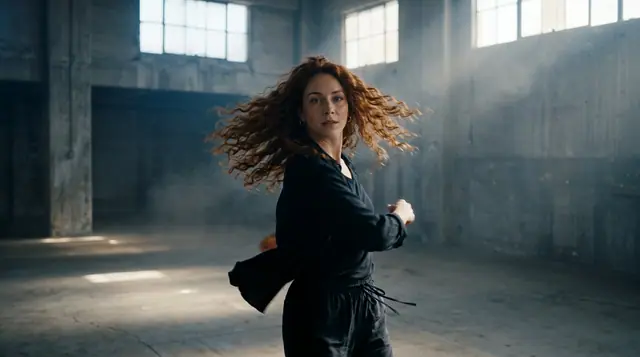 Video
VideoMake it in eroq
Shoot it in Video
Everything above happens in the studio: same engines, same settings, rendered on your click.
50 free credits · no card · private mode on every account