
blog/tutorials·Sep 2, 2026·6 min·by the eroq team
How to make an AI short film with a progressive storyboard
Build an AI short film scene by scene in eroq Cinema: add scenes, pick the best take, re-render, cut the film, export it and publish it with a cover.
Most AI short films die in the editor. You render twenty clips that each look great on their own, drop them on a timeline, and discover that the light changes between every cut, the lead has four different faces and the "story" is a mood board. Cinema in the eroq studio is built around the opposite workflow: you write and render one scene at a time, watch the cut grow, and fix scenes in place before you move on. This guide goes from an empty storyboard to a published film with a cover.
What Cinema is, and what it is not
The Video tool is one prompt, one clip. Cinema is where films are made, in two tabs: Story and Edit. The Story is a progressive storyboard: scenes (one place, one time) hold the shots, and every shot you add is a block you render on the spot, up to 24 shots per film. The blocks are finished shots with actions attached (Re-render, takes, reorder, duplicate, delete), not forms to fill in.
Think of it as a shot list that produces its own footage. You decide what each shot says; the studio keeps the look consistent, and the Edit tab lays the picked takes on a timeline, in order, ready to trim and export as one MP4.
Step 1 — pick the look before the first scene
The Director's rack in the Film tab of Cinema's side panel (Film type, Era, Tempo, Shot on, Lens, Aperture, Lighting, Palette) is folded into every prompt server-side. Set it once and it carries across scenes, which is most of what "a consistent look" means in practice. Three combinations that hold up:
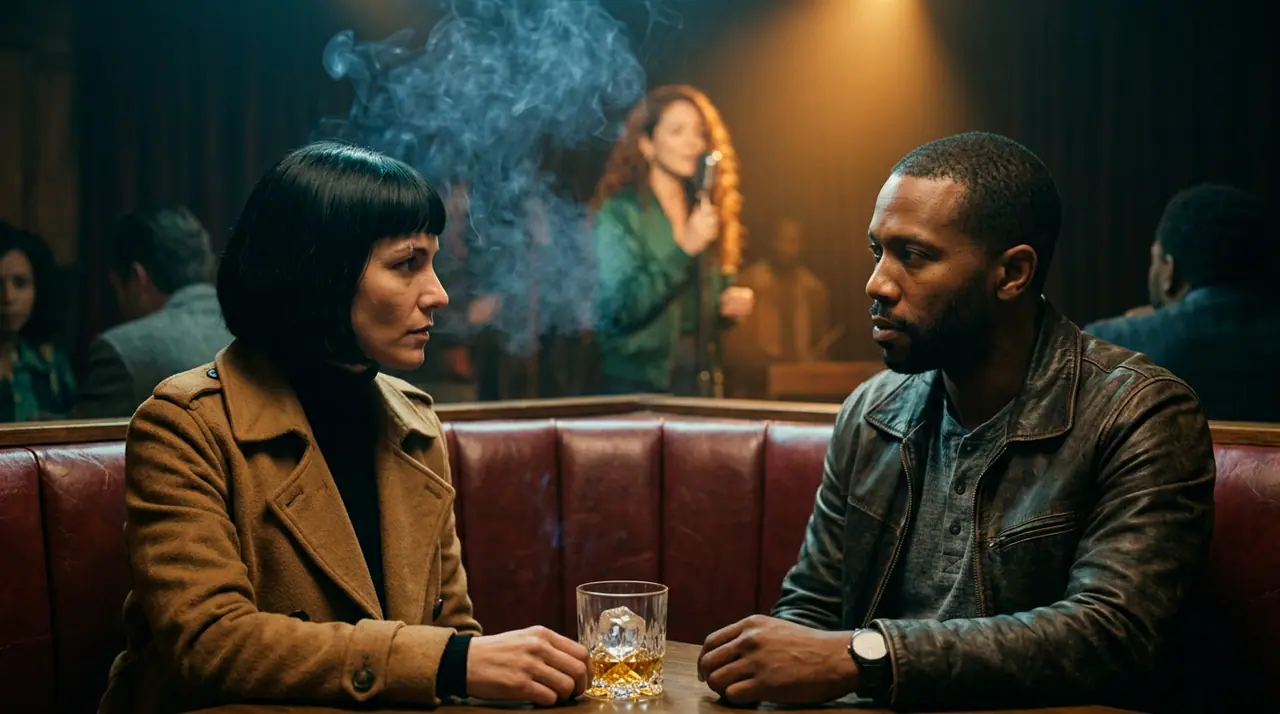
- Film noir · 1960s · Tense · 35mm film · Anamorphic · Monochrome · Practicals. The obvious noir. It works.
- Documentary · 2010s · Calm · Smartphone · Clean sharp · Warm film · Window light. Found footage that is nicer than found footage.
- Arthouse · Futuristic · Dreamy · IMAX · Vintage anamorphic · Neon noir · Neon glow. For stories that are mostly light.
Pick the engine in the same breath. Motion One is open to every account and is the uncensored engine, and Seedance 2.0 Mini and Veo 3.1 Lite are open to every account too; Kling 3.0, Seedance 2.0 Fast, Veo 3.1 Fast and Hailuo 3 Max sit on the Hobby plan and up, Seedance 2.5, Veo 3.1 and Kling 3.0 Pro on Creator and up. Clip length is capped by your plan (10 s free, 15 s Hobby, 20 s Creator, 30 s Studio and above), so a 24-shot film on a free account tops out at four minutes of footage. For a short, that is plenty.
Step 2 — write scenes one at a time
A scene is a prompt: one flowing paragraph naming the subject, the motion, the camera, the light and the mood, thirty to eighty words. A complete opening scene for a small noir:
A woman in a wet trench coat steps out of a taxi onto a rain-slick street at night, pauses, and looks up at a flickering hotel sign; slow push-in from a wide shot to a medium as she lifts her collar, neon reflections sliding across the puddles, sodium streetlight from the left, steam rising from a grate behind her, a tense and quiet mood.
Press Add a shot (or Add a scene for a new place and time) and render it from its block: it renders while you write the next one. If your draft is three words and a feeling, Enhance on the shot writes it for you, following the shot before, or the Ask tab of the side panel writes it from a sentence.
Keep the cast on the scene, not in your head. If your lead is a saved Character, add her to the scene's cast and @mention her in the prompt; her reference photos travel with the shot and the face stays the same from scene to scene. Each scene carries its own cast, so a two-hander in scene four does not drag a third person into scene five.
Step 3 — takes, edits and re-renders
Generators are not deterministic, and neither is your first draft. Cinema gives you three ways to fix a shot without disturbing the others:
- Takes. Render 1 to 4 takes of a shot and click the best one to put it in the cut. Four takes cost four renders: spend them on the shots that carry the story and give the connective tissue one.
- Edit. Change the shot's action or its camera move and render it again; the new take lands on that shot only. Nothing else in the Story moves.
- Re-render. Same prompt, new roll of the dice. For when the prompt is right and the render simply was not.
Failed renders refund themselves, so a bad roll costs time, not credits. Reorder scenes, duplicate the ones that deserve a callback, delete what does not survive the rough cut. Then play the cut. Do that every time you add a scene — it is the whole reason the storyboard is progressive.
Step 4 — save the draft, come back later
Cinema saves the film's recipe — look, scenes, takes — as you work, under your films, and you can keep several films in flight. Films are also a resource in the API (/docs/films): a storyboard you write in the studio can be re-rendered from a script with POST /v1/films/{id}/render, which shoots every scene in one call. Every individual render lands in your Library automatically with its full recipe, whether or not the scene makes the cut.
Step 5 — publish with a cover
When the cut works, export it from the Edit tab as one MP4 and press Publish. Give the film a title and a cover: upload one, capture a frame from a rendered scene, or let the studio generate a film cover for you. The film goes to the community with likes, comments and views. Your prompts, rack settings and engine choices stay private — viewers get the film, not the recipe.
A short made this way is a sequence of decisions rather than a pile of clips. Pick a look, write scene one, watch it, write scene two. The AI film maker page lists every Cinema feature in one place if you want the inventory before the practice.
FAQ
How many scenes can a film have?
Up to 24 shots per film, grouped into scenes, with 1 to 4 takes per render. Shot length depends on the engine and your plan: from a few seconds up to 30 s on Studio and above.
Do I pay for scenes I delete or re-render?
You pay per render. A deleted scene was already rendered; a re-render is a new render. Failed renders are refunded automatically and never count.
Do I need a paid plan for Cinema?
No. Cinema works on every account with Motion One, clips capped at 10 s on the free tier. Hobby and Creator unlock the premium engines and longer scenes.
Ready to shoot scene one? Open Cinema — new accounts start with 40 free credits.
 Cinema
Make it in eroq
Cut it in Cinema
Everything above happens in the studio: same engines, same settings, rendered on your click.
Prompts from this article
40 free credits · no card · private mode on every account