
blog/tutorials·Aug 31, 2026·6 min·by the eroq team
How to build a character bible for AI film, image and voice
A repeatable character sheet for AI production — identity, reference photos, persona and voice, so a cast holds together across films, images and dialogue.
The failure mode of an AI cast is not that the face changes. It is that the face changes and you only notice in the edit, two hundred credits later, when your lead has a different jawline in every third shot and the film reads as a mood board of strangers. Consistency is not a prompting skill. It is a filing problem, and the fix is a character bible — a short, boring document per person, filled in once, that every render then references instead of re-inventing.
The good news is that most of the bible is a form you can fill in inside the studio. The rest is discipline.
What a character bible is here
A Character in eroq is a persistent record with four parts — a name, a persona, reference photos and a voice — and it is @mentionable in prompts. That last part is the whole point. Once a character exists, you stop describing her and start naming her, and the reference photos travel with the shot to hold the face.
One character record serves four studios. The photos hold the face in images and in video. The persona drives the text studio. The voice drives narration and dialogue. Write it once, use it everywhere, and the cast stops drifting between tools.
One rule before you start, with no workaround. Every character is fictional and 18 or older, and no character may be a real identifiable person. That is enforced at the account level, not negotiated in a prompt.
Sheet one — identity
Keep it to a card. Six fields, no prose:
- Name — short, distinctive, easy to type after an
@. - Age bracket — 18 or older, and specific enough to prompt with ("early thirties", not "young").
- Role in the story — the job, not the arc. "Night-shift nurse." "Fixer."
- Silhouette — one line you could recognize at fifty meters. Hair, build, one garment.
- A single distinguishing mark — a scar, a chipped tooth, a gold chain. Exactly one. Two competing details render as neither.
- What she never does — the note that stops you writing her out of character at three in the morning.
If you would rather edit than invent, the character creator can design a character from traits: pick them (or shuffle), keep the look you like, and it fills the card and the persona for you. Then overwrite everything that does not sound like your person.
Sheet two — reference photos
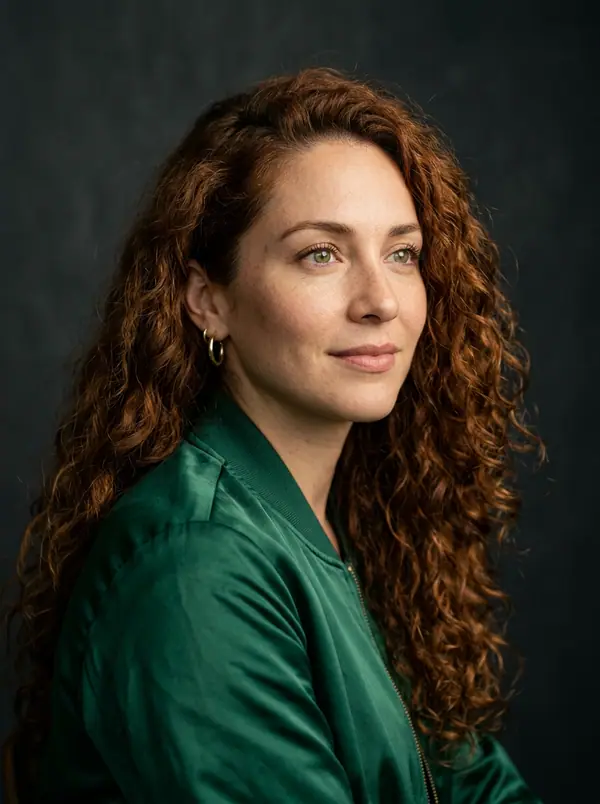
This is the sheet that does the actual work. A face stays the same across a film because the same photographs are attached to every render, not because you described the cheekbones well.
Build the set in the image studio, from 10 credits per image: Krea2 or Flux Image for photoreal, Anima for illustration, or one of the other 13 models. Batch 1 to 4 at a time, keep the best, and generate against a plain background with dull, even light. A reference photo is a passport photo, not a hero shot.
Shoot three, in this order:
- Front, neutral, eye-level. The anchor.
- Three-quarter, same light. Gives the face a third dimension.
- Full body, same wardrobe. Fixes the silhouette and the height.
A complete prompt for the anchor image:
A head-and-shoulders portrait of a woman in her early thirties with a short dark bob and a small scar through her left eyebrow, neutral expression, looking straight into the lens, even soft light from a large window to camera left, plain grey backdrop, sharp focus, no makeup, photographed on a fifty millimeter lens.
Use a negative prompt to kill what ruins references — heavy makeup, dramatic rim light, hats, sunglasses, motion blur — and keep CFG moderate so the model follows the description without going plastic. Then add all three as the character's photos (reference images): eroq draws its identity sheet (close-up, front, side, back) from them, so you never have to shoot every angle yourself. There is more on the image side of this in image generation for characters.
Sheet three — persona
The persona is the part the text studio reads, and it should be written as instructions to an actor rather than a biography. Four short paragraphs beat two pages:
- Voice on the page. Sentence length, vocabulary, whether she finishes her sentences.
- Wants and refuses. Two of each. Concrete.
- Default mood, and what breaks it.
- Three lines she would actually say. Sample dialogue is worth more than any adjective — it is the fastest way to make a model sound like a specific person instead of a helpful one.
Test it before you trust it. Run the persona in the Roleplay register for an immersive read, then in the Messaging register for short texting-style exchanges, and see whether she survives both. If she only works in one, the persona is describing a mood, not a person.
Sheet four — voice
A character carries a voice, and that is what makes dialogue consistent from film to film. Two paths in the voice studio. Pick from the 24 roster voices — Aria, warm and intimate, or Orion, low and calm, to name two — or clone one from your own audio and use the clone as the character's voice. Roster voices read in thirteen languages, so a character cast once can narrate a film in every one of them without a second casting session.
Write the casting note in the sheet, not just the setting. "Orion, speed slightly under default, expressiveness low" is reproducible six months later. "The calm one" is not.
Using the bible on a shoot
Put the cast on the scene, not in your head. In Cinema each scene carries its own cast, so a two-hander in scene four does not drag a third person into scene five, and you @mention the character in the prompt so the words and the references agree:
@Nadia sits alone at the end of a hotel bar, turning a room key over in her fingers, and glances once at the door; slow push-in from a wide to a medium, warm practicals glowing behind the bottles, cold blue spill from the lobby doors behind her, a patient and watchful mood.
A character with a single reference photo also becomes an image-to-video source — the engine animates the photo rather than inventing the person from scratch, which is the strongest consistency you can get in a moving shot.
Every render lands in your Library with its full recipe, so a shot that nailed the face can be reloaded with Remix and re-aimed at a new scene. When a render comes out better than your references, promote it. A bible is a living document, and the best reference photo is usually one you made by accident on film two.
FAQ
How many reference photos does a character need?
One clear photo is enough to start: a character takes 1 to 9 photos, and eroq draws the identity sheet (close-up, front, side, back) from them. Three is a good set (front, three-quarter, full body), shot in flat, boring light. More photos help only if they agree with each other; contradictory references make the face drift faster, not slower.
Can one character appear in both images and video?
Yes. The same record holds the references used by the image studio and the video studio, and one reference photo is enough to animate the character as an image-to-video source.
Does a character have to look like a real person?
No, and it must not. Real identifiable people are refused across the platform. Characters are fictional, which is exactly what makes a consistent invented face worth building.
Ready to file your cast? Open the characters page and write sheet one.
 Characters
Make it in eroq
Cast your own in Characters
Everything above happens in the studio: same engines, same settings, rendered on your click.
Prompts from this article
40 free credits · no card · private mode on every account