


blog/trends·Nov 6, 2026·6 min·by the eroq team
Christmas AI trends — the photos, videos and songs to make this season
The Christmas AI trends of the season, from the candy-cane portrait and the snow globe video to the ugly sweater and a song with your names in it, each with a prompt that opens in the studio.
Updated 6 November 2026. From now to the end of December, the feeds fill with holiday pictures nobody went to a studio for: the candy-cane portrait, the snow globe with someone inside, the matching ugly sweaters, the card that moves. These are the Christmas AI trends worth making this season, what each one is, and a prompt for each that opens in the studio, filled in, ready to render. Every one works from a photo of yourself, of a friend who agreed, or of a character you made.
The candy-cane portrait
The trend that carried last December: a glossy studio portrait, a red sequin sweater, giant striped candy canes and fairy lights on a pink set. It spread through ChatGPT and the image apps in the days before Christmas 2025. Drop your photo in the image studio as a reference so the face stays yours:
High-key holiday studio portrait of the person in my reference photo in a red sequin sweater, laughing, surrounded by giant striped candy canes and warm fairy lights on a blush-pink set, soft fake snow falling, glossy magazine look
Open this prompt in the image studio, or see the other looks (the snowfall street, the matching sweaters, the pet ornament) on the AI Christmas photo generator page.
The snow globe
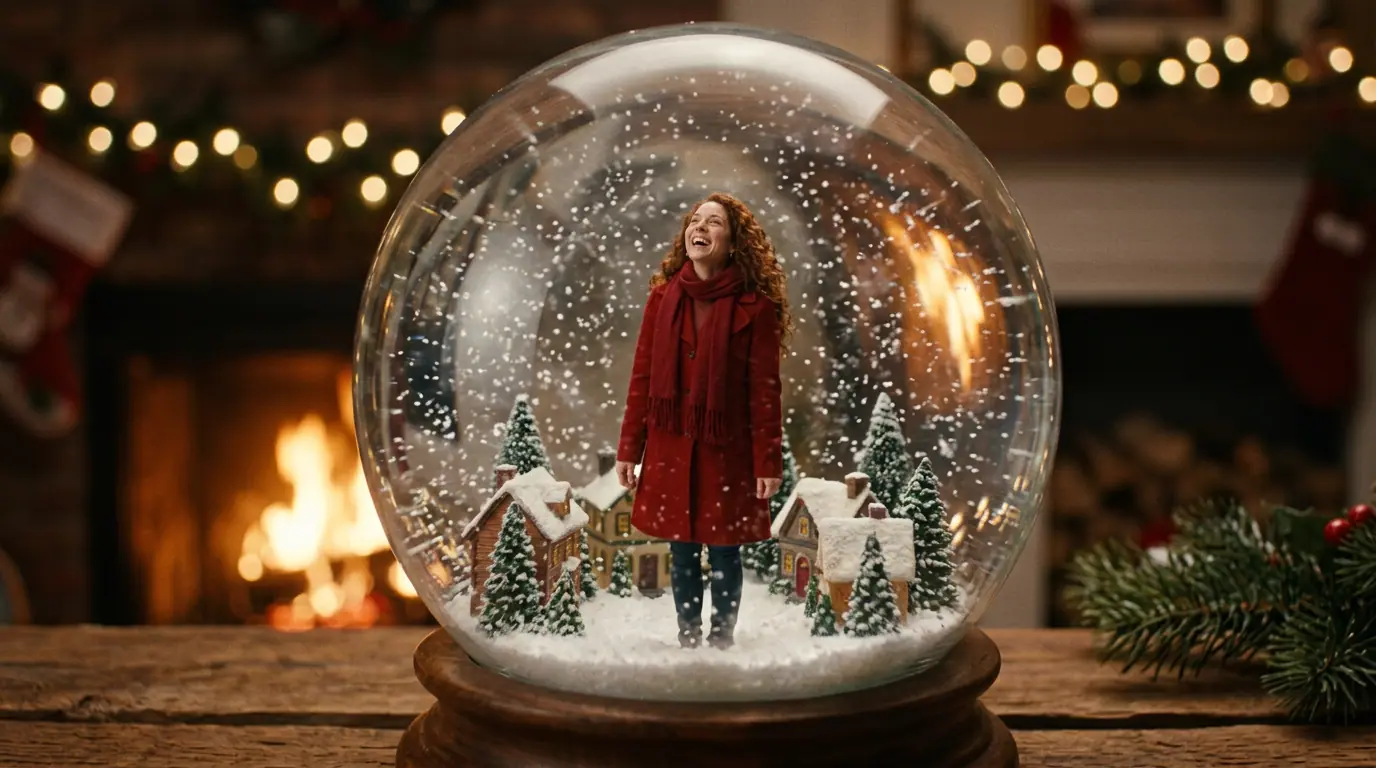
You, tiny, inside a glass globe on the mantel, and the snow swirls when it is shaken. It works as a picture and better as a five-second clip:
Inside a large glass snow globe on a wooden mantel: a woman in a red wool coat stands in a tiny snowy village square, looks up and laughs as the globe is shaken and the snow swirls around her, warm fireplace glow outside the glass, slow push-in
Open it in the video studio. Start from a photo of yourself as the first frame and the face holds. More holiday scenes on the AI Christmas video generator page.
Christmas tree hair
The beauty version of the season: the hair styled into a tall tree, ornaments and lights woven in, a star on top. It reads as a portrait, not a costume, which is why it travels.
Editorial beauty portrait of the person in my reference photo with their hair styled into a tall cone-shaped Christmas tree, tiny gold ornaments and warm fairy lights woven into it, a small star on top, soft studio light on a deep green background
The snow portrait
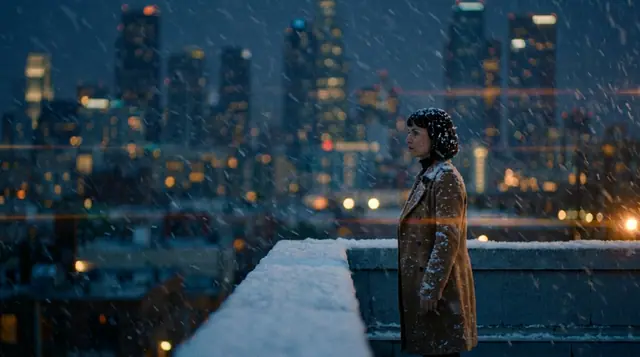
The quiet one: any clear portrait turned into a snowy street at blue hour, snowflakes caught in the hair, warm shop windows behind. It makes the best profile picture of the month.
The person in my reference photo in a cream wool coat and a red scarf on a snowy city street at blue hour, snowflakes caught in the hair, warm shop windows with garlands glowing behind, soft winter-movie mood
Open it in the image studio, then press Animate for a few seconds of falling snow.
Matching ugly sweaters
The group photo of the office party, without buying a sweater for one night: everyone in a louder pattern than the next, deadpan. A photo of each person rides as a reference (up to ten on Eroq One).
The three people in my reference photos in clashing ugly Christmas sweaters, one with a knitted cat in a Santa hat, one covered in pom-poms, one with a felt Christmas tree stitched on, posing for a group photo on a sofa by a fireplace, flash photo, everyone deadpan
Open it in the image studio. Pixel pets, 3D tinsel, a joke knitted across the chest: the AI ugly Christmas sweater generator page has the rest.
The card, with your names on it
The holiday card is back as a picture you make the night before: the two of you by the tree, the greeting lettered on the card. Put the words in quotes and say where they go:
Christmas card: the two people in my reference photos in matching cream knit sweaters, laughing by a decorated tree with warm lights, a cream border around the photo and "Merry Christmas" in elegant gold script at the bottom
Open it in the image studio. Check the spelling on each take; short greetings come out cleanest. More cards (the pet, the vintage, the minimal) on the AI Christmas card generator page.
Your pet, as an ornament
The least crowded corner of the trend, and the most shared: the dog or the cat painted on a glass bauble, hanging from a snowy branch.
My pet from the reference photo as a hand-painted glass Christmas ornament hanging from a snowy fir branch by a gold ribbon, warm tree-light bokeh behind, tiny snowflakes on the glass; keep its fur colors and markings
Open it in the image studio, with a clear photo of your pet attached.
The frosted window
The two of you by the fire, seen from outside as the snow falls past the glass: the moving card of the season, five seconds long.
Seen from outside through a frosted window at night: a couple in knitted sweaters by a crackling fire clink mugs of cocoa and laugh, a lit Christmas tree behind them, snow falling past the glass in the foreground, a slow drift sideways
A song with your names in it
Trend clips borrow songs nobody may reuse. Write your own instead: say who it is for and what it is about, and the music studio writes the lyrics and sings them.
A swing Christmas song for my sister Ana, who burns the cookies every year: big band, sleigh bells, a warm female crooner and a chorus everyone can sing
Open it in the music studio, or see the ideas on the AI Christmas song generator page. Then lay the song under your clips in the Editor.
If you sell something
For shops, the season starts with the sale weeks: Black Friday on 27 November and Cyber Monday on 30 November in 2026. The Ads Studio reads your website into a brand kit and makes the sale ads for every feed, with the deal you write in the kit; the AI Black Friday ad generator and the AI Cyber Monday ad generator pages show how.
What we leave out
Some Christmas trends travel fast and still have no place here: videos of Santa talking to children and family photos with kids (photos of minors are never allowed), swaps with celebrities or anyone who did not agree, branded characters, and the lyrics of recent Christmas hits. Everything above works with people 18 or older, pets, products and original characters.
What it costs
New accounts start with 40 free credits, no card: enough for a few Christmas pictures at 10 credits on Eroq One. Clips cost what their engine charges for the length, a song 3 credits per 30 seconds per take, both shown before you render, and the credits come from a pack or a plan. A render that fails is refunded.
FAQ
What are the Christmas AI trends this year?
The candy-cane portrait, the snow globe, Christmas tree hair, the snow portrait, matching ugly sweaters, the holiday card with your names on it, the pet ornament, the frosted window clip and a Christmas song of your own. Each one starts from a photo of yourself, a friend who agreed, a pet or a character.
Can I make an AI Christmas photo from my own picture?
Yes. Attach your photo as a reference in the image studio, describe the scene, and the face stays yours. Use your own photo or one of someone who agreed to it.
Can I do these trends with my kids?
No. Many Christmas trends show up with families, but photos of minors are never allowed on eroq. Every trend here works with people 18 or older, with pets and with original characters.
Do I need to install an app?
No. Everything runs in the browser: the image studio for the photos, the video studio for the clips, the music studio for the song, the Editor to put them together.
How much does it cost?
New accounts get 40 free credits. A picture costs from 10 credits on Eroq One, a clip what its engine charges for the length, and packs start at $10.
 Image
Make it in eroq
Render it in Image
Everything above happens in the studio: same engines, same settings, rendered on your click.
Prompts from this article
40 free credits · no card · private mode on every account