Tool
Graffiti portrait from a photo
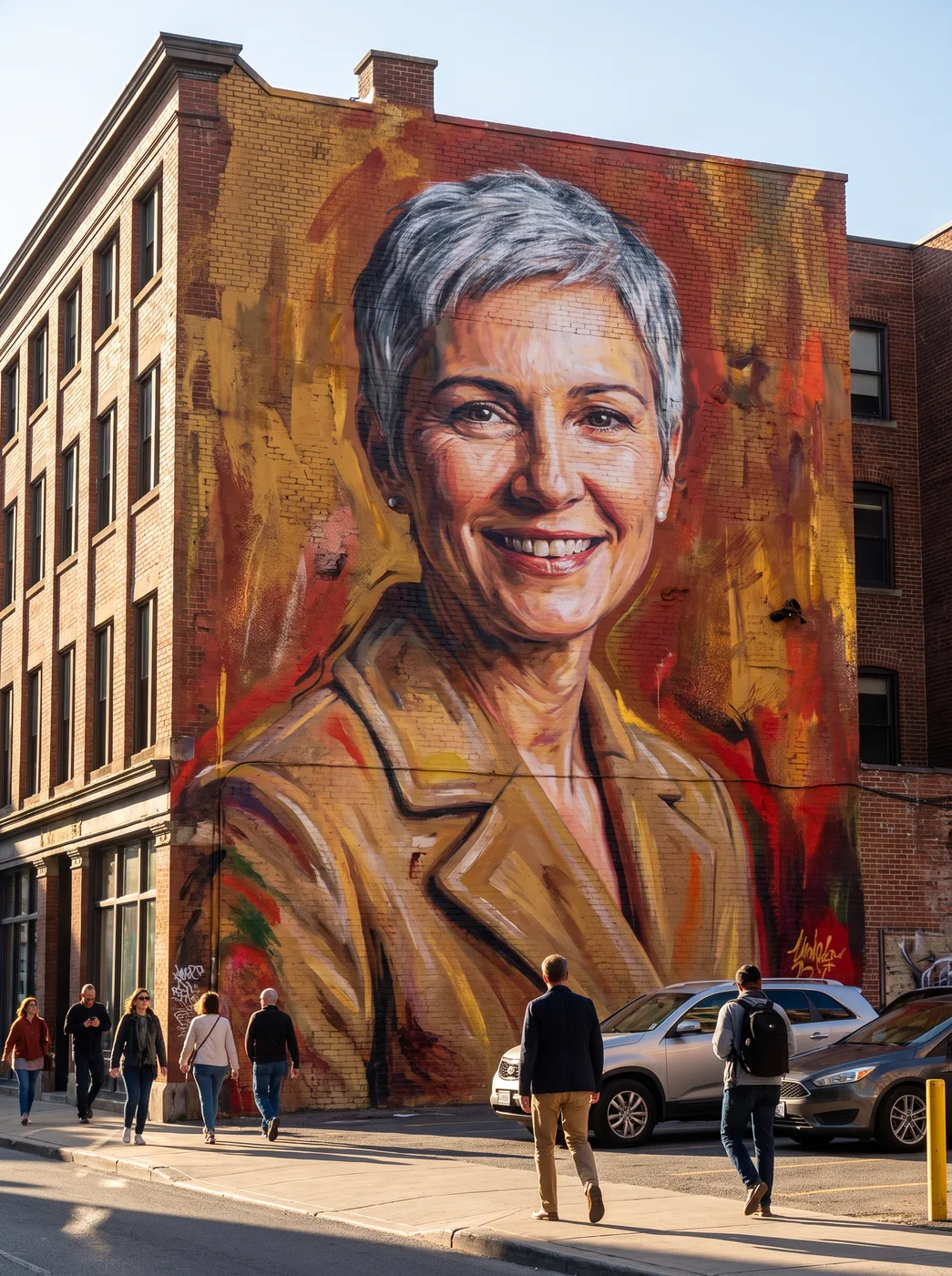
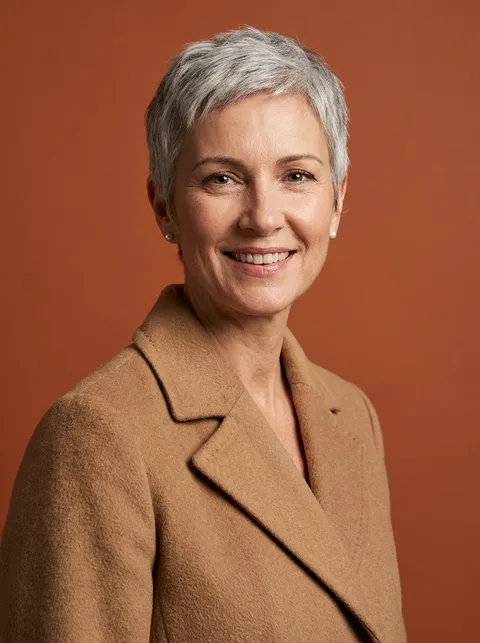
The eroq Mural app turns a photo into a graffiti-style portrait spray-painted across a brick wall, shot like a real street photo with people walking past. Rappers, DJs, skaters and street artists use it for a cover, a flyer or a profile that carries a street art look.
40 free credits · no card · private mode on every account
- App
- Mural, in the eroq studio: one click, no prompt to write
- Input
- A photo, or one of your characters
- Output
- A picture, or a 5-second clip made from it
- Price
- 124 credits a picture · 614 credits with the clip, shown before you click
- Plans
- Every plan, free accounts included
- Policy
- Fiction only · 18 or older · no real people without consent
Privacy
Private and unrestricted
- →No filter on eroq's own engines: one written policy instead.
- →They keep nothing, and nothing trains on your work.
- →Private mode keeps no file at all.
How it works
- →1 · Upload a photo of yourself, or of someone who agreed, or pick one of your characters.
- →2 · Choose Image for the wall, or Video to see the street move.
- →3 · Press Generate, download it, and crop the painting for a square cover.
Where a street art portrait works
- →Cover art for a mixtape, a single or a podcast.
- →A flyer for a club night, a skate contest or a gallery opening.
- →A banner or an avatar for a music, art or streetwear account.
- →A 5-second clip of the street as a release teaser.
Getting a strong likeness
- →Use a sharp photo with the face well lit and nothing covering it.
- →A strong expression or a hat carries well into paint.
- →Bold features read best; fine jewellery and small prints get simplified.
- →Front or three-quarter views paint more clearly than a profile.
Frequently asked questions
Is it a flat graffiti drawing or a photo of a wall?
A photo of a wall: the portrait is painted on a brick building, with the street around it. Crop it if you want just the painting.
Can I use it as an album cover?
Yes, it works as cover art or a flyer once cropped to the frame you need. Use your own face or the face of someone who agreed.
Can I add my name or a tag on the wall?
Not in this app: it paints the portrait only. Add your name or logo afterwards in a design tool.
Can I make a graffiti portrait of a character I made?
Yes, pick one of your saved characters instead of a photo, and the app paints them on the wall.
Is the Mural app free?
You can open the app and set it up without an account. A picture costs 124 credits (614 credits with the clip), shown on the button before you click, and a failed render gives the credits back. Every new account gets 40 free credits with no card; more credits start with a $10 pack (1,000 credits) or a plan from $15/month.
Try it free
40 free credits · no card · private mode on every account
Keep exploring