
GTA VI
GTA 6 loading screen AI, from your photo
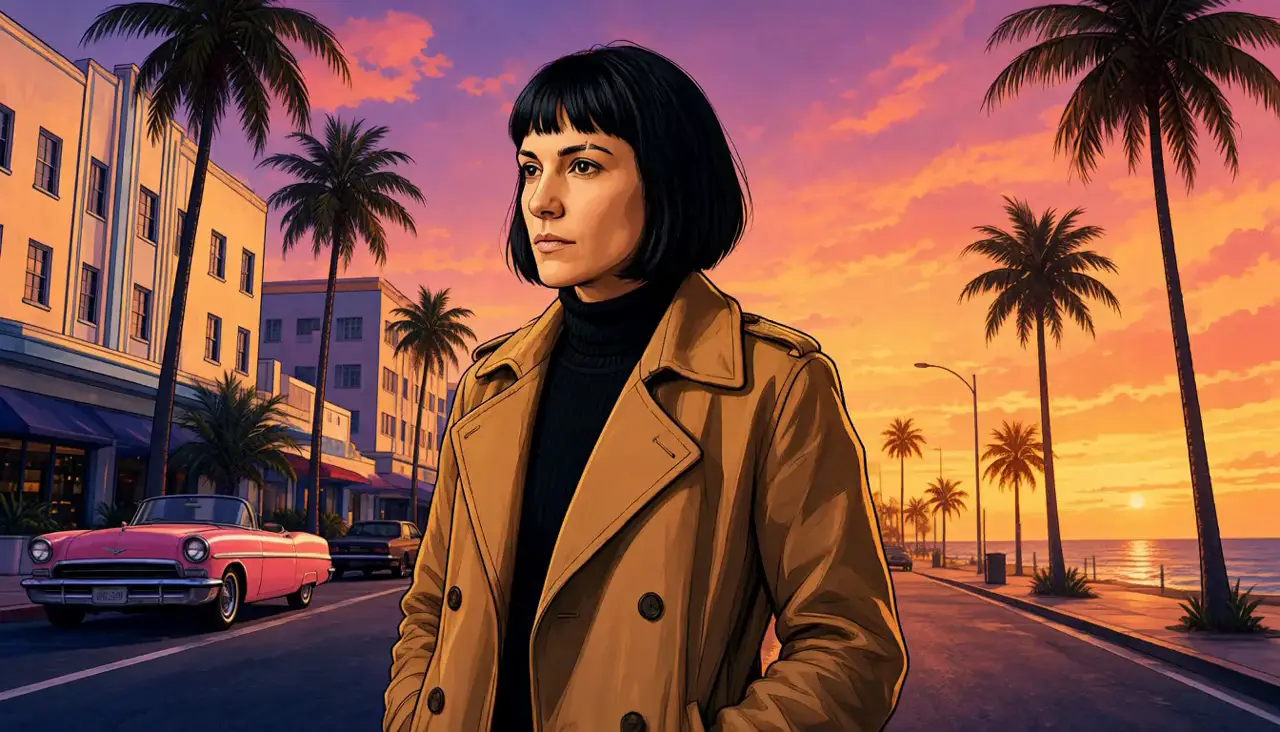
Drop one photo and eroq redraws it as the artwork of a GTA 6 loading screen: ink outlines, airbrushed shading, palm trees and a Vice City sunset, your face and your outfit kept, as a still poster or a five-second clip. The viral GTA goodbye clips are here too, as ready-made templates; eroq is not affiliated with Rockstar Games, these are fan trends.
40 free credits · no card · private mode on every account
- GTA 6 loading screen (still)
- Image, Edit: one photo, 10 credits a take on Eroq One
- GTA filter
- Video effect: one photo, a five-second clip, from 50 credits on eroq Motion One
- Goodbye GTA
- Replace template, 22 s, 450 credits
- One Last Ride
- Replace template, 37 s, 600 credits
- Goodbye Vice City
- Replace template, 26 s, 480 credits
- GTA 6 vs real life
- Video effect: a photo of your street, a five-second clip, from 50 credits on eroq Motion One
- GTA 6 release
- Thursday 19 November 2026, PS5 and Xbox Series X|S
How to make your GTA 6 loading screen
- →Open Video, Effects: the GTA filter is the first card.
- →Drop a photo where your face and your outfit show clearly, or a picture of a character you made.
- →Add a few words if you like (a pose, a place) and press Generate: the photo turns into loading-screen art, bold ink outlines, cel shading, an orange and pink sky, while the camera pushes in.
- →Want the still poster only? « Make it a still » opens Image, Edit with the recipe written: drop your photo and press Edit, 10 credits a take on Eroq One.
- →For a couple or two friends, use one photo of you both, and make sure both of you agree to it.
Goodbye GTA: you in the viral farewell
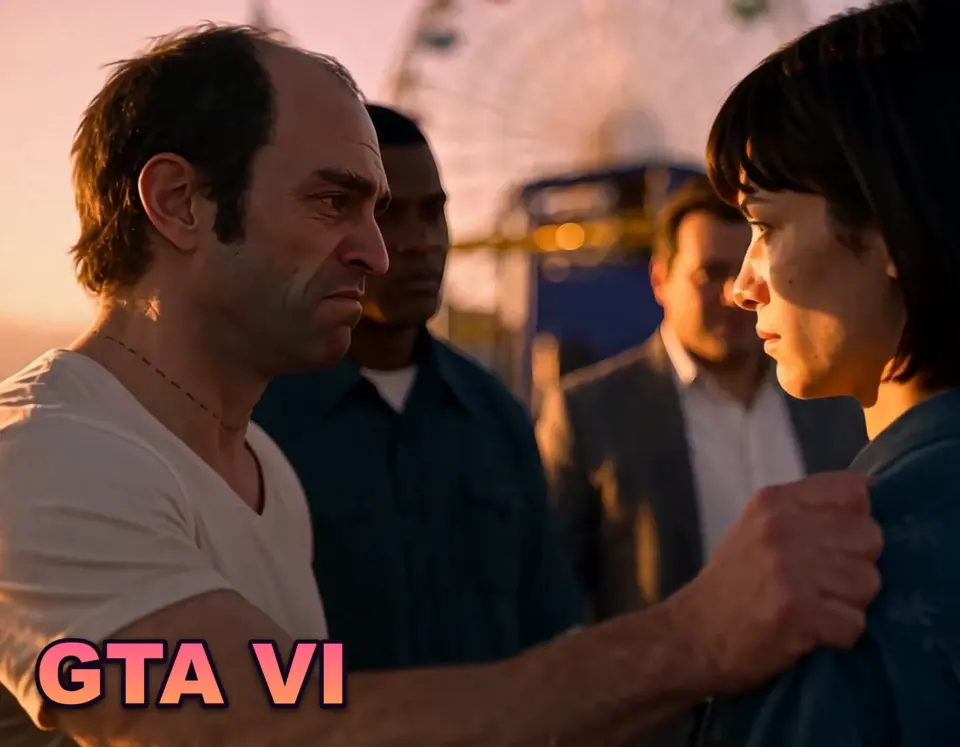
The farewell everyone shares before launch: on the pier at sunset, a young man stands in front of Michael, Franklin and Trevor as real people and holds back the tears. The Goodbye GTA template in Replace is the original AI clip by the creator UEKAN, shot for shot: Trevor holds your character by the shoulder beside Franklin and Michael, the tears in close-up, then they drive off. Pick a character made from your photos, press Replace, and you take his place, same tears, same timing, same music.
The template is 22 seconds of the original on eroq Replace Pro, back as one clip: 450 credits, plus 20 once for your character's identity sheet. A woman in his place speaks with a woman's voice: the template switches the voice by itself.
One Last Ride and Goodbye Vice City: two more GTA goodbyes
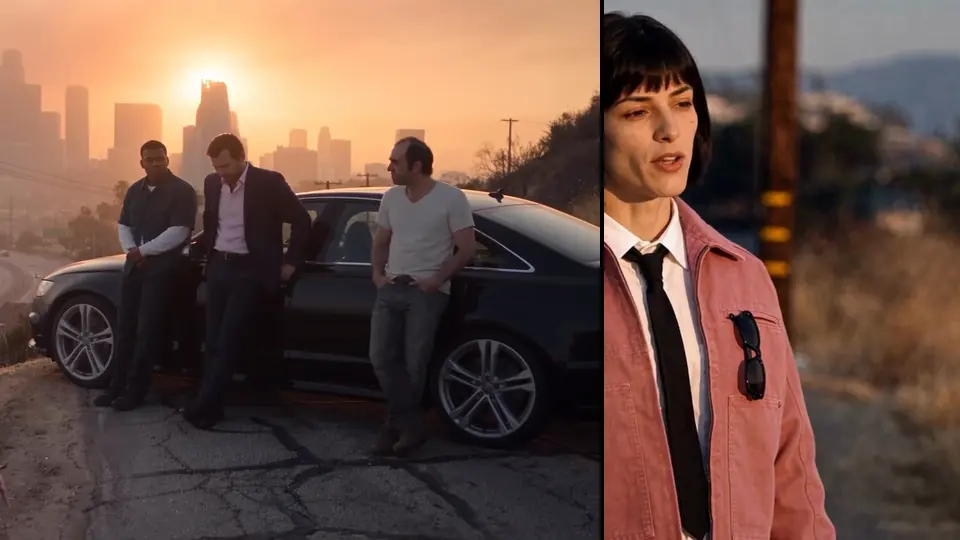
One Last Ride, the AI film by Ruxo, is the longer goodbye: on a hill above Los Santos your character says goodbye to Michael, Franklin and Trevor, then gets into a taxi where the new pair is waiting. 37 seconds of the original on eroq Replace Pro, back as one clip: 600 credits.
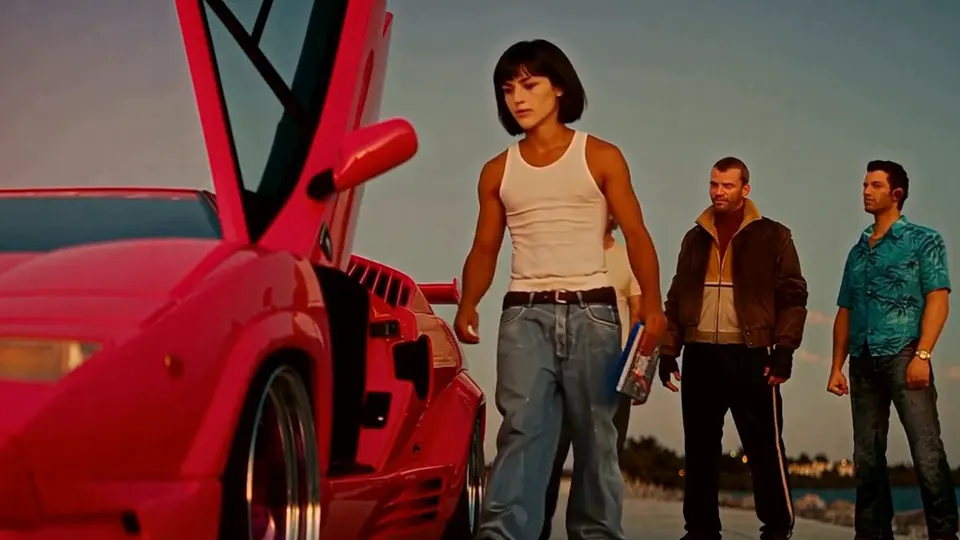
Goodbye Vice City, the AI film by Dash, moves the farewell to a bridge in Vice City at sunset: Tommy and the crew see your character off, the tears, a smile, then the drive away in the pink car with the game on the seat. 26 seconds, 480 credits. In both, a woman in his place speaks with a woman's voice.
GTA 6 vs real life: your street, redrawn as the game
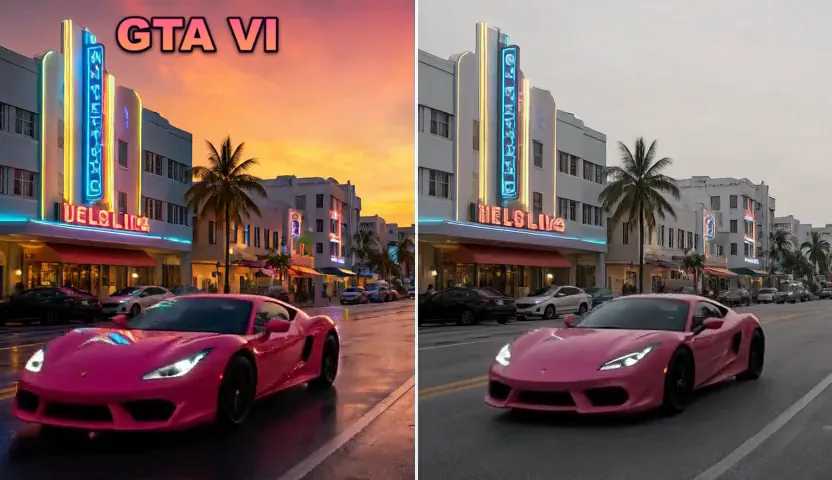
The other trend of the launch week puts a real street next to the game. Take a photo of your street, pick GTA 6 vs real life in Video, Effects, and the clip starts on your photo, then turns it into a shot of a next-generation open-world game while the camera glides on: the same street and the same layout, with game-engine reflections and a saturated sunset. Post it next to your photo.
Who you can put in it
Yourself, a character you made, or a friend who said yes: real, identifiable people need their consent, and everyone shown is 18 or older. Grand Theft Auto, GTA, Los Santos, Vice City and the game's characters belong to Rockstar Games and Take-Two Interactive; post your versions as fan tributes.
Price
A GTA 6 loading screen costs 10 credits as a still poster on Eroq One, or from 50 credits as a five-second clip with the GTA filter on eroq Motion One (480p); GTA 6 vs real life the same, from one photo of your street. The goodbye templates cost 450 credits (Goodbye GTA), 600 (One Last Ride) and 480 (Goodbye Vice City) on eroq Replace Pro, each back as one video. New accounts get 40 free credits, no card, and a failed render refunds itself.
More GTA trends in Replace
Starting points
Each tile opens its trend in the studio, ready to go.
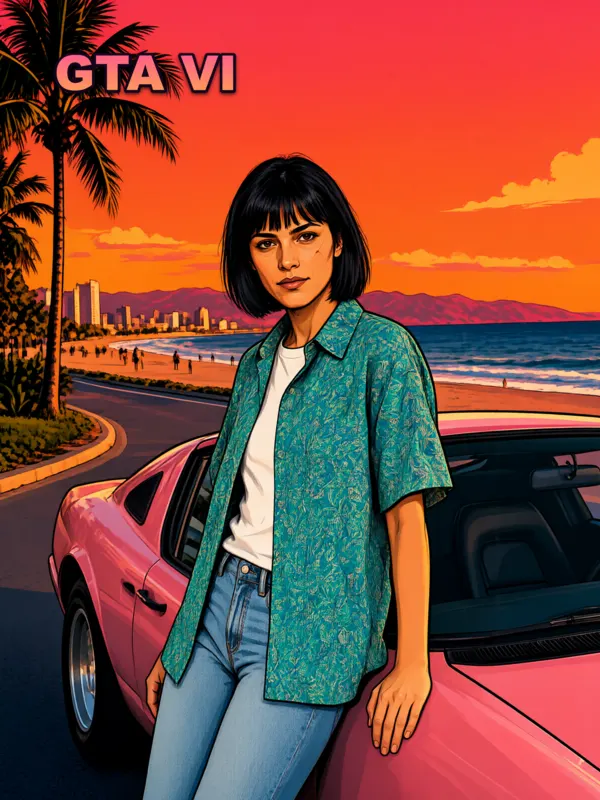
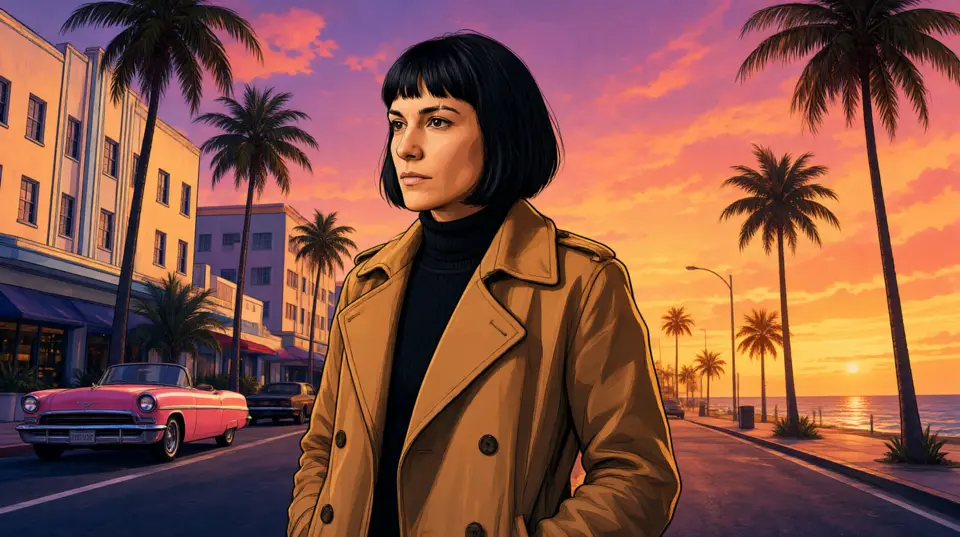 Loading-screen posterThe still version: your photo as a GTA 6 loading-screen poster, the recipe already written.Open in the studio → Goodbye GTAYour character in the viral goodbye on the pier, next to Trevor, Franklin and Michael.Open in the studio → GTA 6 vs real lifeA photo of your street turns into a shot of the game.Open in the studio →
Privacy
Private and unrestricted
- →No filter on eroq's own engines: one written policy instead.
- →They keep nothing, and nothing trains on your work.
- →Private mode keeps no file at all.
Frequently asked questions
How do I make a GTA 6 loading screen of myself with AI?
Open the GTA filter in eroq's Video, Effects, drop a photo of yourself and press Generate: a five-second clip turns it into GTA 6 loading-screen art, ink outlines, airbrushed shading and a Vice City sunset, your face and your outfit kept, from 50 credits. For a still poster, open Image, Edit, drop the photo and ask for GTA 6 loading-screen art that keeps your face and your outfit: 10 credits a take on Eroq One.
What is the GTA 6 loading screen AI trend?
A photo redrawn as the illustrated artwork of a GTA 6 loading screen, the way the game shows its heroes while it loads: the person in ink outlines and painted shading, palm trees and a Vice City sunset behind. It took off on TikTok and CapCut around the release of GTA 6 on 19 November 2026; eroq makes it in the browser, from one photo, as a still or a clip.
Can I make a GTA 6 loading screen without CapCut?
Yes. eroq runs in the browser and in its phone app: drop a photo in the GTA filter (Video, Effects) for a clip, or in Image, Edit for a still, and download the result. New accounts get 40 free credits, no card.
Can I make a GTA 6 loading screen with my boyfriend or girlfriend?
Yes: use one photo of the two of you, in the GTA filter or in Image, Edit, and both of you are drawn into the same loading-screen art. Real, identifiable people need their consent, so make sure your partner agrees, and everyone shown is 18 or older.
What are the GTA 6 AI trends?
The formats filling TikTok and Reels around the release of GTA 6: the goodbye to GTA V (a person saying farewell to Michael, Franklin and Trevor shown as real people), the GTA filter (a photo turned into loading-screen art) and « GTA 6 vs real life » clips of real streets that look like the game.
How do I put myself in the goodbye GTA video?
Open the Goodbye GTA template in eroq's Replace studio, cast a character made from your photos, and press Replace. eroq Replace Pro puts your face in the original clip, next to Trevor, Franklin and Michael, for 450 credits, and a woman in his place speaks with a woman's voice.
What is the One Last Ride GTA trend?
One Last Ride is the GTA goodbye clip by Ruxo where a young man says farewell to Michael, Franklin and Trevor on a hill above Los Santos, then rides off in a taxi with the new pair. On eroq it is a Replace template: cast a character made from your photos, press Replace, and the 37-second clip comes back with your face in his place, for 600 credits.
What is the Goodbye Vice City trend?
Goodbye Vice City is the GTA goodbye set in Vice City: on a bridge at sunset, Tommy and the crew see a young man off, in tears, before he drives away in a pink car. On eroq it is a Replace template, 26 seconds for 480 credits, with your face in his place.
What would I look like in GTA 6? Can AI make a GTA 6 character of me?
Yes: one photo of you on eroq gives you as a GTA-style character. In Image, Edit, ask for GTA loading-screen art of your photo (10 credits a picture on Eroq One), or pick the GTA filter in Video, Effects for a five-second clip (from 50 credits): your face and your outfit stay, drawn in the game's art style, bold outlines, cel shading, a sunset sky. To stand next to the GTA V heroes yourself, use one of the goodbye templates.
Is there a Vice City AI filter?
Yes: eroq's GTA filter turns a photo of you into loading-screen art under an orange and pink Vice City sunset, as a five-second clip from 50 credits. For a still, ask Image, Edit for Vice City style art of your photo, neon, palm trees, a pink sky (10 credits). To be in Vice City itself, the Goodbye Vice City template puts your face on the young man on the bridge.
How do I make the GTA AI filter?
Open Video, Effects, pick the GTA filter and drop a photo: the clip turns it into GTA loading-screen art while the camera pushes in, from 50 credits for five seconds on eroq Motion One. For a still picture, ask Image, Edit for GTA-style loading-screen art of your photo: 10 credits a take on Eroq One.
Is there a free GTA AI filter?
New accounts get 40 free credits, no card: enough for 4 GTA-style photos on Eroq One. Clips and more takes need a pack (from $10) or a plan.
Is there a free GTA 6 loading screen AI generator?
Yes: new eroq accounts get 40 free credits, no card, which makes 4 GTA 6 loading-screen pictures on Eroq One. Open Image, Edit, drop a photo of yourself and ask for GTA 6 loading-screen art, your face and your outfit kept. After that a picture costs 10 credits.
How do I do the GTA 6 AI trend on TikTok?
Make the clip on eroq, then post it: create a character from a few photos of yourself (20 credits once for its identity sheet), open Video, Replace and pick a GTA template (Goodbye GTA, One Last Ride or Goodbye Vice City), cast your character and press Replace. The video comes back with your face and the original's sound, from 450 credits: download it and post it to TikTok. The eroq phone app (on Google Play) has the same GTA templates.
When did GTA 6 come out?
Grand Theft Auto VI came out on Thursday 19 November 2026 on PlayStation 5 and Xbox Series X|S.
What is the GTA 6 release AI trend?
On release day, Thursday 19 November 2026, the GTA AI trends are the fan formats of launch week: the goodbye clips to the GTA V heroes, the GTA filter and GTA 6 vs real life. eroq makes each of them with your own face, from a ready-made template or one photo: the clips are fan-made AI films, never footage from the game or its trailers.
Is eroq affiliated with Rockstar Games?
No. eroq is an AI video studio. GTA and its characters belong to Rockstar Games and Take-Two Interactive; the trends here are fan formats.
Keep exploring