blog/trends·Nov 12, 2026·7 min·by the eroq team
How to make the Goodbye GTA V AI trend before GTA 6
Sunset on the pier, Trevor's hand on your shoulder, Michael and Franklin beside him, the tears, the drive off. Where the goodbye GTA V trend comes from and how to make yours.
 22s
Make it in eroq
Goodbye GTA
UEKAN · It's Time to Say Goodbye
22 s clip · 1 character · 330 credits on Replace Pro
More trends to make
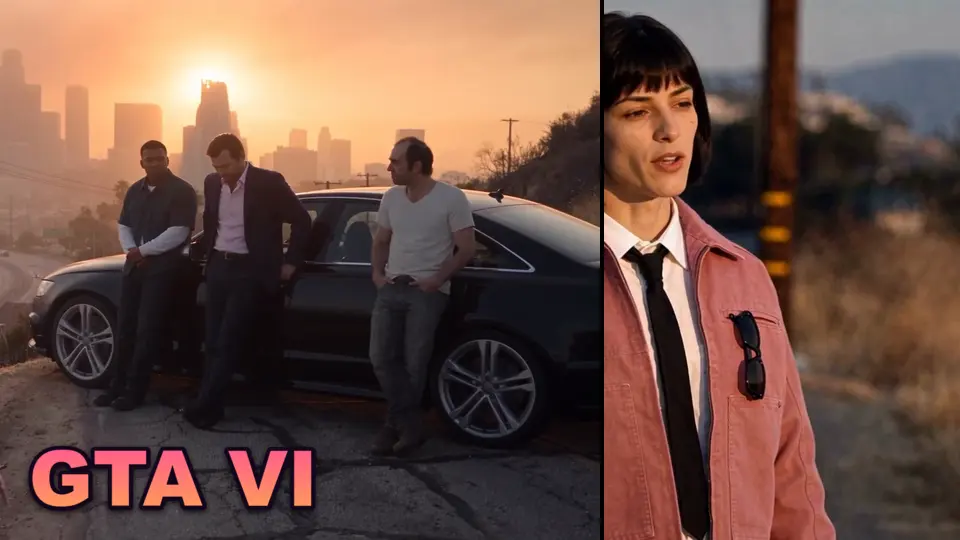
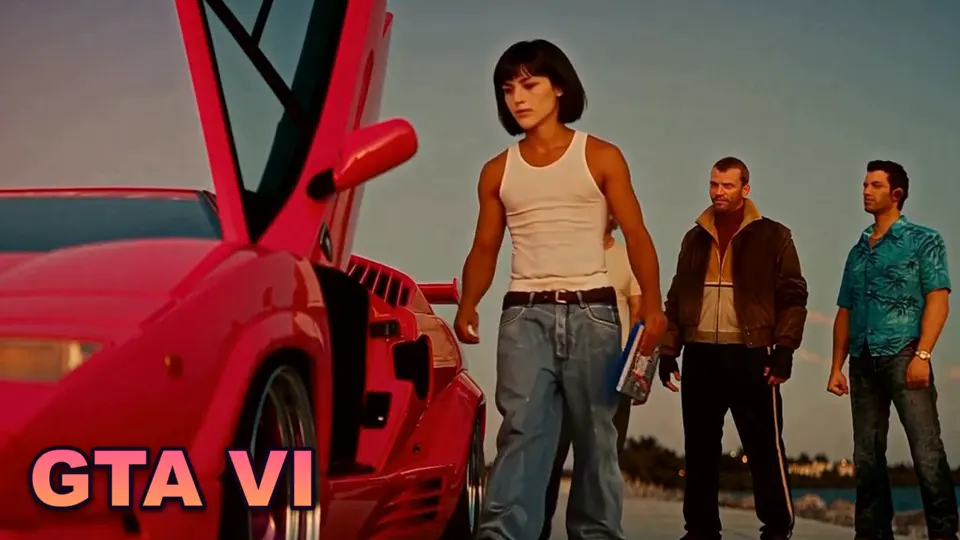
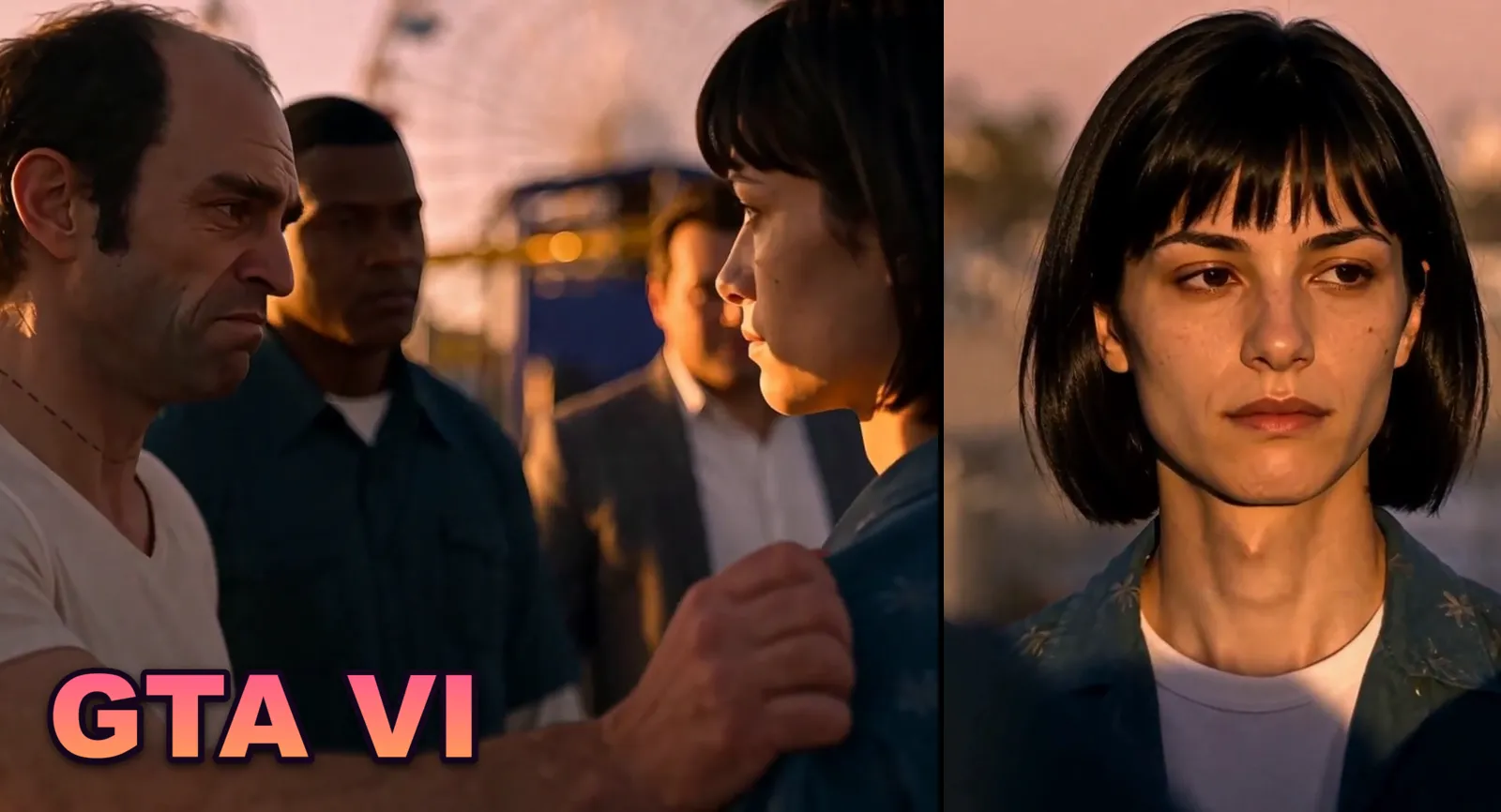
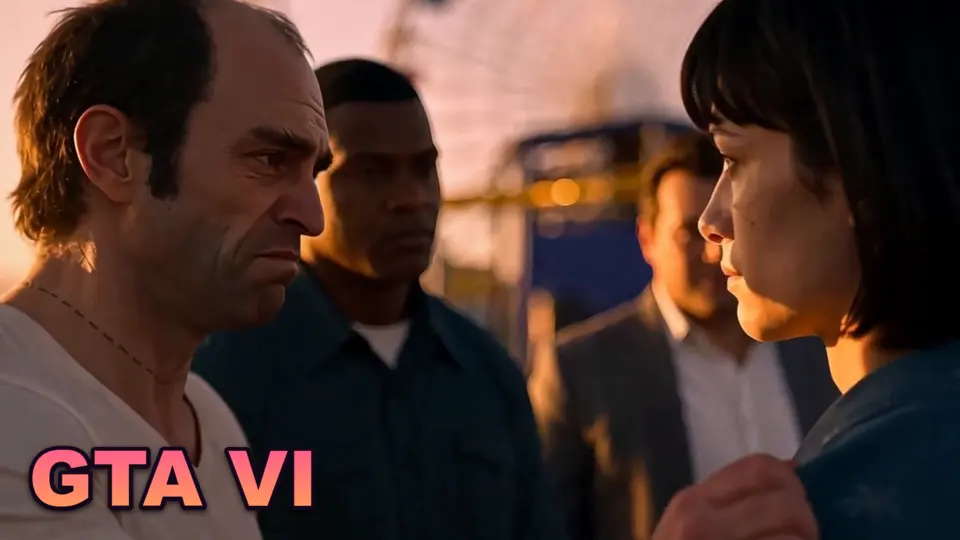
The goodbye GTA V trend is the clip filling TikTok, Reels and Shorts in the days before GTA 6 comes out: someone stands on the pier in Los Santos at sunset, facing Michael, Franklin and Trevor as if they were real people, holds back the tears while Trevor grips their shoulder. After thirteen years with the same three characters, it is how players say goodbye before moving to Vice City. This guide covers where the trend comes from, why it hits so hard, and how to make your own version in eroq with your face or your character, using the ready-made Goodbye GTA template.
Where the trend comes from: thirteen years in Los Santos
Grand Theft Auto V came out on 17 September 2013. Its successor, Grand Theft Auto VI, comes out on Thursday 19 November 2026 on PlayStation 5 and Xbox Series X|S, after two delays. Between the two, a whole generation grew up with the same city, the same radio stations and the same three protagonists: Michael De Santa, the retired bank robber, Franklin Clinton, the young hustler, and Trevor Philips, the one nobody can control.
In November 2026 the feeds filled with farewells. Some posts are pure nostalgia: the launch-day queues of 2013, the radio's last songs, the three heroes at sunset. Players even planned a last cruise through Los Santos in GTA Online on the night of 18 November. The format that took over, though, is the AI one: a real person steps into the game's world for a final scene with the trio. Two AI videos by the Japanese creator UEKAN carry it. In the first, posted on 10 November, a young man on the pier at sunset cries in front of the three of them, they watch a pink car drive off toward Vice City, and Franklin hands him his keys. In the sequel, « 13年間、ありがとう » (« thank you for thirteen years »), posted two days later, we see him grow up with them from 2013 to 2026 before the goodbye; it passed 110,000 likes in a day. Under every one of those videos, the same question in several languages: how do you make this?
Why this clip works so well as a trend
- Thirteen years in one frame. The pier, the sunset and the three faces are enough. Everyone who played gets it before the first tear.
- The player finally in the game. For thirteen years you were behind the screen. Here you stand next to them.
- A real ending. The keys handed over and the car leaving for Vice City say "it's your turn" without a word.
- A date. GTA 6 comes out on 19 November: the trend has a countdown, and everyone posts theirs before launch day.
How the trend versions are made
The copies you see are mostly generated from scratch: a photo of the person, a prompt describing the scene, and a video model that invents the pier, the three heroes and the whole sequence. Each attempt rolls a different scene and different faces, and rarely the one everybody knows.
eroq takes the other road: the template is the original clip itself, shot for shot, with its music. The four of them on the pier behind the pink car, Trevor's hand on the young man's shoulder with Franklin and Michael beside him, the close-up of his tears, then him at the wheel, driving off with the two games on the seat while the three of them watch: {{ template.gta-goodbye.seconds }} seconds, seven shots. Replace puts your character's face and hair in his place in every shot he is in and keeps the rest: the three heroes, the light, the gestures, his clothes, the cuts and the music stay exactly where they are. You click once and get one clip back. And when a woman takes his place, the template switches his lines to a woman's voice by itself.
Make it in eroq with the Goodbye GTA template
- Open the template. In the studio, go to Video, then the Replace tab, and click Use template on Goodbye GTA under Trending templates, or open it directly. The clip loads from eroq: nothing to download.
- Cast yourself. The composer shows one slot, You. Pick a character and the instruction writes itself: the young man saying goodbye becomes your character. No character yet? Create one from a few photos of yourself; it opens in a new tab, so the template stays loaded.
- Check the engine. The template runs on eroq Replace Pro, which reads your character's identity sheet, so the face really is yours, at 30 credits / second.
- Click Replace. The edit takes a few minutes and lands in Creations as one clip, its shots put back together on the original music. Your character holds back the tears with the timing of the original, in a woman's voice if your character is a woman, then drives off.
- Post it before the 19th. Download the MP4, ready for TikTok and Reels.
Getting a good result
- Use clear photos of your face. Replace Pro casts from your character's identity sheet; the sheet is drawn from your photos, so front-facing, well-lit pictures give a face that holds in the close-up. Consistent characters in AI video explains how sheets work.
- The clothes stay the clip's. The template swaps the face and the hair, not the outfit: that is what lets your character take his place in the shot next to Trevor, Franklin and Michael.
- Change the music. Open the result in the Editor to put your own song under it.
What it costs
| Template | Price | Notes |
|---|---|---|
| Goodbye GTA | {{ template.gta-goodbye.credits }} credits | {{ template.gta-goodbye.seconds }} seconds, seven shots, on eroq Replace Pro: the shots your character is in render apart and come back as one clip |
Add {{ sheet.credits }} credits once if your character still needs an identity sheet.
The button always shows the price before you click. It runs on every plan, but the 40 free credits a new account starts with don't cover a render: the credits come from a pack or a plan. An edit that fails is refunded.
Who you can put on the pier
The point of the trend is you: cast yourself, or a friend who said yes. The usage policy asks for people who are 18 or older and rules out real, identifiable people without their consent. Grand Theft Auto, Los Santos and Michael, Franklin and Trevor belong to Rockstar Games and Take-Two Interactive, and eroq is not affiliated with them; the clips are UEKAN's. Post your version the way the trend does, as a fan tribute that credits the original.
More trends, same idea
Goodbye GTA is first in the Trending templates row of Replace this week. Every other GTA trend you can make in eroq, the GTA filter included, is on the GTA 6 AI page and in all the GTA 6 AI trends. The other formats of the moment are in AI video trends this week, and how to put yourself into any viral video covers the method for any clip.
FAQ
What is the goodbye GTA V trend?
A farewell format posted in the days before GTA 6 comes out: someone appears on the pier in Los Santos at sunset next to Michael, Franklin and Trevor shown as real people, says goodbye in tears and leaves with the car keys. Most versions are made with AI.
When does GTA 6 come out?
Grand Theft Auto VI comes out on Thursday 19 November 2026 on PlayStation 5 and Xbox Series X|S. The trend runs in the weeks before launch.
How do I make the GTA goodbye video with AI?
Open the Goodbye GTA template in eroq's Replace studio, cast a character made from your photos in the You slot, and click Replace. eroq Replace Pro puts your face in the original clip, next to Trevor, Franklin and Michael, and keeps the sunset and the music; a woman in his place speaks with a woman's voice.
Does a female character keep a man's voice?
No. The young man's lines are switched to a woman's voice when a female character takes his place, with the same timing, so the lips still match.
Can I put my own face in it?
Yes. Create a character from a few photos of yourself: its identity sheet is drawn from them, and Replace Pro reads that sheet to put your face in the clip.
Can I use another version of the clip?
Yes. Paste the TikTok link of the version you like in Replace and @mention your character. A clip longer than ten seconds is recast shot by shot with Every shot, on its original sound.
How much does the GTA goodbye template cost?
The template runs on eroq Replace Pro, open on every plan: {{ template.gta-goodbye.credits }} credits for the {{ template.gta-goodbye.seconds }}-second clip, one price for all its shots, plus {{ sheet.credits }} credits once for your character's identity sheet.
Is eroq affiliated with Rockstar Games?
No. eroq is an AI video studio. GTA and its characters belong to Rockstar Games and Take-Two Interactive, and the template is the trend's viral fan clip, by UEKAN.
22sMake it in eroq
Goodbye GTA
UEKAN · It's Time to Say Goodbye
22 s clip · 1 character · 330 credits on Replace Pro