blog/trends·Oct 1, 2026·6 min·by the eroq team
How to make the Yung Lean STORM AI trend
One lead frozen, dozens of dancers moving as one around them. Where the STORM trend comes from and how to make yours with your own character.
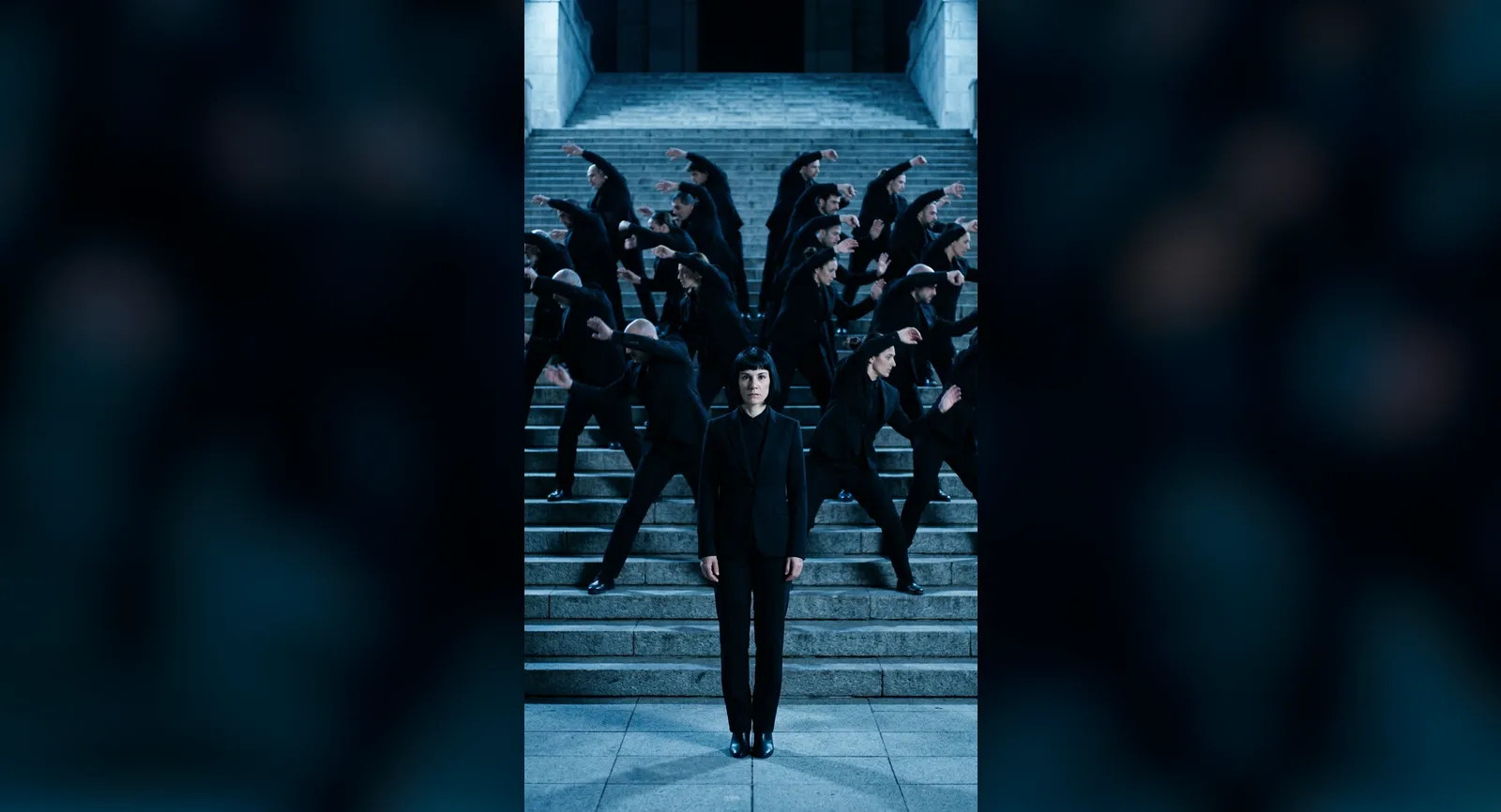
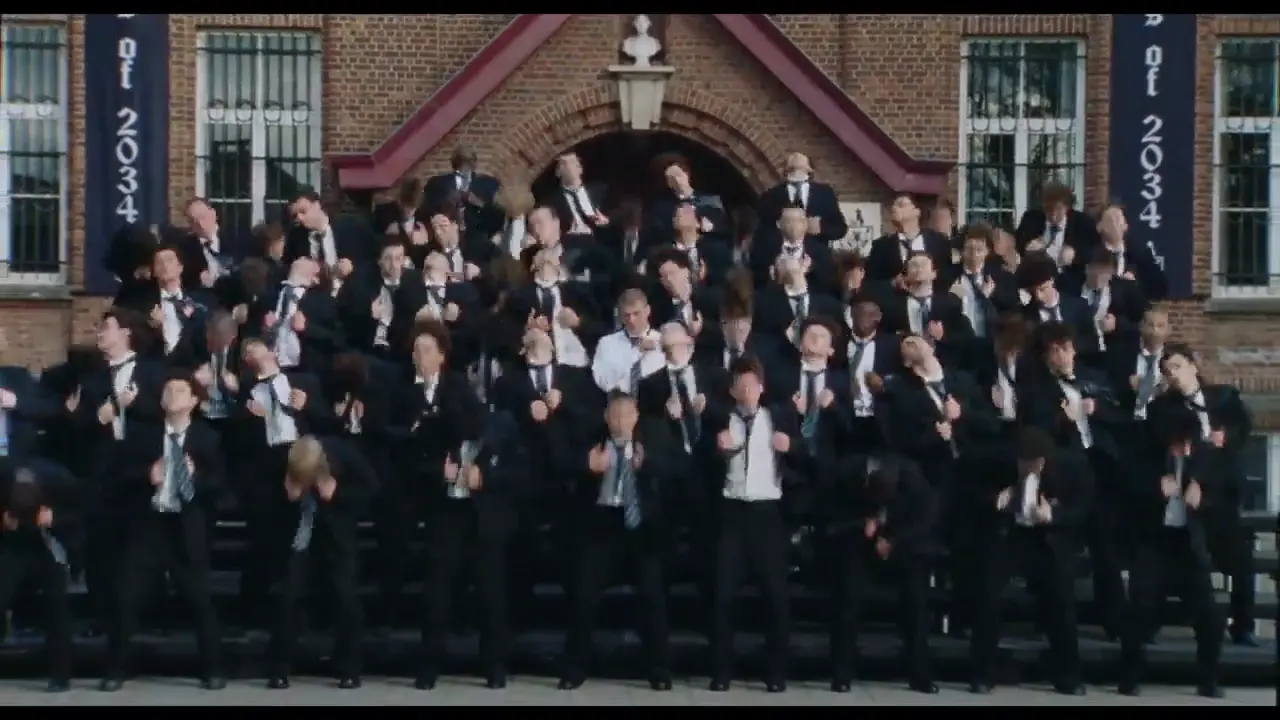 14s
14sMake it in eroq
Storm dance
GENER8ION · STORM starring Yung Lean
14 s clip · 1 character · 112 credits on Replace
The STORM trend is the shot everyone has been recreating since mid-September 2026: one person stands perfectly still and stares into the lens while dozens of dancers around them break into one tight, convulsive choreography. In the original, the still one is Yung Lean. In the versions flooding X, TikTok and Instagram, it is anyone: footballers, game characters, cartoon heroes, somebody's cat. This guide covers where the shot comes from, why it spreads so well, and how to make your own version in eroq with a character you made, using the ready-made Storm dance template.
The original: GENER8ION and Yung Lean's STORM
The shot comes from STORM, the music video Romain Gavras directed for GENER8ION, the alias of French producer Surkin, featuring Swedish rapper Yung Lean. The song is a two-part single, STORM I and STORM II, released with the video on April 24, 2026, and Damien Jalet choreographed it. In the closing sequence, Yung Lean stands stock-still in the middle of a formation while the rows around him break into one synchronized dance. The video earned four nominations at the MTV VMAs, including Video of the Year and Best Choreography.
The AI versions started flooding feeds in mid-September 2026. The most viewed, an unofficial spec ad starring footballer Pierre-Emerick Aubameyang, passed 16.9 million views on X without crediting the video or its makers. By September 21, InsideHook was asking why everyone was copying it, and part of the audience was calling the copies AI slop. On September 27, Yung Lean performed STORM II live at the MTV VMAs, his US TV debut.
Why this shot works so well as a trend
- Stillness against chaos. One body that never moves, dozens that never stop: the contrast reads in a single frame, sound on or off.
- The lead only has to stand there. No lines, no steps, no lip-sync. Anyone can take the part, and the crowd does the rest.
- A choreography people know. Damien Jalet's dance was everywhere, Best Choreography nomination included, so the moves read as STORM whoever stands in the middle.
- Short enough to loop. The moment fits in fourteen seconds: the crowd erupts, the lead holds, the clip starts again.
How the trend versions are made
The trend versions keep the dance and put someone new in the middle. eroq's template goes one step further: it uses the original as the motion reference and rebuilds the whole scene around your character. That is what Recast in Replace is for: the same motion and camera, a new scene.
The template takes fourteen seconds of the official video, from 4:50 to 5:04, the crowd's dance around the still lead. Your character takes the lead's place, perfectly still, in a black suit, black shirt and black sunglasses. The scene becomes a Japanese temple staircase at night, with wet stone steps, warm lanterns and mist, and the dancers around your character wear matching white suits with black shirts and ties. The choreography, the formations, the timing and the camera movement stay exactly as in the original.
Make it in eroq with the Storm dance template
- Open the template. In the studio, go to Video, then the Replace tab, and click Use template on Storm dance under Trending templates, or open it directly. It also sits under Trending now on your studio home. The 14-second clip loads from eroq, already cut to the dance: nothing to download, nothing to trim.
- Cast your lead. The composer shows one slot, Lead. Pick a character and the instruction writes itself: your character replaces the man standing still in the center, in a black suit, black shirt and black sunglasses, while the crowd keeps every move. No character yet? Create one from a few photos and a description; it opens in a new tab, so the template stays loaded.
- Choose the engine. Replace reads your character's description and costs 8 credits per second of clip. Replace Pro paints your character from their look sheet into the first frame, so the face really matches, and costs 74 credits per second, from the Creator plan.
- Click Replace. The edit takes a few minutes and lands in Creations. The choreography, the formations, the timing and the camera movement come from the original.
- Put the song back. The engines return a silent clip. Under the result, With original sound downloads the edit with the original audio under it, ready to post.
Getting a good result
- Give your character a look sheet if you use Replace Pro. It only paints characters that have one; without a sheet, the edit falls back to their written description and the face can drift. Consistent characters in AI video explains how sheets hold a face.
- Keep the motion sentence. The instruction opens by asking for the choreography, the formations, the timing and the camera movement "exactly as in the clip", with no new choreography. If you edit the text, keep that sentence: it is what holds the dance.
- Restyle the rest. Recast rebuilds the scene from the words. Trade the temple staircase for a rooftop or a ballroom, or dress the dancers differently, and the dance stays the same.
- Say what they wear. The template puts your character in a black suit, black shirt and black sunglasses. For their own outfit, change that part of the instruction: the text stays editable after the template writes it.
- Shorter is cheaper. The trim bar under the clip keeps only part of the fourteen seconds, and the price on the button follows the length.
What it costs
| Engine | The whole clip | Notes |
|---|---|---|
| Replace | 112 credits | Reads your character's description |
| Replace Pro | 1,036 credits | Plus 10 credits for the painted first frame, Creator plan |
Trimmed to 8 seconds, the same edit costs 64 credits on Replace. Credits come with every plan, and an edit that fails is refunded.
Who can play the lead
The most shared versions star famous faces. On eroq the lead is a character you made: an original character, yourself, or a friend who agreed to it. The usage policy asks for characters who are 18 or older and rules out real, identifiable people without their consent. The video and the song belong to GENER8ION, Yung Lean, Romain Gavras and Damien Jalet, so post your version the way the trend does: as a fan remix that credits the original.
More trends, same idea
Storm dance sits in the Trending templates row of Replace, next to Hotel Lobby and Carpool singalong, which keep the original shot and swap only the people in it. Recast goes further and rebuilds the scene, and the idea carries to any clip with a dance worth keeping: bring your clip into Replace, choose Recast, @mention your character and describe the new scene. Every format is collected under Trends, and the TikTok and Reels pipeline covers formats and captions.
FAQ
What is the STORM AI trend?
A remix of the closing sequence of STORM, the music video for GENER8ION and Yung Lean: one person stands perfectly still while dozens of dancers move in unison around them. The AI versions put someone else in the middle.
Which song is the Yung Lean STORM trend?
"STORM II", the second half of STORM, GENER8ION's two-part single featuring Yung Lean, released on April 24, 2026 with a music video directed by Romain Gavras and choreographed by Damien Jalet.
Does the template use the original video?
Yes, as the motion reference: fourteen seconds of the official video, the crowd's dance around the still lead. Recast keeps the choreography, the timing and the camera, and rebuilds the scene as a temple staircase at night with your character in the middle.
Can I use my own face?
Yes. Create a character from your own photos, give it a look sheet and cast it in the Lead slot. Real, identifiable people need their consent, so cast yourself or someone who said yes.
Does the result keep the song?
The edit comes back silent, then With original sound downloads it with the original audio under it. Opening it in Cinema keeps the sound too.
How much does the STORM template cost?
The whole 14-second clip costs 112 credits on Replace and 1,036 credits on Replace Pro. Trim it in the composer to pay less.
14sMake it in eroq
Storm dance
GENER8ION · STORM starring Yung Lean
14 s clip · 1 character · 112 credits on Replace