
blog/guides·Sep 8, 2026·6 min·by the eroq team
Fixing hands and faces in AI images — what actually works
Six-fingered hands and drifting faces have the same root cause. Frame around them, anchor with references, batch four takes and keep the best one.
Everything in the frame is beautiful except the hand, which has five and a half fingers and a thumb going the wrong way. Or the face is lovely and it is not your character's face. These are the two classic failures of diffusion image models, they are not going away with a better adjective, and the practical response is not the one most people reach for.
Why hands are the hard part
A diffusion model has no skeleton. It does not know a hand has four fingers and a thumb, that fingers do not intersect, or that a wrist connects to exactly one hand. It knows what hands look like across a vast number of pictures, and it reconstructs something with that statistical flavor.
Hands are the worst case for that approach on every axis at once. They are small in the frame, so they get the least of the model's attention budget. They occlude themselves constantly. They appear in wildly varying poses, so the average of all the hands the model has seen is a blur of possible finger counts. And we are extremely good at spotting a wrong one — the same picture with a slightly wrong elbow reads as fine.
Faces fail differently. A face renders convincingly and is simply a different face each time, because nothing in a text prompt pins identity. "A woman in her thirties with dark hair" describes a million people, and you get a different one on every roll.
Frame the problem out of the shot
The fastest fix is compositional, not technical. Give the hands a job that hides them, or put them out of frame entirely.
Hands holding a mug, resting in pockets, wrapped around a strap, behind a back, cut off below the elbow by the crop — all of these remove the failure mode without removing the picture. This costs you nothing; a working portrait is a working portrait.
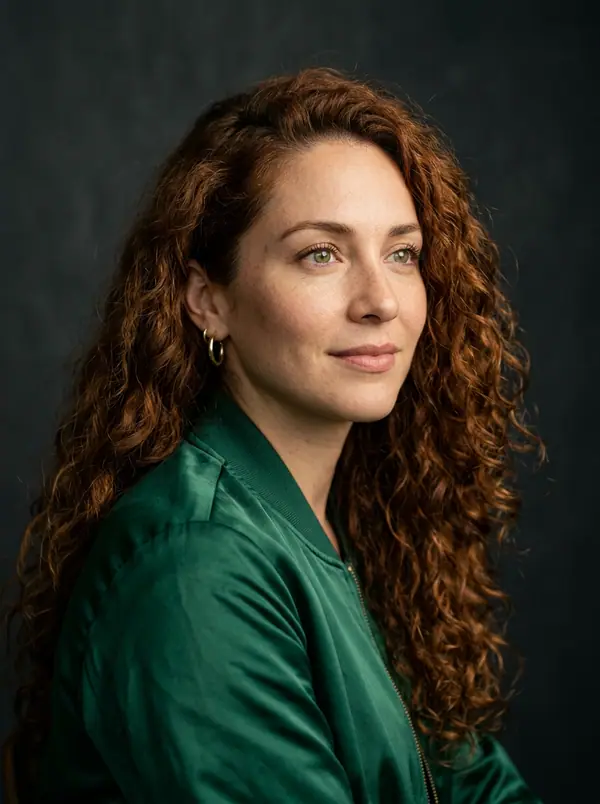
A woman in her early thirties leaning on a café counter with both hands wrapped around a warm mug, dark hair pushed back, shot from chest height on a soft portrait lens at f/1.4, window light from the left, a quiet late-morning mood.
That prompt has hands in it, and they are doing one legible thing around a solid object. Compare it with "a woman gesturing while she talks", which is an invitation to render seven fingers.
The two dials you actually have
eroq's own image models take a CFG scale (Prompt strength, in Settings), and Anima also takes a negative prompt: those are the real controls.
The negative prompt is where anatomy belongs. "extra fingers, fused fingers, deformed hands, extra limbs, distorted face" is boring and it works better than any amount of positive description, because you are steering away from a region rather than hoping to land in one.
CFG runs from 1 to 20 and sets how literally the model follows your text. Low values wander and often look better; high values obey and often look stiff and over-baked. If your prompt is being ignored, raise it a little. If the picture looks fried and plastic, lower it. There is no correct value, only a value that suits this prompt.
A reference photo is what holds a face
Text cannot pin an identity. A reference image can. Attach up to four, and the face comes back recognizably the same across renders.
Two behaviors worth knowing before you rely on it. In Create, your references guide a new picture, and the format defaults to Retain, so the source photo sets the frame unless you pick a fixed ratio yourself. In the Edit tab, the first picture is the one being changed and your prompt is an instruction, which holds the face and the frame most tightly of all.
If you need the same face across a whole shoot rather than a single render, build a Character once. It carries a name, a persona and its reference photos, you summon it in a prompt with an @mention, and the same cast works in the video studio too.
Batch four and keep one
The honest workflow for hands is volume. Images on eroq's own models are 10 credits each, the batch control goes to four, and the whole batch is charged when you submit — so a batch of four is one 40-credit charge, and any take that fails to render at all refunds itself individually. Four rolls of the same prompt will usually produce at least one clean pair of hands, and picking the keeper takes five seconds.
That is roughly $0.40 at entry pack rates for a set you choose from. Budget in takes rather than in images; there is more on the arithmetic in batching takes without burning credits.
Two rules make batching worth it. Change exactly one thing between batches, or you will not know what helped. And write the negative prompt before the first batch, not after the third — it is the variable with the largest effect on anatomy and the smallest cost to set.
There is no repair brush, so plan for re-renders
Here is the part other guides bury. There is no inpainting here, no image upscaler and no face swap: you cannot select the bad hand and regenerate only that region. The closest thing is the image studio's Edit tab, where an instruction such as "give her left hand five fingers" re-renders the picture while keeping its frame, though small details elsewhere can drift. Often the faster fix for a broken hand is simply another render.
That shapes the whole workflow. It means you frame defensively rather than fixing afterwards, you batch rather than perfecting one roll, and you keep the recipe. Every render is saved automatically in your Library with its full settings, and Remix reloads that recipe into the tool so you can change one word and go again. Images have no seed on eroq, so the saved recipe is your reproducibility mechanism — not a number you write down.
If a picture genuinely needs retouching, download it and retouch it in the tool you already own. That is a reasonable answer, and it is more honest than pretending a prompt can do it.
Open the image studio and run your next prompt as a batch of four with a real negative prompt.
FAQ
Does a negative prompt actually fix hands?
It helps more than anything else you can type, because it steers the model away from the region where malformed anatomy lives rather than hoping to describe your way out. Expect it to raise your hit rate across a batch, not to guarantee any single render. Pair it with a composition that gives the hands one clear job.
Why does the face change between two renders of the same prompt?
Because text does not pin identity — your prompt describes a category of person, and the model picks a different member of that category each time. Attach a reference photo, or build a Character with reference photos, and the face comes back consistent. That is the only mechanism here that holds a face.
Can I upscale or retouch a render inside eroq?
Not by hand. There is no image upscaler, no inpainting and no face swap, so you cannot patch one region with a brush. The image studio's Edit tab changes a picture from a written instruction while keeping its frame, and a fresh render is often the quicker fix. Download the file and retouch it in your own editor when it needs pixel-level repair.
How many takes should I budget per usable image?
Four is the practical default for anything involving hands, which is why the batch control stops there. At 10 credits per image that is 40 credits for a set you get to choose from, and the failures inside a batch refund themselves. For a simple portrait with hands out of frame, one or two is usually enough.
 Characters
Make it in eroq
Cast your own in Characters
Everything above happens in the studio: same engines, same settings, rendered on your click.
Prompts from this article
40 free credits · no card · private mode on every account