Tool
AI mukbang video still
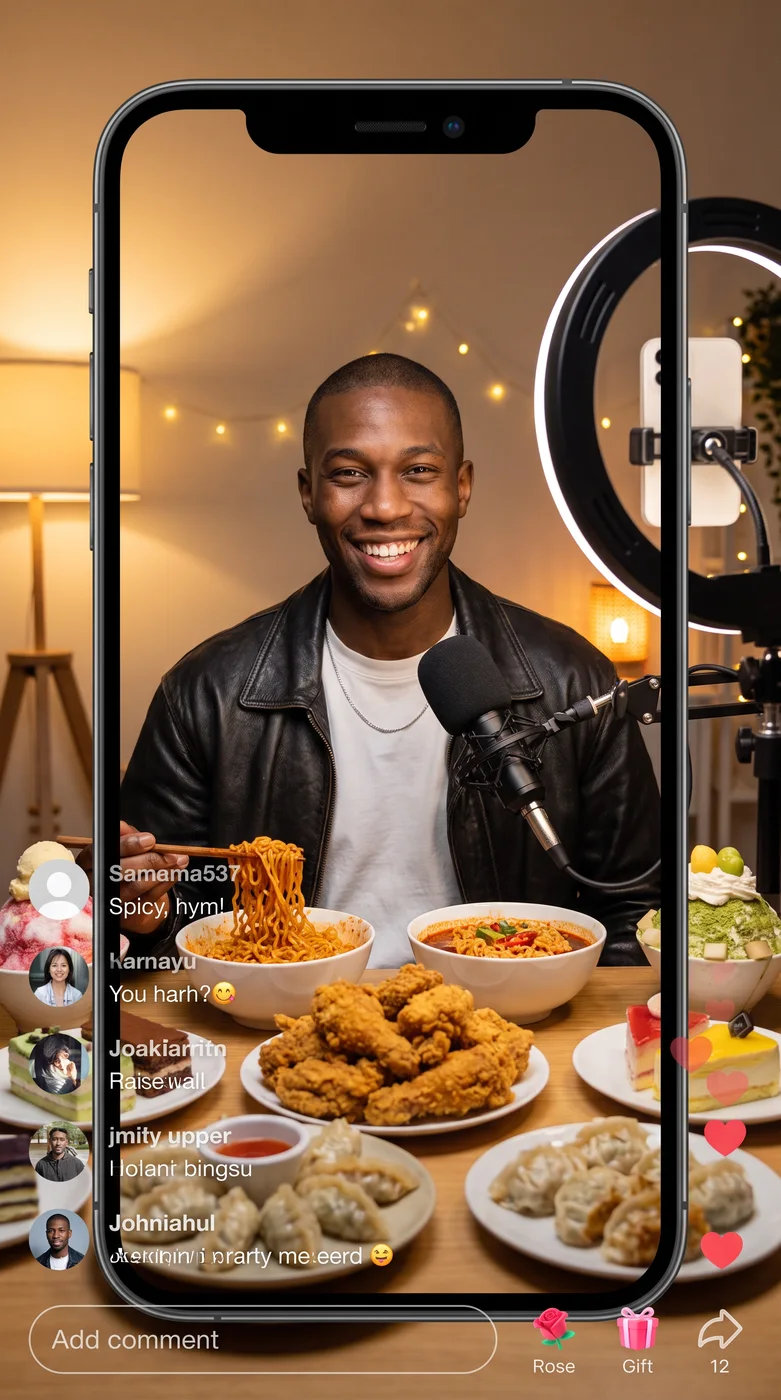
The eroq Mukbang app shows the person in your photo hosting a cozy mukbang livestream, seated at a table covered with noodles, fried chicken, dumplings and colorful desserts, a microphone in front and a ring light behind the camera. It makes a vertical still in phone framing, the same face smiling at the camera, ready to post as a cover or a teaser.
40 free credits · no card · private mode on every account
- App
- Mukbang, in the eroq studio: one click, no prompt to write
- Input
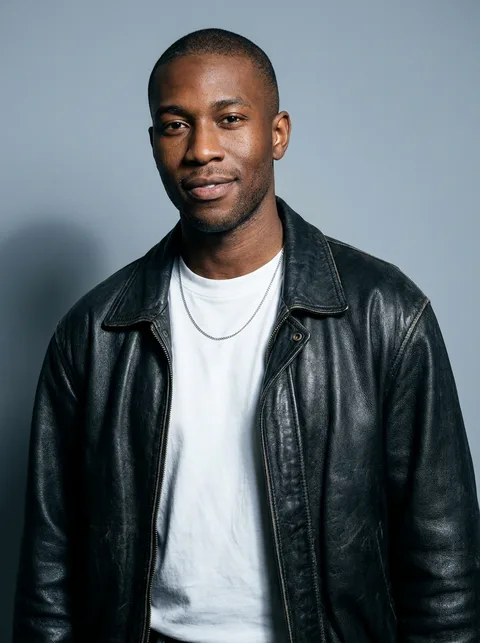
- Your photo, or one of your characters
- Output
- A picture
- Price
- 124 credits a picture, shown before you click
- Plans
- Every plan, free accounts included
- Policy
- Fiction only · 18 or older · no real people without consent
How it works
- →1 · Upload your photo (your own, or of someone who agreed), or pick one of your characters.
- →2 · Nothing to set: the food, the table and the stream setup come from the app.
- →3 · Press Generate and download the vertical still.
What it is good for
- →A cover image for a food video on TikTok, Reels or Shorts.
- →A teaser post before you start a real eating channel.
- →A joke for friends who know your love of noodles.
- →A vertical cover for a food review account.
Honest limits
- →It is a still picture, not a video: it shows the setup, not the eating.
- →The spread is the app's own: you cannot pick the dishes.
- →Chopsticks, hands and food close to the face can come out odd; check them.
Privacy
Private and unrestricted
- →No filter on eroq's own engines: one written policy instead.
- →They keep nothing, and nothing trains on your work.
- →Private mode keeps no file at all.
Frequently asked questions
How do I make an AI mukbang video?
Start with the Mukbang app: upload your photo and press Generate for the vertical still of you hosting the stream. To set it moving, open Video and add that still as the first frame of a clip.
Can I choose the food?
Not in this app: it always sets a spread of noodles, fried chicken, dumplings and desserts. For other dishes, write the scene in Image and add your photo.
Can my AI character host it?
Yes: pick one of your characters instead of uploading a photo, and the app keeps their face at the table.
Will it look like me?
The app keeps the same face and identity, smiling at the camera. A clear, front-facing photo gives the closest likeness.
Is the Mukbang app free?
You can open the app and set it up without an account. A picture costs 124 credits, shown on the button before you click, and a failed render gives the credits back. Every new account gets 40 free credits with no card; more credits start with a $10 pack (1,000 credits) or a plan from $15/month.
Try it free
40 free credits · no card · private mode on every account
Keep exploring