Post a series every day
2 min read
In short
Publish › Post an episode every day puts a film on autopilot: on your schedule, Clap writes the next episode, eroq shoots it with your cast in your look, and the post waits for your tap. From the Studio plan.
A series is a film of yours that keeps going. Make the first episode (a show or your own pitch, cast and shot), then Publish › Post an episode every day in the film's header. Below the Studio plan the menu shows it with its plan tag, and the window offers the upgrade instead of starting.
Start a series
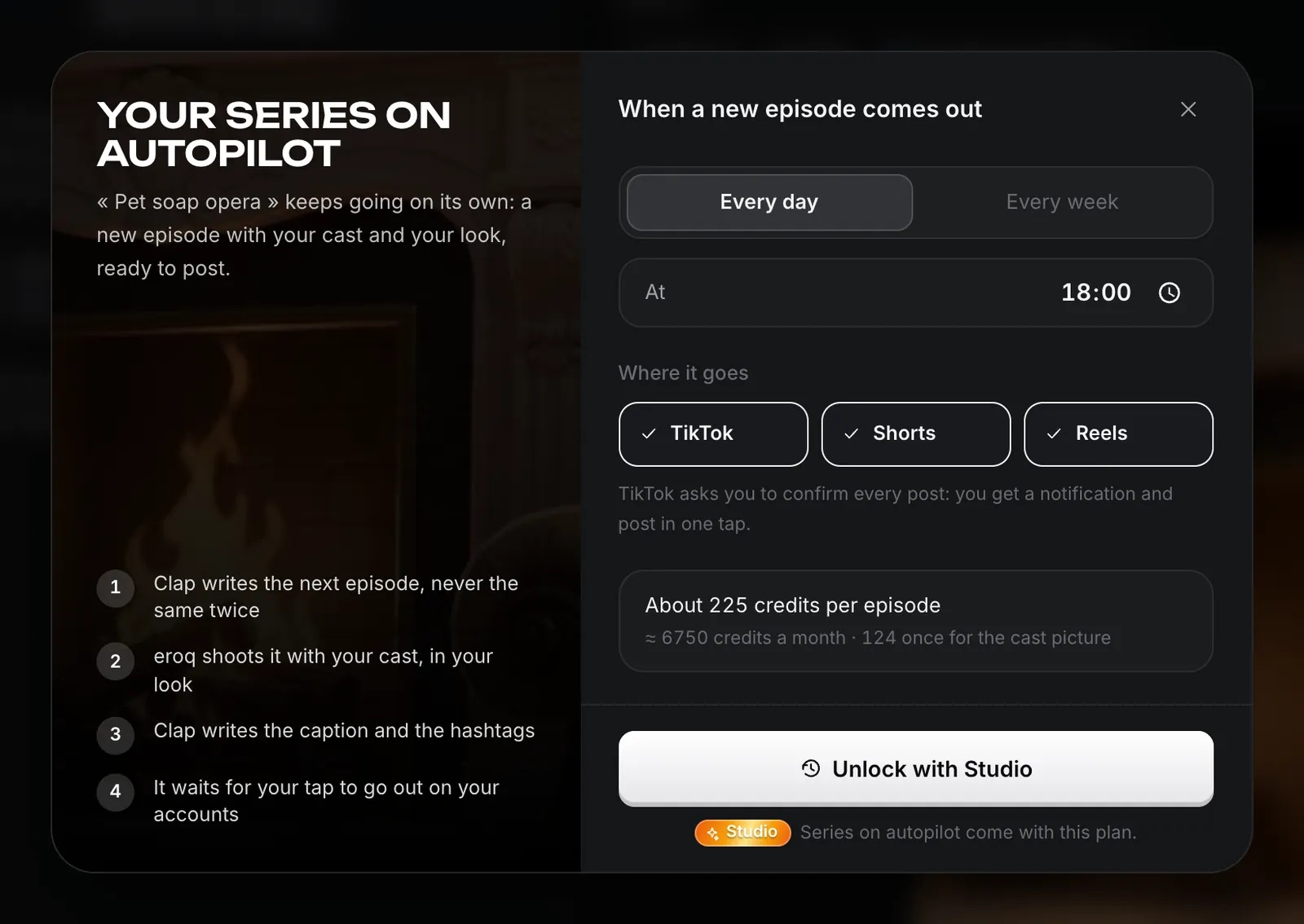
When a new episode comes out: every day, or every week on the day you pick, at the time you set (your time zone).
Where it goes: TikTok, Shorts and Reels, from the accounts you connect in Connectors.
What an episode costs depends on the film's engine: an episode is one take, as long as that engine allows, and the window shows its exact price, and about what a month adds up to, before you start. A cast picture not made yet is made first, once.
Start the series. The window says when the first episode arrives.
Every episode
Clap writes the next episode of the film, never the same twice, with its cast and in its look.
eroq shoots it and it lands in your Library like any render.
Clap writes the caption and the hashtags.
The post waits for your tap: you check it and click Post. Nothing goes out on its own, and TikTok asks you to confirm every post anyway.
Change or stop it
The series is a flow in Workflows, made from the template "A new episode of your series every day" (Open it in Workflows, once it starts). Change the time, the platforms or the caption's instruction there, run it once now, unpublish it to pause the series, or delete it. Each run shows its steps, what they cost, and the post waiting for you.
Questions
Does it post without me?
No. Every episode is written and shot on its own, then waits with its caption until you click Post.
Which plan do I need?
Studio, for flows that run on a schedule. Posting to your accounts comes with Creator and above.
What does a series cost?
The shoot of each episode, at the film's engine price, shown in the window before you start; the cast picture once if it is not made yet. Stop the flow and nothing more is charged.
Did this answer your question?
Related
Still stuck?
Tell us what happened and a person answers within a business day — or write to hello@eroq.ai