blog/guides·Nov 25, 2026·5 min·by the eroq team
Uncensored AI image editor: change any picture without refusals
An AI image editor that changes your picture as you ask, horror make-up and dark scenes included, under a written policy: how it works, what stays banned, privacy.
An uncensored AI image editor changes your picture the way you ask, a zombie make-up, a fake wound, a storm at night, without a filter guessing at your intent, and stops only at a written policy. On eroq that is Image › Edit with two editors: Eroq One, which edits from a sentence and up to 10 pictures and keeps the rest of the picture, and Eroq Uncensored, which re-renders the scene from up to 2 pictures. Both refuse only what the policy bans: anything involving minors, real people without their consent, anything illegal.
Why editors refuse
Editors built into the big assistants are moderated for everyone at once. A filter reads your words and your picture and decides, so a horror make-up, a bruise on a boxer, a villain's scar or a dark poster can come back refused or softened, and the line moves without notice. An uncensored editor drops the guessing, not the rules: fiction renders as written, and what is banned is a short text you can read before you pay.
How Image › Edit works
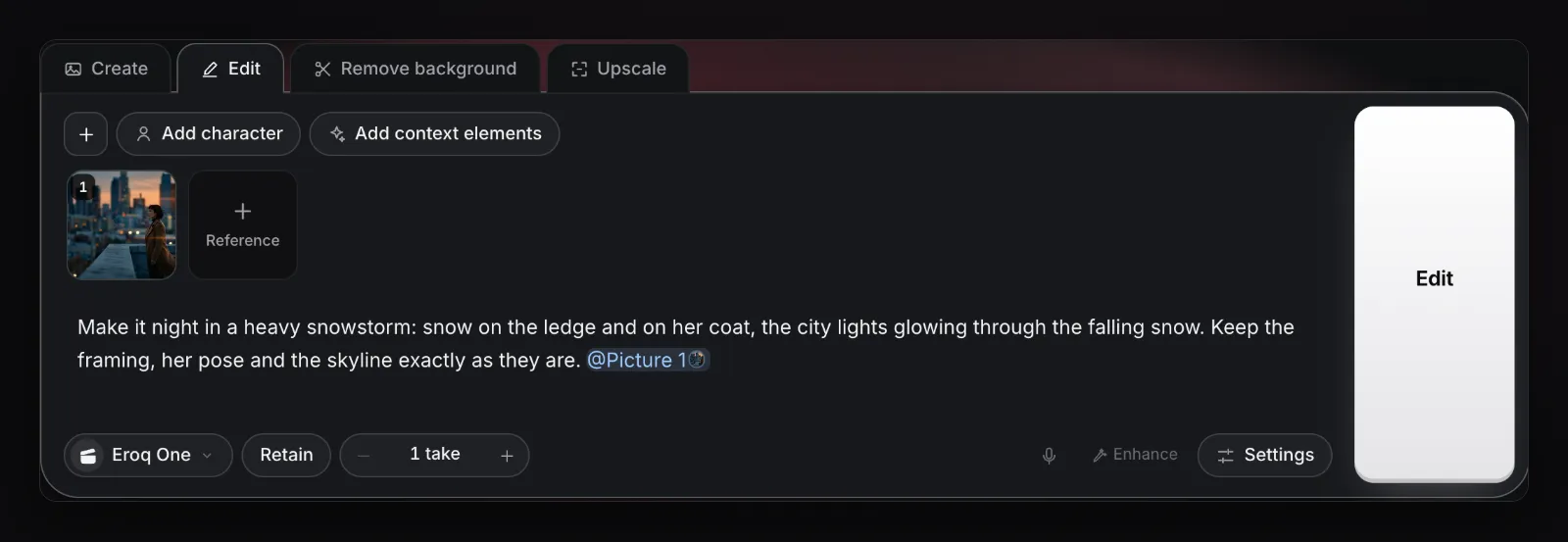
- Open Image › Edit and add the picture to change: an upload, one of your renders, or a picture from Storage. It becomes Picture 1.
- Write the change in plain words, as you would brief a retoucher: "make it night", "give him a torn suit and grey zombie skin", "replace only the sofa, keep everything else". There is no brush or mask: you name the part to change.
- Add more pictures and point at them: "the jacket from Picture 2 on the man in Picture 1".
- Generate a few takes at once, keep the best, and edit it again.
Retain keeps your picture's frame; Eroq Uncensored can also reframe it to another format.
The two uncensored editors
| Eroq One | Eroq Uncensored | |
|---|---|---|
| How it edits | Reads the picture, applies the instruction, keeps the rest: face, pose, light | Re-renders the scene in place |
| Pictures | Up to 10 | Up to 2 |
| Format | Keeps your picture's frame | Keeps it, or reframes to a new ratio |
| Price | 10 credits / image, +1 per extra picture | 10 credits / image |
| Filter | None on top; the written policy | None on top; the written policy |
Start with Eroq One when the person must stay exactly who they are, or when you combine several pictures. Use Eroq Uncensored for a new format or a freer re-render, and check small details such as hair and patterns. A third editor, Krea2, edits in place too, but it is not one of the uncensored ones. For prompts that change one thing and keep the rest, read the image-to-image editing guide.
Before and after
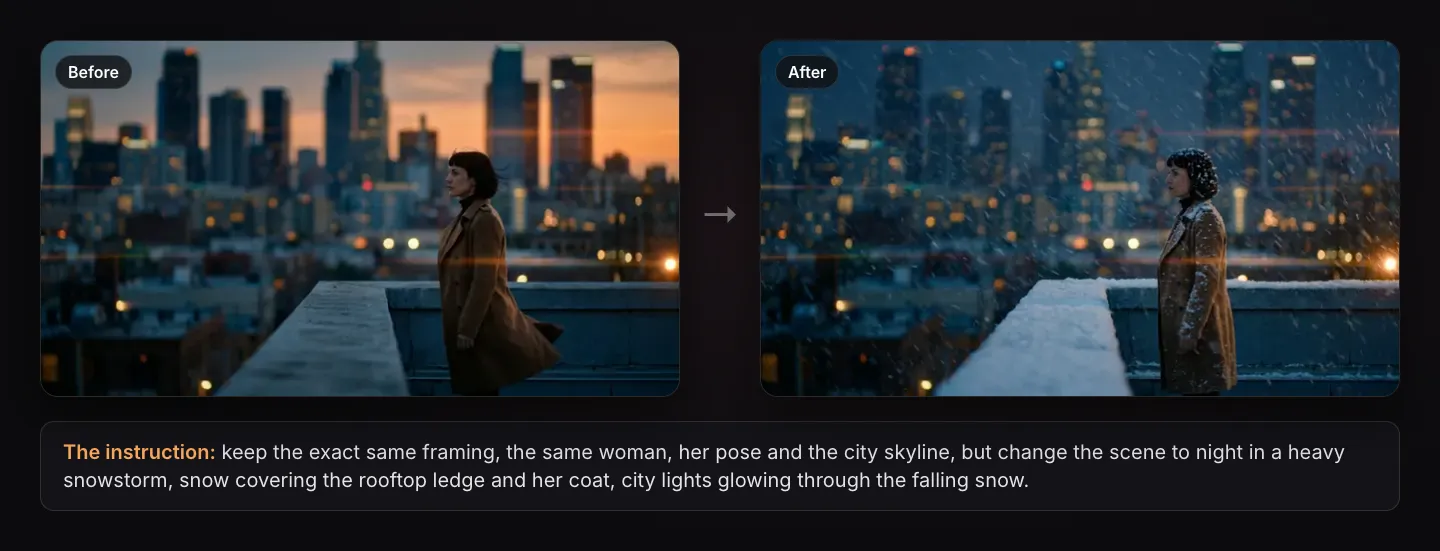
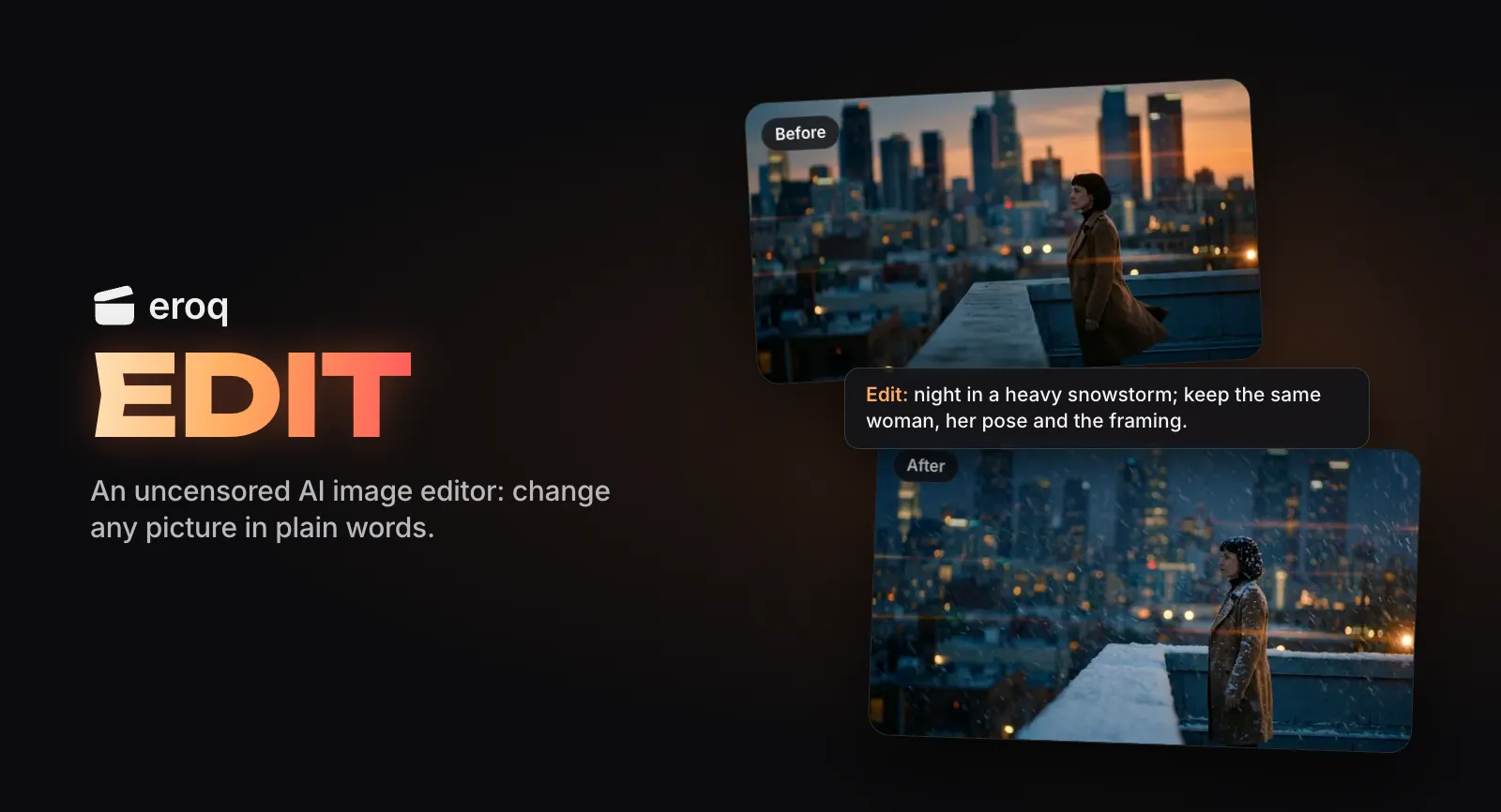
The best edits say what changes and what stays. "Keep the exact same framing, the same woman, her pose and the skyline" is what holds the rest of the picture still while the weather and the light change.
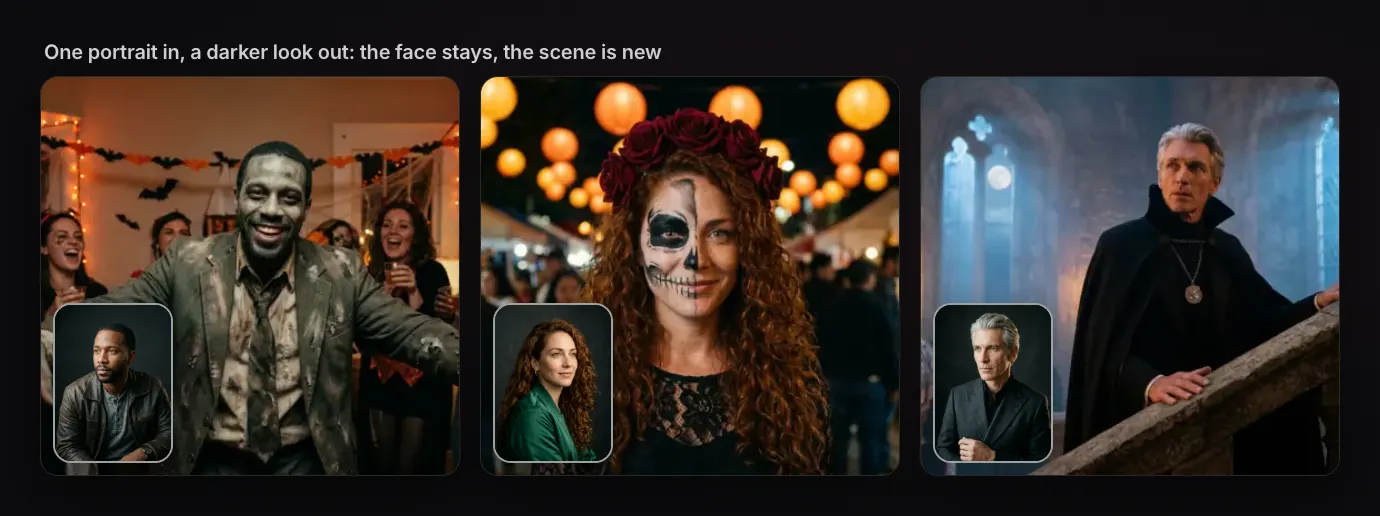
A portrait can also be the reference for a new scene: "the person in Picture 1 in movie-quality zombie make-up at a Halloween party". Horror make-up, fake blood, scars, a villain's costume, a gothic scene: all fiction, all within the policy.
Instructions that work
Say what changes, then what stays:
- "Make it night in a heavy snowstorm; keep the framing, her pose and the skyline."
- "Give him grey-green zombie skin, sunken eyes and a torn suit; keep his face and his pose."
- "Add a fresh scar across her left cheek and rain on her face; keep everything else exactly the same."
- "Put the woman from Picture 2 in the armchair of Picture 1, in the light of the room."
One change per edit holds best. For a bigger change, edit the result again.
Uncensored, within a written policy
What renders: dark and intense fiction, horror, fights, wounds, villains, grief, the scenes a moderated editor turns down.
What never does, on any editor:
- anything involving minors;
- a real, identifiable person without their consent (your own photo, or someone who agreed);
- anything illegal.
A request that crosses the line is refused before any credit is spent. New web accounts start with a content filter on; the account holder can switch it off in Settings, confirming they are 18 or older.
Privacy
Eroq One and Eroq Uncensored are run by eroq and keep nothing upstream, and eroq never trains models on your pictures. With Private mode on, your picture stays in your browser: the edit leaves no file and no Library entry.
From code, the same edit is POST /v1/images/generations with edit: true, your pictures in references (Picture 1 first), and private: true for Private mode.
How to start
Open Image › Edit, add your picture as Picture 1, and write the change. New accounts get 40 free credits with no card, and an edit on Eroq One is 10 credits.
FAQ
Is there an AI image editor without restrictions?
None worth trusting has no rules at all. On eroq, Eroq One and Eroq Uncensored edit with no filter on top: dark and intense fiction renders as written, and only what the written policy bans is refused (minors, real people without their consent, anything illegal).
Can I edit a photo of a real person?
Your own photo, or one of someone who agreed. A celebrity or anyone else without their consent is refused by the policy.
Will the editor keep the face?
Eroq One keeps the person as they are unless you ask otherwise. To keep one face across many pictures, save the person as a Character: their identity sheet holds the face in every render.
Is the uncensored image editor free?
New accounts get 40 free credits with no card; an edit on Eroq One is 10 credits, plus 1 for each extra picture.
Is my picture private?
Yes. The editors keep nothing upstream and eroq never trains on your pictures. With Private mode on, the picture stays in your browser and the edit leaves no file and no Library entry.
Render it in Image
Everything above happens in the studio: same engines, same settings, rendered on your click.
40 free credits · no card · private mode on every account
Try this prompt
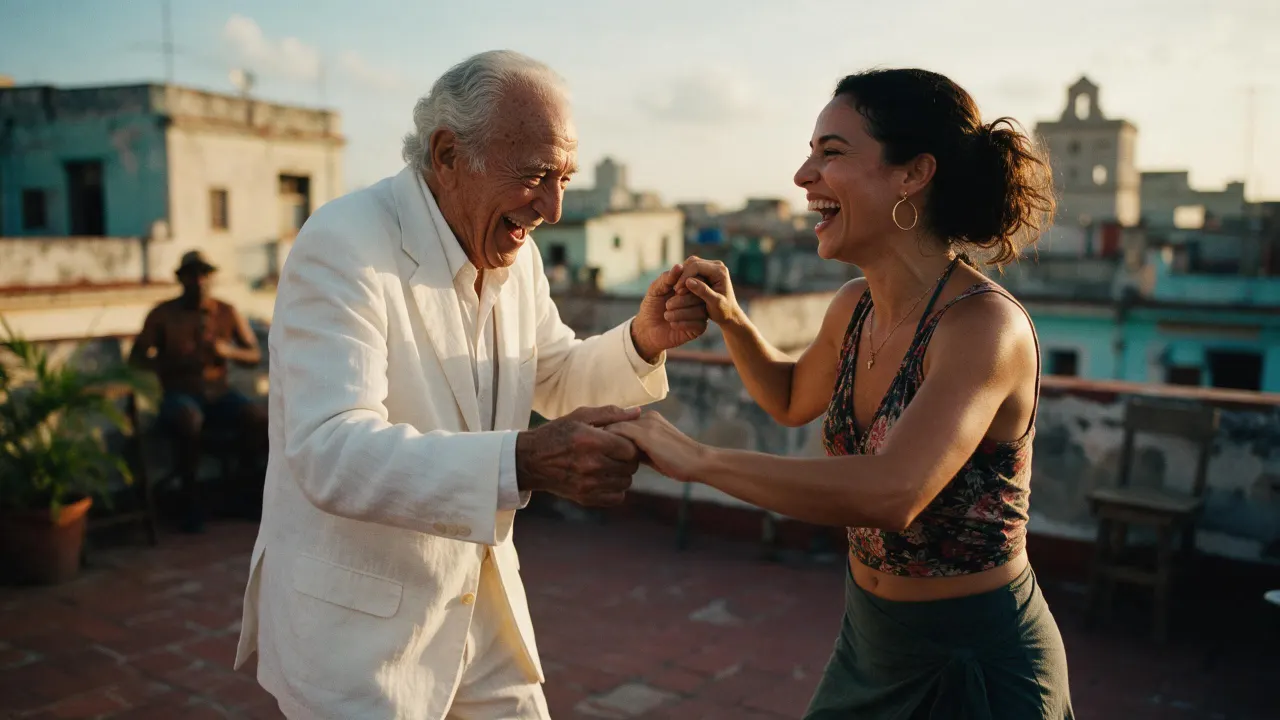
Golden hour on a Havana rooftop, an old man in a white linen suit dancing salsa with a woman in her thirties, both laughing, warm film look
Privacy
Private and unrestricted
- No filter on eroq's own engines: one written policy instead.
- They keep nothing, and nothing trains on your work.
- Private mode keeps no file at all.