Tool
AI paint art filter
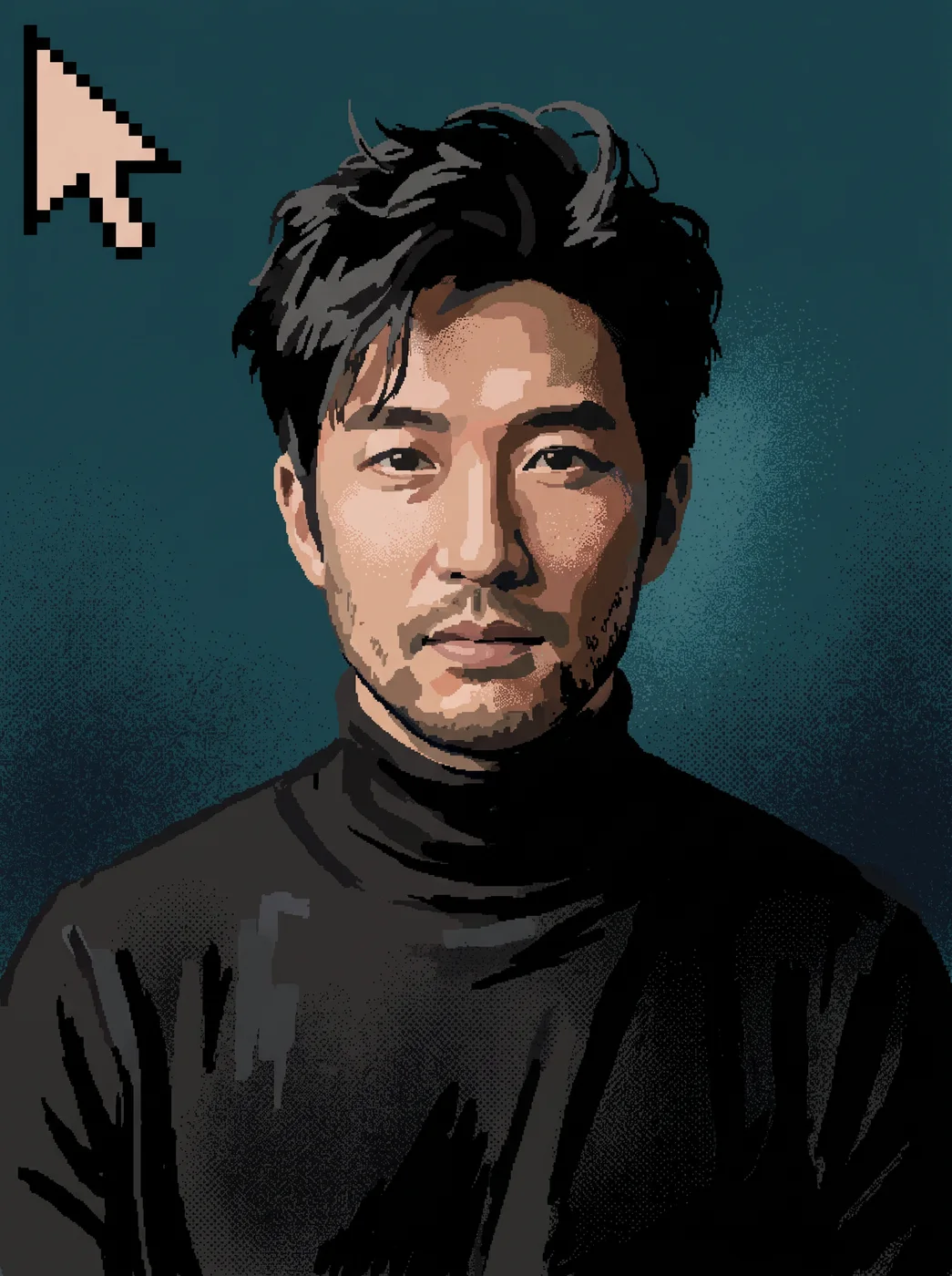
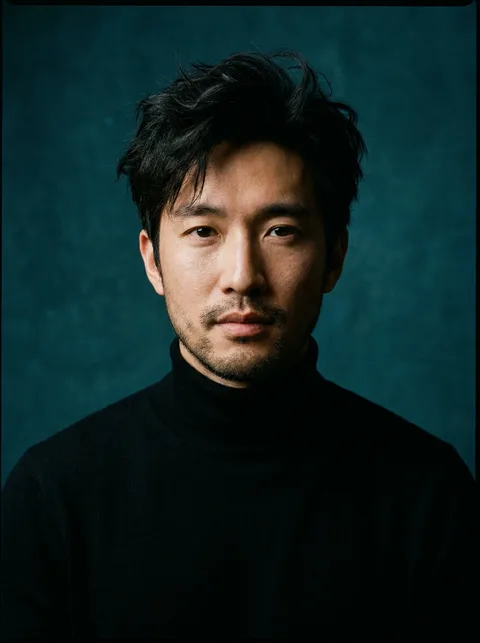
eroq's Paint app art redraws your photo as early 1990s paint-program art: chunky pixelated brush strokes, a limited 16-color palette, flat fills and spray-can dots, with a pixel cursor in the corner. The likeness stays recognizable, so the picture still reads as you.
40 Gratis-Credits · keine Kreditkarte · Privatmodus für jedes Konto
- App
- Paint app art, in the eroq studio: one click, no prompt to write
- Input
- A photo, or one of your characters
- Output
- A picture
- Price
- 124 credits a picture, shown before you click
- Plans
- Every plan, free accounts included
- Policy
- Fiction only · 18 or older · no real people without consent
Privatsphäre
Privat und uneingeschränkt
- →Kein Filter auf den eigenen Engines von eroq: stattdessen eine schriftliche Richtlinie.
- →Sie behalten nichts, und nichts wird mit deiner Arbeit trainiert.
- →Der Privatmodus speichert keine einzige Datei.
How it works
- →1 · Upload your photo (your own, or of someone who agreed), or pick one of your characters.
- →2 · Nothing to set: the palette and the brushwork come from the app.
- →3 · Press Generate and download the artwork.
What it is good for
- →A retro profile picture or a gaming avatar.
- →A nostalgic print for someone who grew up with old home computers.
- →A cover for a chiptune track, a zine or a newsletter.
- →Your pet, your car or your street, not only portraits.
What it looks like up close
- →The strokes are rough on purpose: old paint-program art, not clean pixel sprites.
- →Sixteen colors turn skin tones and gradients into flat bands.
- →Small text and fine detail disappear; bold shapes and faces carry best.
- →The cursor in the corner is part of the look.
Häufig gestellte Fragen
Can AI turn a photo into paint art?
Yes: upload the photo to Paint app art and press Generate, and the app redraws it in retro paint-program strokes and a 16-color palette.
Can I pick another painting style?
Not in this app; it always makes the early 1990s paint-program look. For oil, watercolor or crayon, write the style in Image and add your photo.
Will people recognize me?
Yes, the likeness is kept through the rough strokes. A clear photo with your face large in the frame keeps it closest.
Can I use a photo of my pet?
Yes, the app redraws whatever your photo shows: a pet, a car or a place works as well as a portrait.
Is the Paint app art app free?
You can open the app and set it up without an account. A picture costs 124 credits, shown on the button before you click, and a failed render gives the credits back. Every new account gets 40 free credits with no card; more credits start with a $10 pack (1,000 credits) or a plan from $15/month.
Kostenlos ausprobieren
40 Gratis-Credits · keine Kreditkarte · Privatmodus für jedes Konto
Weiter entdecken