Shows and episodes
3 Min. Lesezeit
Kurz gesagt
Pick a show at the top of Cinema, keep its look, cast your characters and pick an episode: it opens written and priced, with nothing spent yet.
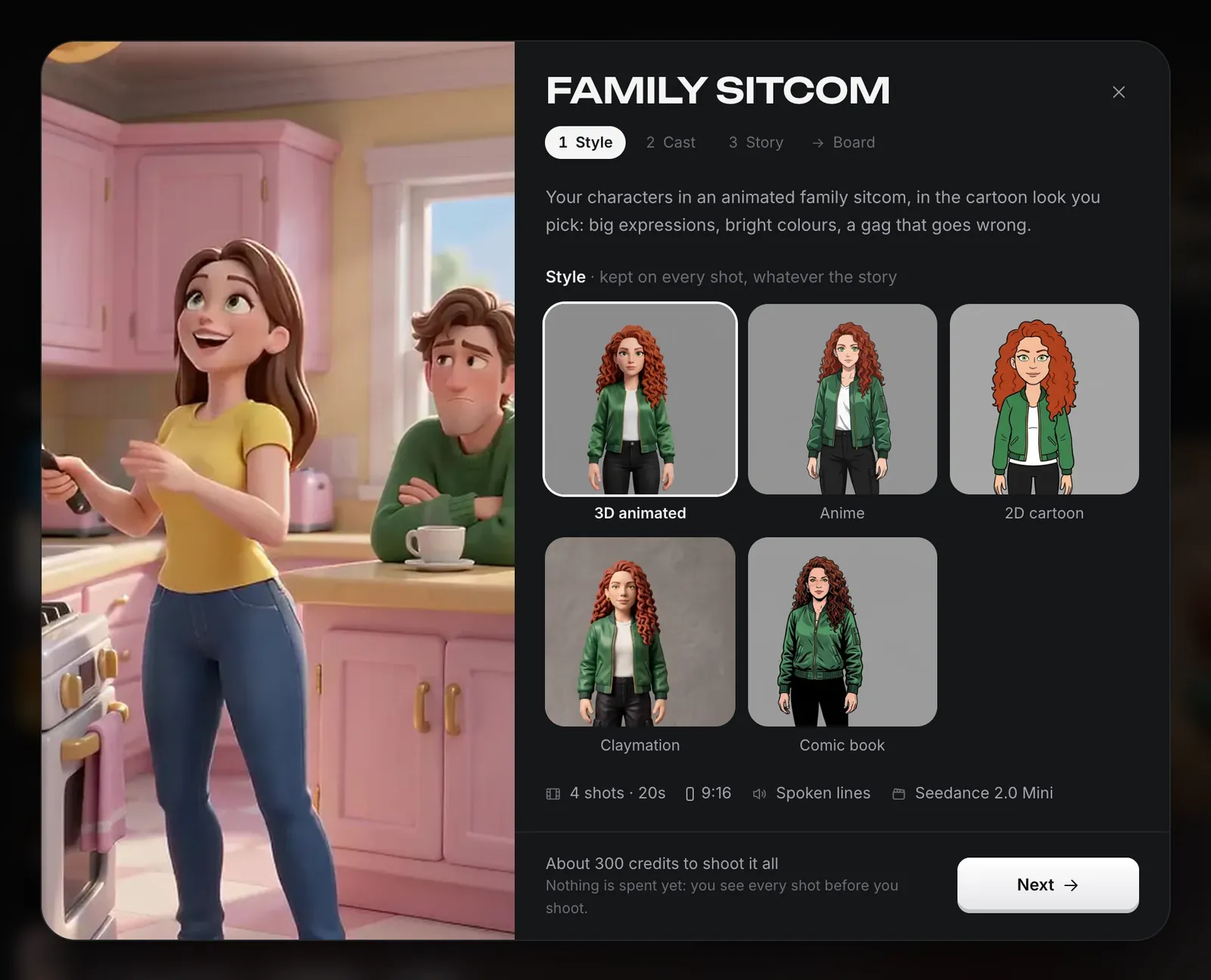
Right under Cinema's title, the shows are formats written for you, each with its roles and its episodes: GTA gameplay episode, Fruit Temptation Island, Italian brainrot, Pet soap opera, Family sitcom and The Office episode, then older trends with a single episode. Open one and its sheet works in steps, Style, Cast, Story, then the board. Under the steps it says how many shots the episode has, its format, the engine it shoots on and about what shooting it all costs. Writing and opening it is free; credits are spent only when you press Shoot on the board. A link to a show opens its sheet directly (/studio/cinema?trend=cartoon is the Family sitcom).
Style
An animated show keeps one look on every shot, whatever the story says: 3D animated, anime, 2D cartoon, claymation or comic book. You pick it first and it cannot drift. The Office episode also plays in live action, with actors eroq generates for the roles; starring your own characters in live action is coming soon, so pick an animated look to play in it now (Star in it, animated).
Cast
Each role takes one of your characters, a new character made from your photo, or an actor eroq casts for it. Add a character brings more of yours into the episode, up to 5 in all (3 in GTA gameplay episode, where the game camera follows them from behind). Before the first shot, one cast picture draws everyone in the show's look, as fruit, creatures or cats when the show asks for it. It costs 124 credits once, every shot then reads it, and only a change of cast makes a new one.
Story
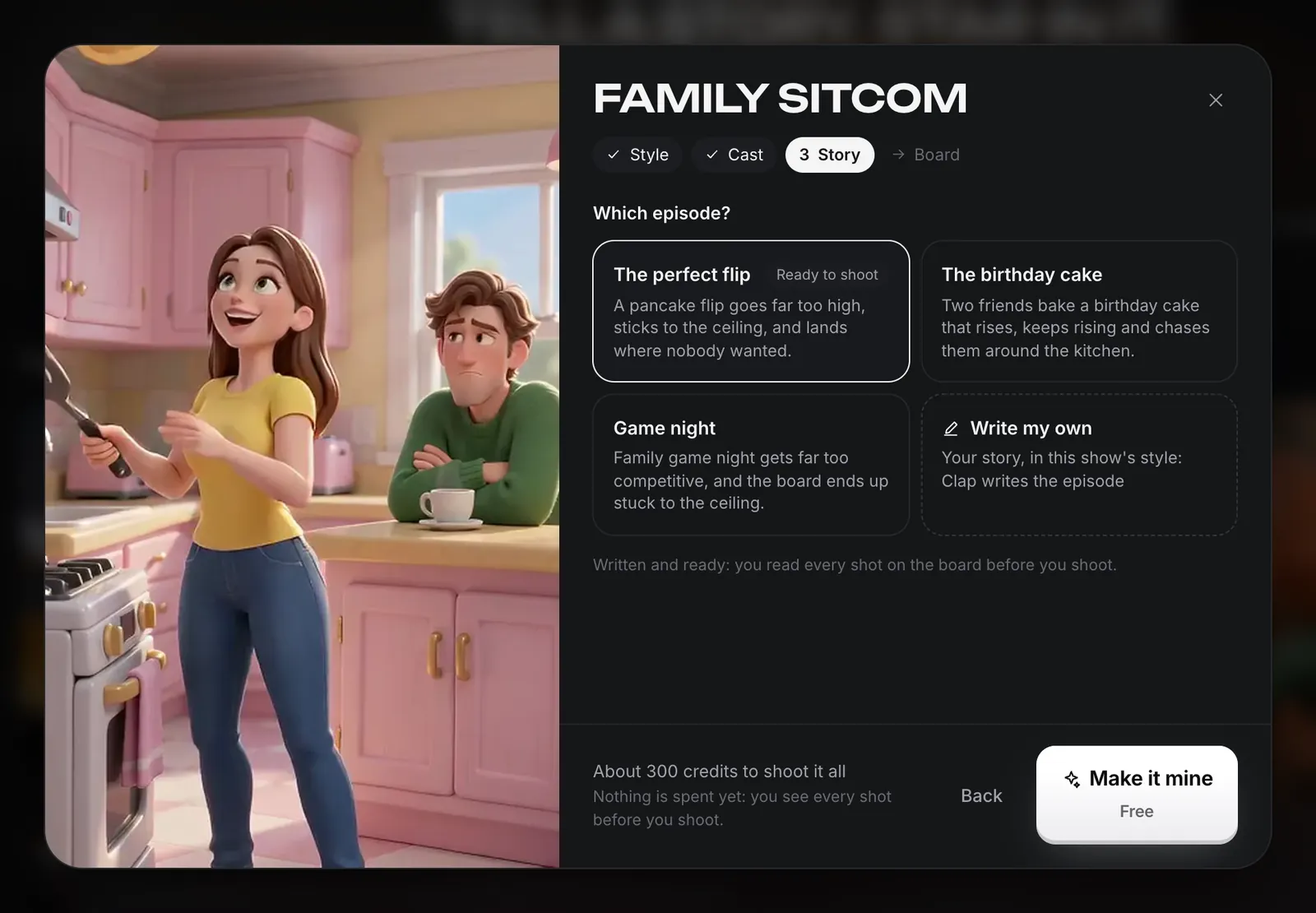
Which episode? The first one is written and Ready to shoot; the others are pitches that Clap writes into shots with your cast. Write my own gives you the whole panel for your story: type @ to name your characters (one you name who is not cast yet joins the episode, while the cast picture has room) and Clap writes it in the show's look. You can write in any language.
Board
Make it mine opens the episode as a film: every shot on the board with its price, to read and change by hand or by asking Clap. Press Shoot when you like it. The film keeps the show's look, its cast picture and its roles.
The next episode
Duplicate, on a film's card under Your films, copies it into a new film named "… (copy)" and opens it: the same shots and takes, the same cast and cast picture, the same look and the conversation with Clap. Ask Clap for the next twist and shoot what changed; the saved cut and the Library folder stay with the original. To have an episode written and shot every day, see Post a series every day.
Fragen
Can I change the look once the film is open?
No: a show's look is locked on every shot so the episode stays consistent. Open the show again and pick another look for a new film.
Why do my characters look different in a show?
Because the show draws them in its own look: the cast picture turns them into fruit, creatures, cats or cartoon characters as the show asks, from their pictures. Your character itself does not change.
Can I star in a live-action show?
Not yet with your own face: in live action the roles are played by actors eroq generates. Pick 3D animated, anime, 2D cartoon, claymation or comic book to star in it now.
Hat das deine Frage beantwortet?
Verwandt
Kommst du nicht weiter?
Erzähl uns, was passiert ist – ein Mensch antwortet innerhalb eines Werktags. Oder schreib an hello@eroq.ai