Blog/guides·25. Nov. 2026·6 Min.·vom eroq-Team
How to make an animated web series with AI, starring your own characters
Make an animated web series with your own characters: pick a show and a look, shoot the episodes one by one and post each to TikTok, Shorts and Reels.
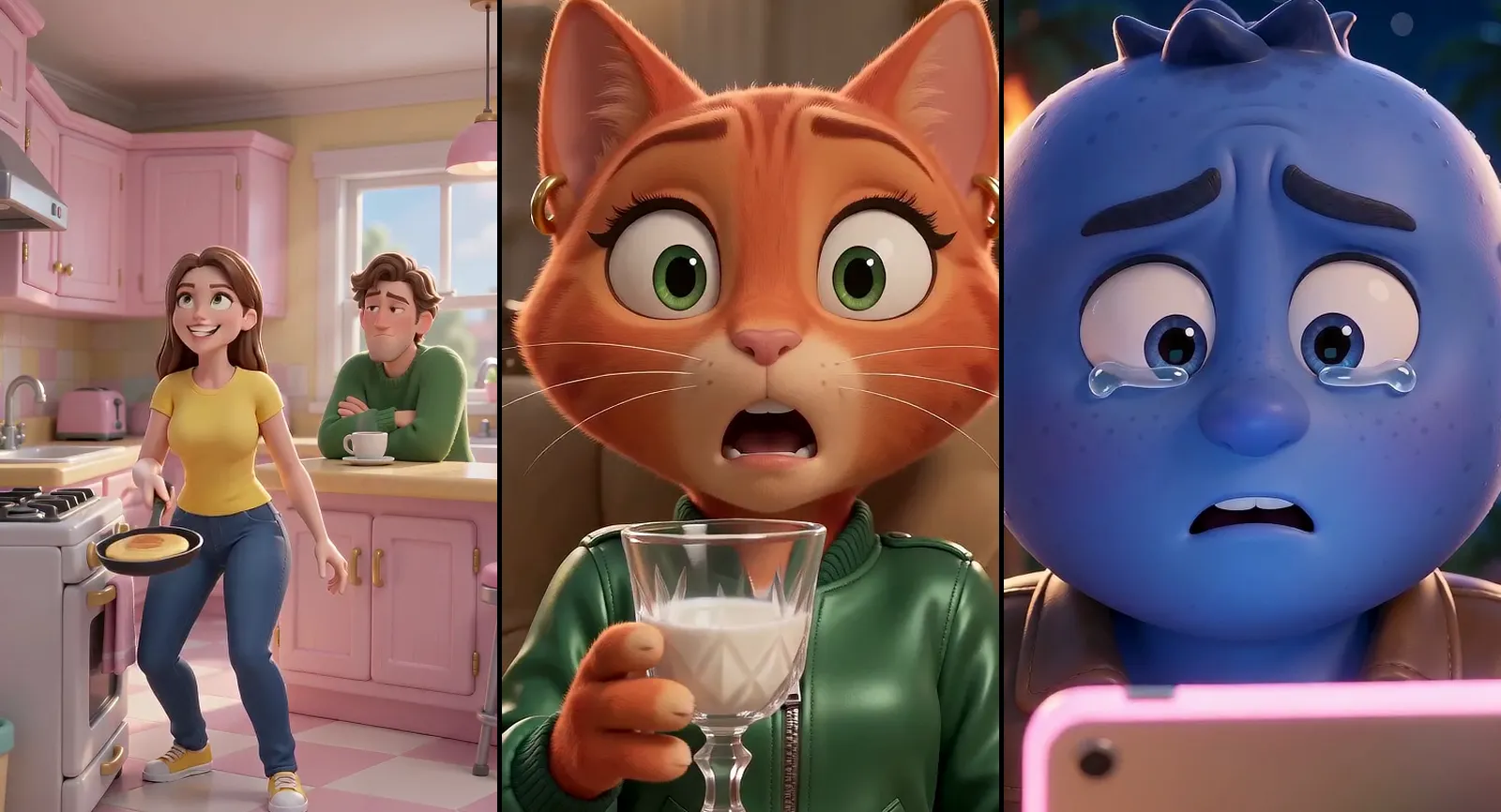
The animated shorts that grow an audience are rarely one-offs. They are series: the same characters, the same look, and a new episode every few days. AI makes the drawing part fast, but a series still needs a format, a cast that stays the same and a rhythm. This guide shows how to make an animated web series with your own characters in eroq Cinema, from the first episode to the tenth, and how to post each one to TikTok, Shorts and Reels.
What a series needs
- A show. A format people understand in two seconds: a sitcom, a soap, a reality show.
- A recurring cast. The same characters in every episode, so people know who they are.
- One look. The same style on every shot of every episode.
- A rhythm. Episodes that come out regularly, each with its own hook.
The trends in Cinema give you the first three. The rhythm is up to you.
1. Pick a show
Each animated trend in Cinema is a show with its own roles and episodes:
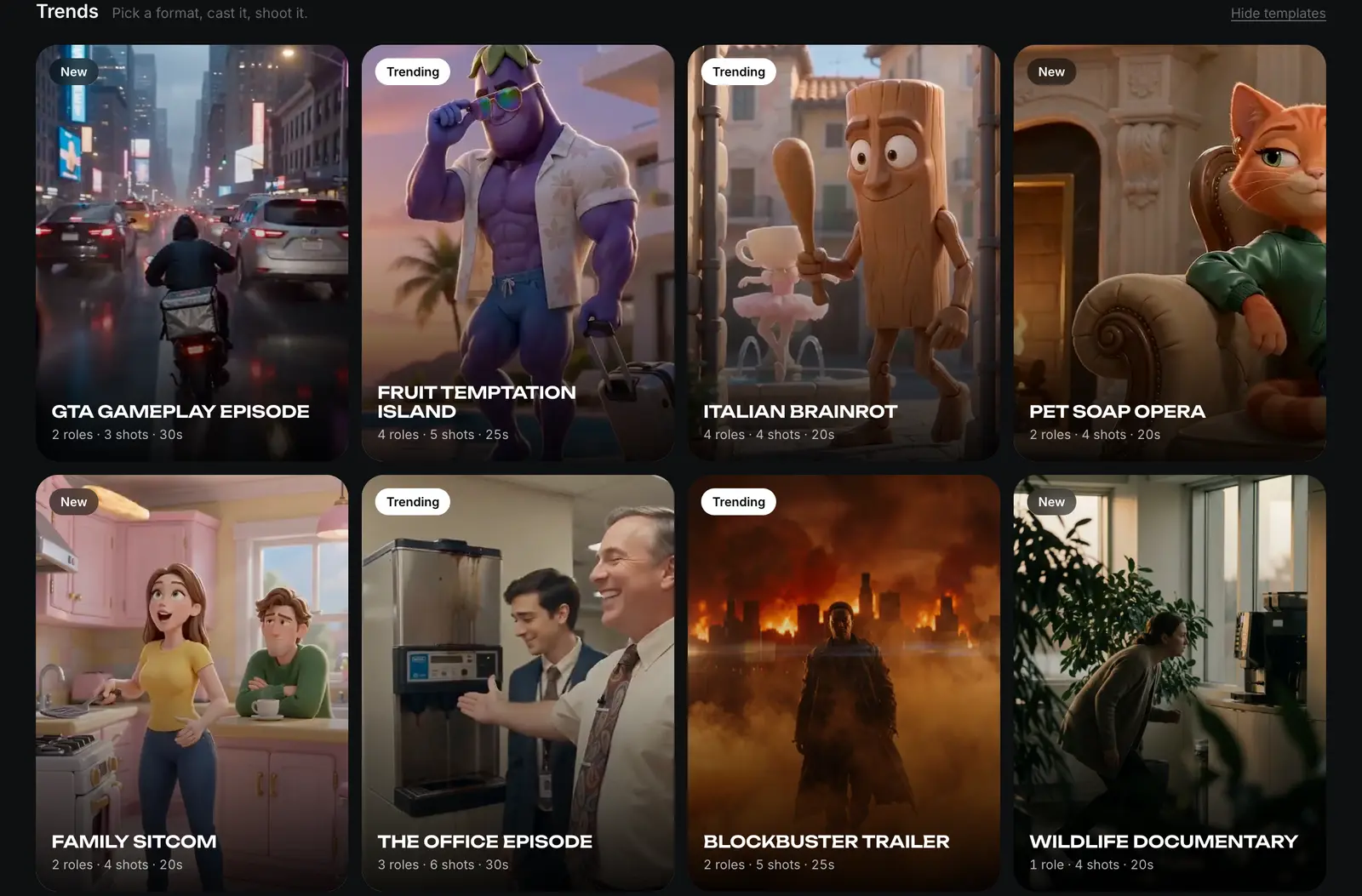
- Family sitcom. Your characters in a kitchen gag that goes wrong: a pancake flip, a birthday cake that keeps rising, a game night that gets far too competitive.
- Pet soap opera. Your characters as cats and dogs in a mansion, with a secret, a wedding and a will.
- Fruit Temptation Island. Your characters as fruit contestants in the fruit reality show, with the tempter, the bonfire and the midnight exit.
- Italian brainrot. Your character as the newest creature of the brainrot universe, next to Tralalero Tralala and Tung Tung Tung Sahur.
The Office episode also plays animated with your cast. The GTA gameplay episode tells your story as open-world gameplay, covered in GTA gameplay with AI.
2. Pick a look and keep it
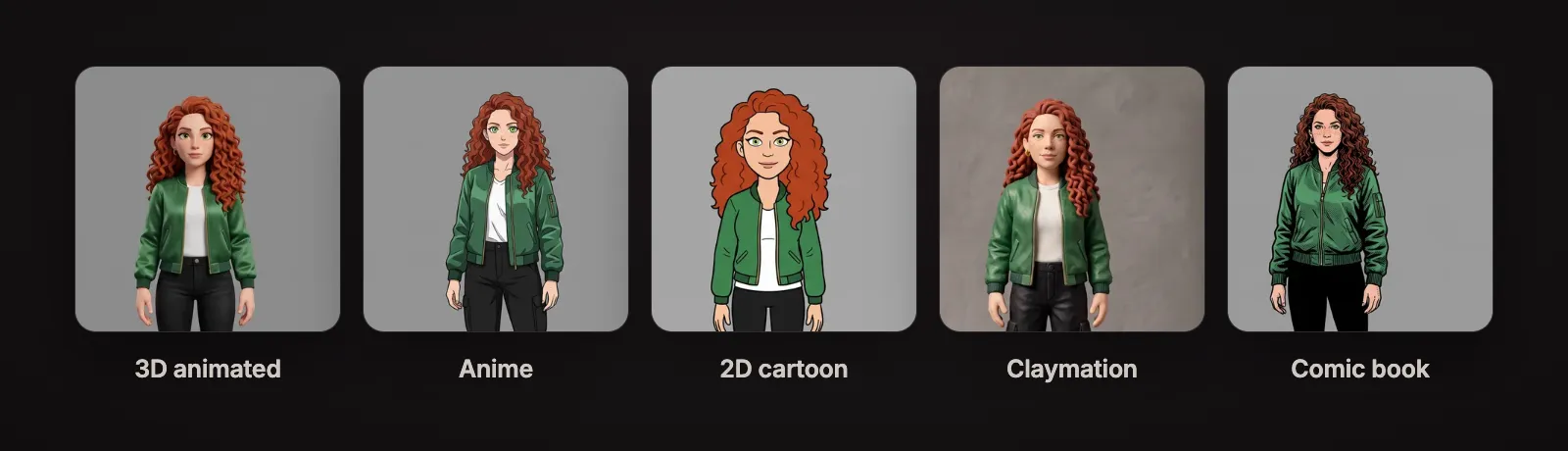
The first step of a trend is the style: 3D animated, anime, 2D cartoon, claymation or comic book. Whatever the story says, the film keeps the look you picked on every shot. Pick the same look for every episode of your series. It is what makes episode seven look like episode one. If anime is your thing, how to make anime video with AI goes further.
3. Cast your characters
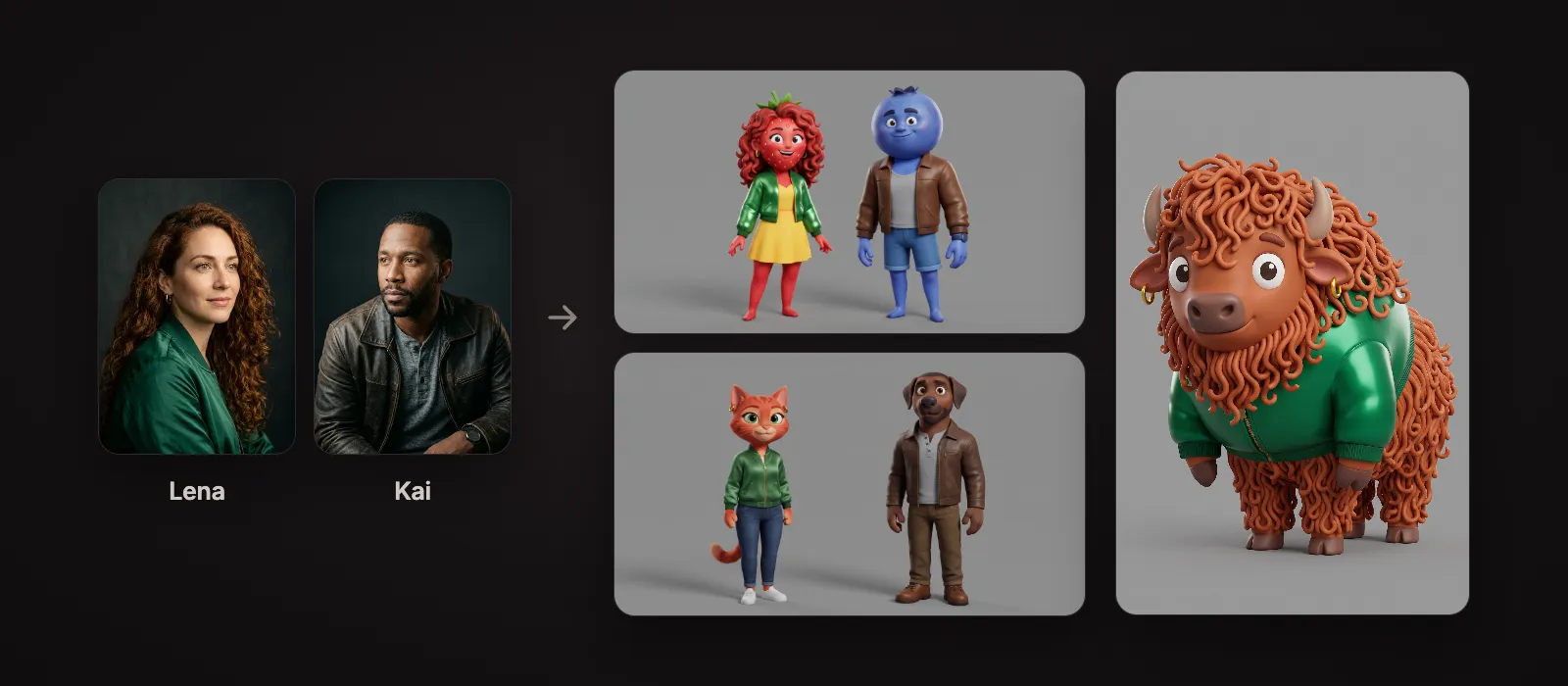
Create your characters once, from photos or designed from scratch, and reuse them in every episode. In a trend, put them in the roles, up to five in all. One cast picture is made first. It draws them in the style you picked and turns them into the show's kind: fruit people, brainrot creatures, or cats and dogs. Their hair colour and outfit colours carry over, so they stay recognisable. Leave a role empty and the show casts it for you.
4. Shoot the episodes one after another
Every show has a list of episodes. The first one is written and ready to shoot. The others are pitches that Clap, eroq's creative agent, writes with your cast and in your look. When the list runs out, pick « Write my own » and say what happens next in a few lines.
Make it mine opens the board: every shot and every line, to read or change before anything is shot. Nothing is spent until you press Shoot. The edit, the music and the titles happen in the same film.
5. Post each episode
When the cut is ready, Publish gives you two choices. Post to TikTok, Shorts, Reels exports the cut and posts it from your connected accounts. Publish on eroq shares it in the community. You can also export the file and post it yourself. The episodes are vertical, made for those feeds.
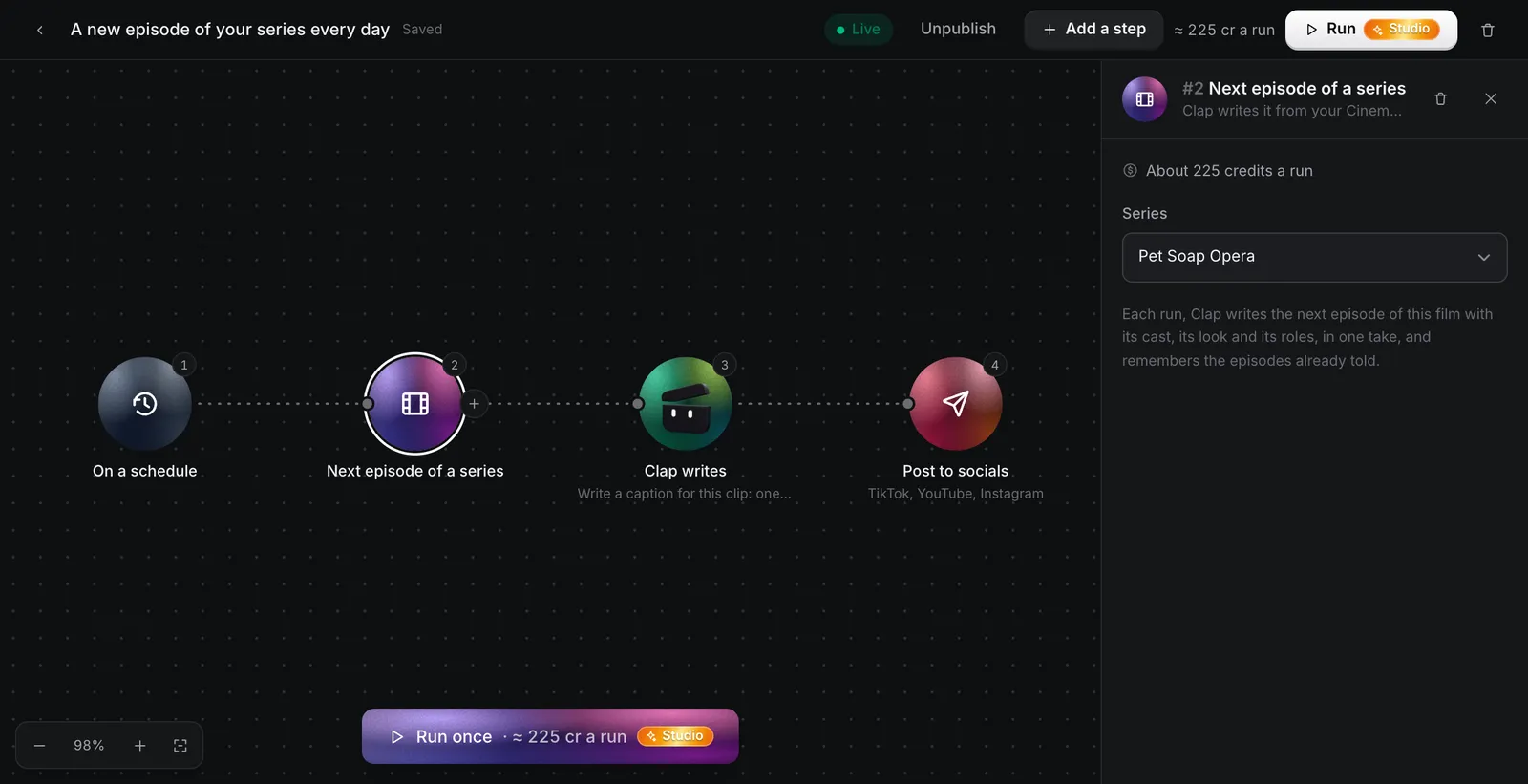
To keep a rhythm without thinking about it, put the series on autopilot: in your film, Publish › Post an episode every day. Every day, or every week, at the time you pick, Clap writes the next episode with your cast, eroq shoots it in your look, Clap writes the caption, and the post waits for your tap to go out on TikTok, Shorts and Reels.
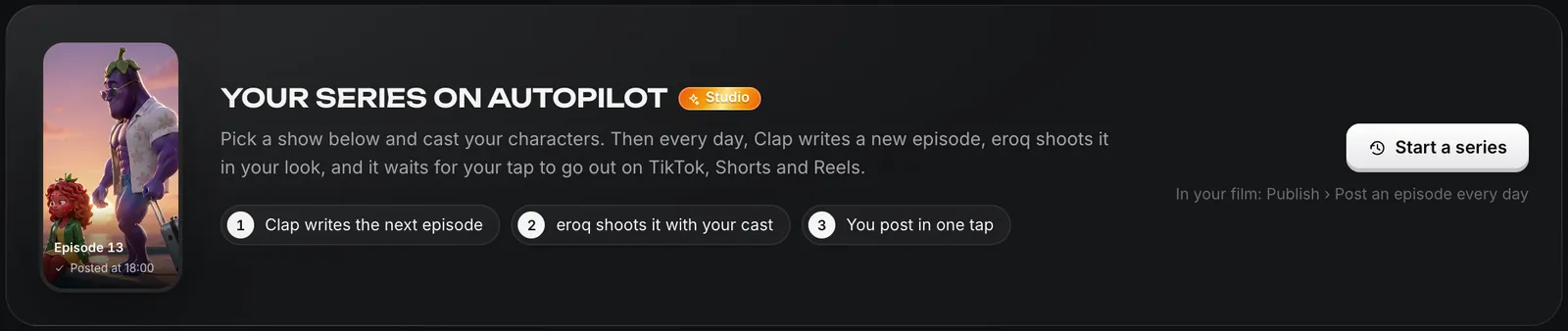
The series runs as a flow, « A new episode of your series every day »: a schedule, the next episode of your film, the caption, the post. Open it in Workflows to change the time, the platforms or the caption.
Tips for a series people follow
- Same cast, every time. People follow characters, not clips. Do not swap the lead between episodes.
- One hook per episode. A pancake on the ceiling, a stranger at the door, a video at the bonfire. One clear moment, early.
- End on a question. Who is the stranger? Will she choose the tempter? A cliffhanger brings people back.
- Keep the look. The same style is your series' signature in a crowded feed.
- Number your episodes. « Episode 3 » in the caption tells new viewers there is more to watch.
- Post regularly. Pick a rhythm you can hold, like two or three episodes a week, and stick to it.
- Read the comments. Viewers tell you which character they want more of. Give them that in the next episode.
FAQ
How do I make an animated series with AI?
Open Cinema in the eroq studio, go to Trends and pick an animated show. Choose a look, cast your characters and shoot the first episode. Then come back to the same show for the next episodes, with the same cast and the same look.
Can I use the same characters in every episode?
Yes. Your characters stay in your account. Cast the same ones in every episode, and the cast picture draws them in the style you picked each time.
Which animation styles can I use?
3D animated, anime, 2D cartoon, claymation and comic book. The look you pick is kept on every shot, whatever the story says.
Do I have to write the episodes?
No. The first episode of each show is written, and Clap writes the next ones from the show's pitches, with your cast. You can also write your own story in a few lines.
Can I post the episodes to TikTok, Shorts and Reels?
Yes. Publish posts each cut to TikTok, YouTube Shorts and Instagram Reels from your connected accounts. You can also export the file or share it in the eroq community.
How much does an episode cost?
The trend sheet shows an estimate of the credits before you start, and nothing is spent until you press Shoot. New accounts start with 40 free credits. For a regular series, a plan gives you credits every month.
More to watch and make
Every trend of the moment, animated or not, is in AI video trends this week. To start from a single show, read Fruit Love Island with AI, Italian brainrot with AI or The Office AI episode.

Privatsphäre
Privat und uneingeschränkt
- Kein Filter auf den eigenen Engines von eroq: stattdessen eine schriftliche Richtlinie.
- Sie behalten nichts, und nichts wird mit deiner Arbeit trainiert.
- Der Privatmodus speichert keine einzige Datei.