





01:39:36 13 thg 10·Sẵn sàng · Mất 31 sec · −10 credit
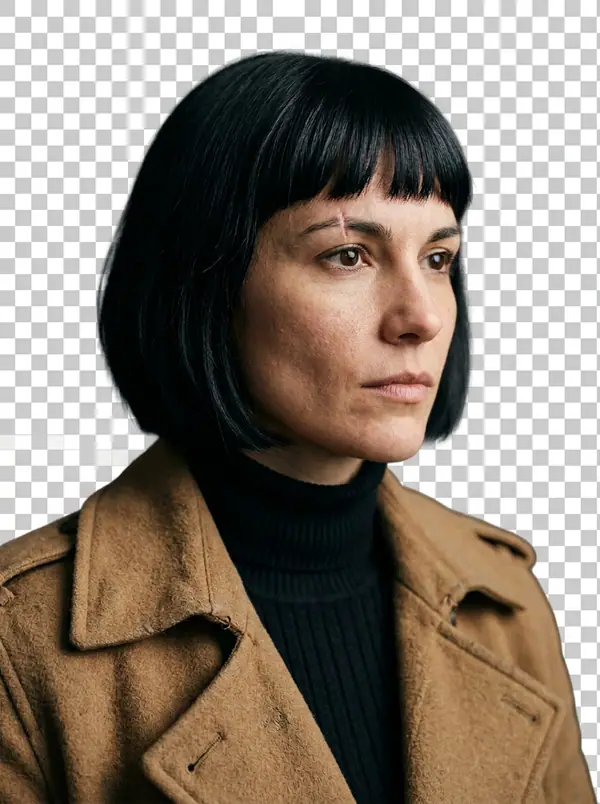
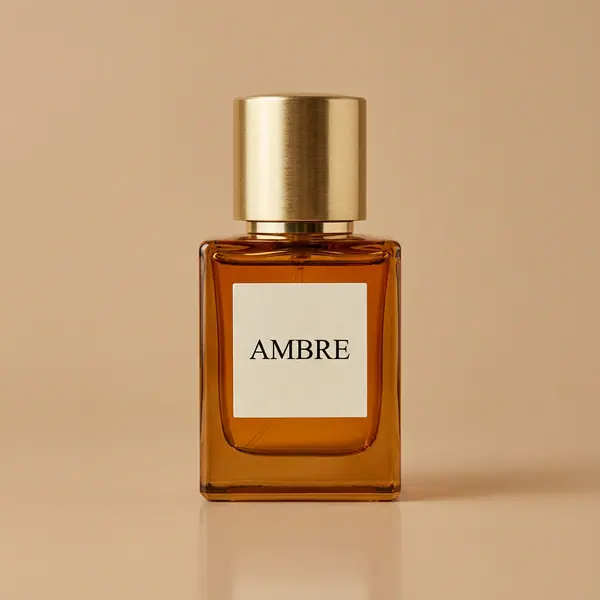
@Ảnh 1: thay người đàn ông bằng người phụ nữ trong @Ảnh 2, cùng áo khoác, cùng con hẻm, cùng ánh neon
Eroq One · Giữ nguyên · 1 bản

Tool
eroq removes a picture's background in one click: open Image › Remove background, add the picture, and eroq Cutout gives it back as a transparent PNG at its own size, the subject's edges and hair kept. It costs 5 credits a picture on eroq's own GPUs, and Video › Edit does the same for clips.
40 credit miễn phí · không cần thẻ · chế độ riêng tư cho mọi tài khoản
Ảnh · Tạo
01:39:36 13 thg 10·Sẵn sàng · Mất 31 sec · −10 credit
@Ảnh 1: thay người đàn ông bằng người phụ nữ trong @Ảnh 2, cùng áo khoác, cùng con hẻm, cùng ánh neon
Eroq One · Giữ nguyên · 1 bản
01:42:07 13 thg 10·Sẵn sàng · Mất 26 sec · −40 credit
@Lena, ảnh chân dung tự nhiên bằng phim 35mm ở nhà, ánh sáng cửa sổ ấm, hạt phim mịn
Eroq One · 3:4 · 4 bản




@Lena, ảnh chân dung tự nhiên bằng phim 35mm ở nhà, ánh sáng cửa sổ ấm, hạt phim mịn
Video › Edit › Remove background keeps the person of a clip, every frame, with its sound: 2 credits a second, up to 30 seconds.
Clap · Tác nhân AI
Mô tả kết quả trong Ask. Clap hỏi những gì cần biết, chọn engine, viết prompt và báo giá kế hoạch. Khi bạn duyệt, nó render tất cả vào thư viện của bạn. Hoàn toàn tự động, và không gì chạy trước khi bạn đồng ý.
Ask · Clap
Clap · Đã nghĩ 6s
Ba khung hình, cùng khuôn mặt từ bảng nhân vật của Lena. Đây là kế hoạch.
Sản xuất



Đã lưu vào thư viện của bạn
Mỗi ô mở xu hướng của nó trong studio, sẵn sàng để chạy.
Quyền riêng tư
Riêng tư và không giới hạn
Open Image › Remove background, add the picture and press Remove background. You get the subject on a transparent background, as a PNG at the picture's own size.
Yes: the PNG keeps the subject and nothing else, ready to lay on any color, picture or page.
Yes: add the cutout to Image › Edit and describe the scene ("on a marble countertop, soft window light"). The editor draws the new background around your subject.
Yes, in Video › Edit › Remove background: eroq Cutout keeps the person on every frame, on a transparent background or a green screen, at 2 credits a second of clip.
Free to start: every new account gets 40 free credits with no card, 8 cutouts at 5 credits each. A cutout that fails refunds itself. More credits start with a $10 pack (1,000 credits) or a plan from $15/month.
Yes: POST /v1/images/remove-background with a file or one of your media keys returns the transparent PNG, at the same price.
40 credit miễn phí · không cần thẻ · chế độ riêng tư cho mọi tài khoản