



Black Friday

50% di sconto su un anno intero di qualsiasi piano

Approfitta dell’offerta
eroq

Christmas

AI Christmas video generator

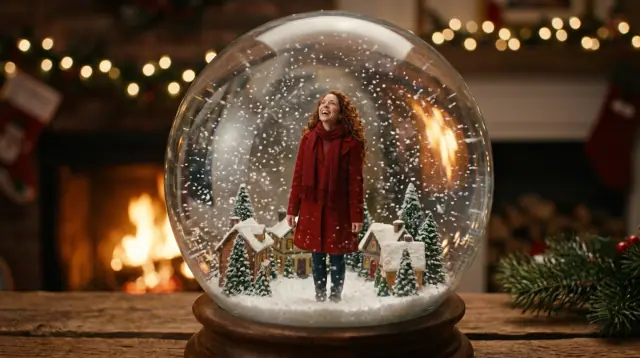
A Christmas card that moves, a snow globe with you inside, a sleigh over a sleeping village, the two of you at a frosted window: write the scene or start from a photo, and render it on 17 video engines (Seedance, Veo, Kling, Hailuo, Runway, Wan and Grok, plus eroq Motion One, our own engine). Add a song from the music studio, cut the clips together in the Editor, and send it as a video card, a Story or a holiday ad.

Video

Apre lo studio con tutto già compilato. Registrati quando generi: 40 crediti gratis, senza carta.40 crediti gratis · nessuna carta · modalità privata su ogni account

Video · Crea

13 ott, 01:42:07·Pronto · Ci sono voluti 1 min 8 sec

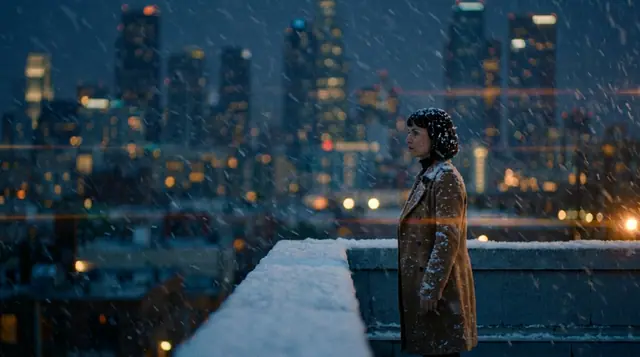
@Mara su un tetto al tramonto, il cappotto mosso dal vento, la città che si accende sotto di lei. anamorphic, 35mm. carrellata in avanti

Veo 3.1 Fast · 8s · 1080p · 16:9 · 2 riprese
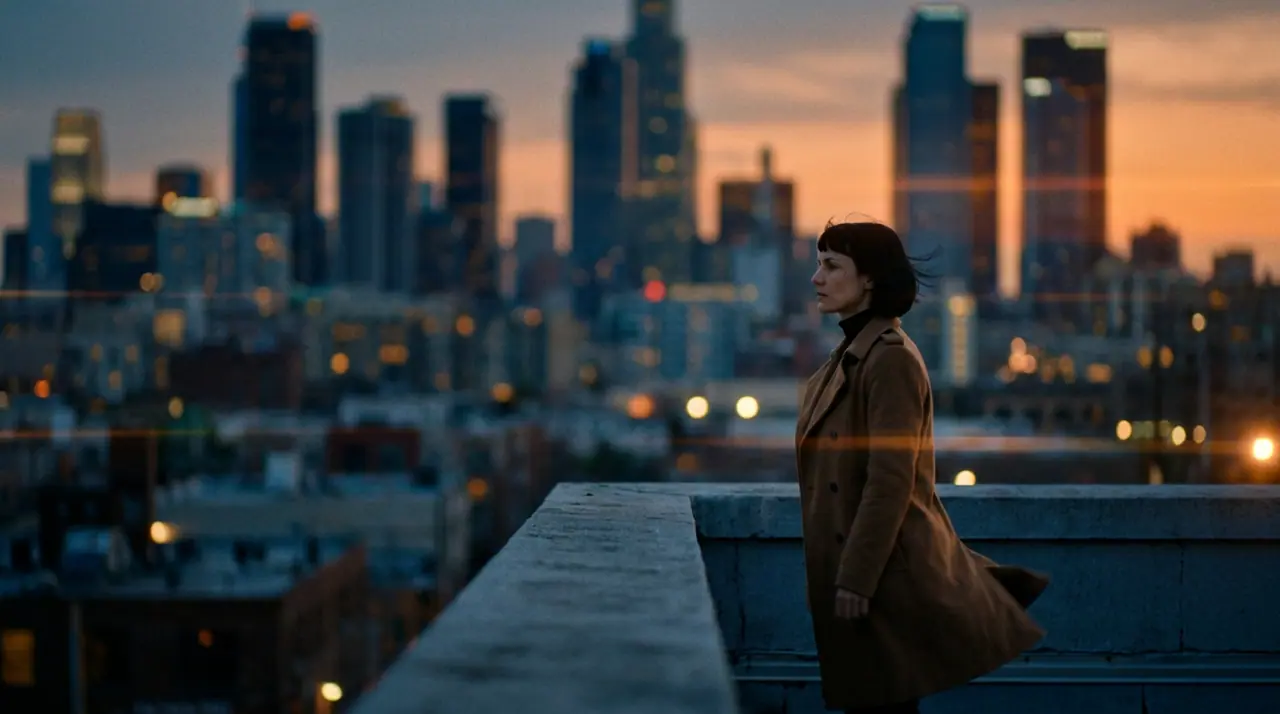
@Mara su un tetto al tramonto, il cappotto mosso dal vento, la città che si accende sotto di lei. anamorphic, 35mm. carrellata in avanti
Estendi Porta a
Crea Modifica Novità Replace Popolare Effetti
Aggiungi personaggio

@Mara su un tetto al tramonto, il cappotto mosso dal vento, la città che si accende sotto di lei. anamorphic, 35mm. carrellata in avanti

Veo 3.1 Fast Sintassi4s6s8s
Genera 816
Engines
17: Seedance, Veo, Kling, Hailuo, Runway, Wan and Grok, plus eroq Motion One
Input
A prompt, a Christmas photo as the first frame, or a first and a last frame
Length
From 5 seconds, up to 30 on the plans that go furthest
Price
From 50 credits for five seconds on eroq Motion One (480p); 40 free credits at signup

How to make a Christmas video with AI

  • Start from a picture:make the Christmas photo first (the candy-cane studio, the snowfall street, matching sweaters) or drop one of yours, then press Animate. It becomes the first frame and the face holds.
  • Or write the scene:the place, the light, what moves (snow falling, lights twinkling, a door opening onto the snow) and how the camera moves.
  • Pick the engine and the length:five seconds for a card, more for a scene (up to 10 seconds on a free account, 30 on the plans that go furthest). Seedance 2.5, Veo 3.1 and Kling 3.0 Pro render sound with the picture.
  • Write a song in the music studio, then put the clips and the song together in the Editor and export for a Story, a Reel or a card.

Christmas video ideas that work

  • The snow globe:you, your pet or your character inside a glass globe, the snow swirling after a shake.
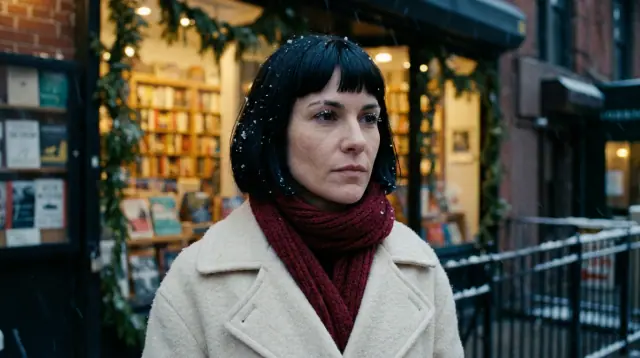
  • The moving card:a still Christmas photo that comes alive, snow falling, a smile, the tree lights twinkling.
  • The frosted window:two people by the fire, seen from outside as the snow falls past the glass.
  • The sleigh:reindeer and a red sleigh crossing the moon above snowy rooftops, a slow tracking shot.
  • The gift reveal:a box on the table, the lid lifts, warm light spills out.
  • The holiday ad:your product under the tree, the camera pushing in, your line at the end.

Your face in every scene

Save yourself, a friend who agreed, or an invented character as a Character once (a few photos, a name) and cast them in any clip: the same face in the card, the snow globe and the sleigh. Real, identifiable people need their consent, and minors are never allowed, so family videos with children are out.

Price

What the engine charges for the length and the resolution, shown on the Generate button before you render: from 50 credits for five seconds on eroq Motion One (480p). New accounts get 40 free credits, no card, enough for the Christmas pictures you will animate (from 10 credits each). After that, a $10 pack (1,000 credits) or a plan from $15/month. A failed render refunds itself.

Clap · agente IA

Oppure lascia che Clap faccia le clip

Descrivi il risultato in Ask. Clap ti chiede ciò che gli serve, sceglie i motori, scrive i prompt e calcola il costo del piano. Appena approvi, renderizza tutto nella tua libreria. Tutto automatico, e non parte nulla prima del tuo sì.

  • 1Clap fa una domanda alla volta e tiene aggiornati brief, cast e storyboard.
  • 2Il piano elenca ogni render e il suo prezzo prima che parta qualsiasi cosa.
  • 3Un clic su Approva e tutto viene renderizzato. Le riprese fallite si rimborsano da sole.

Ask · Clap

Tre clip cupe da 5 secondi di Kai che cammina sotto la pioggia al neon, 16:9.

Clap · Ha pensato per 6s

Tre versioni dello stesso movimento, ognuna una clip a sé. Ecco il piano.

Piano · 3 render435 cr
Clip · Scena 1 · eroq Motion One · 5s · 16:9145 cr
Clip · Scena 2 · eroq Motion One · 5s · 16:9145 cr
Clip · Scena 3 · eroq Motion One · 5s · 16:9145 cr
Fatto · è arrivato tutto

Produzione

Salvato nella tua libreria

Punti di partenza

Scegline uno: finisce nel campo in alto, pronto da generare.

Privacy

Privato e senza restrizioni

  • Nessun filtro sui motori di eroq: una politica scritta al suo posto.
  • Non conservano nulla e nulla addestra sul tuo lavoro.
  • La modalità privata non conserva alcun file.

Domande frequenti

Can I turn a Christmas photo into a video?

Yes: press Animate under any picture in the image studio, or drop your own photo in the video studio as the first frame, and describe what moves. The face in the photo holds.

How do I make a snow globe video of myself?

Start from a photo of yourself (or a character), then describe the scene inside the globe and the shake: « inside a glass snow globe on a mantel, the snow swirls as it is shaken ». Five seconds is enough.

Can I add music to my Christmas video?

Some engines render sound with the picture. For a song of your own, the music studio writes and sings one from a sentence, and the Editor lays it under your clips.

Can I make a Christmas video with my kids?

No. Photos and videos of minors are never allowed on eroq. Everything here works with people 18 or older, with pets and with original characters.

How much does an AI Christmas video cost?

What the engine charges for the length and the resolution: from 50 credits for five seconds on eroq Motion One (480p), shown before you render. New accounts get 40 free credits.

Which format for Instagram or TikTok?

9:16 for a Story, a Reel or a TikTok, 16:9 for YouTube or a TV screen, 1:1 for a feed post. Pick the format before you render.

Provalo gratis

Video

Apre lo studio con tutto già compilato. Registrati quando generi: 40 crediti gratis, senza carta.40 crediti gratis · nessuna carta · modalità privata su ogni account