


Black Friday

50% de desconto em um ano inteiro de qualquer plano

Aproveitar
eroq

Christmas

AI Christmas video generator

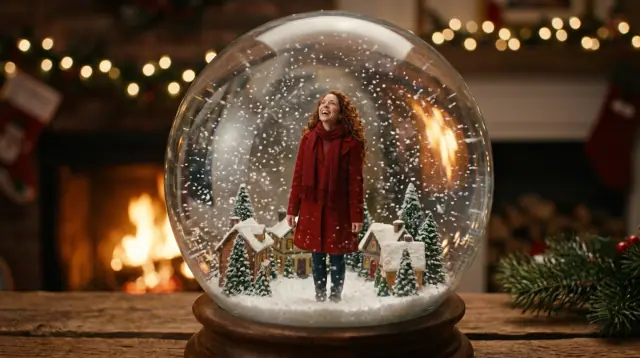
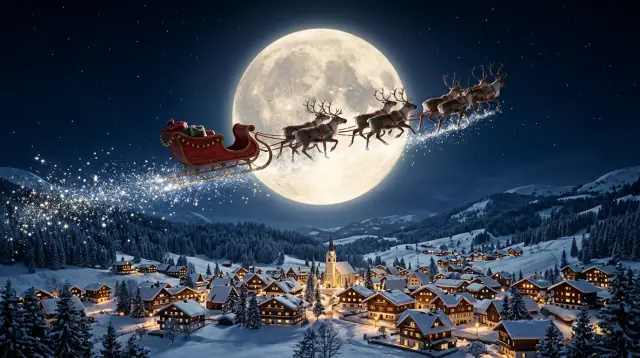
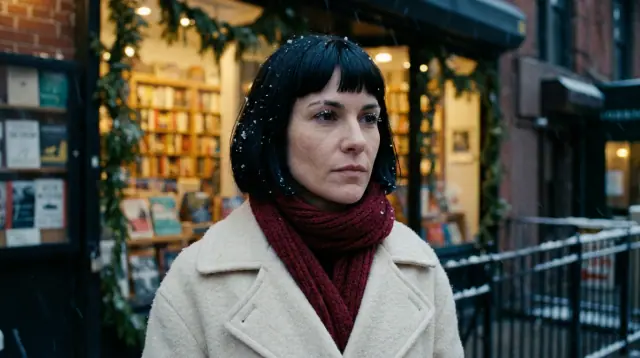
A Christmas card that moves, a snow globe with you inside, a sleigh over a sleeping village, the two of you at a frosted window: write the scene or start from a photo, and render it on 16 video engines (Seedance, Veo, Kling, Hailuo, Runway, Wan and Grok, plus eroq Motion One, our own engine). Add a song from the music studio, cut the clips together in the Editor, and send it as a video card, a Story or a holiday ad.

Vídeo

Abre o estúdio com isto preenchido. Crie sua conta na hora de gerar: 40 créditos grátis, sem cartão.40 créditos grátis · sem cartão · modo privado em todas as contas

Vídeo · Criar

13 de out., 01:42:07·Pronto · Levou 1 min 8 sec

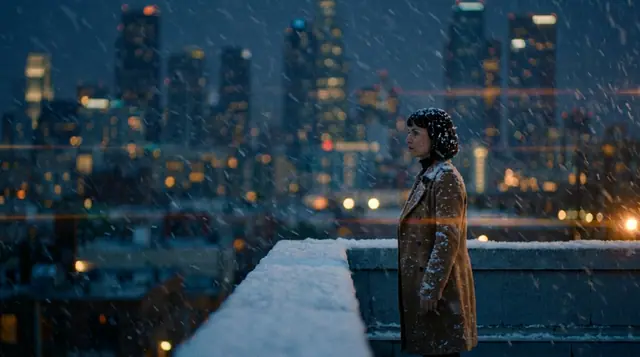
@Mara em um terraço ao entardecer, o casaco ao vento, a cidade se acendendo lá embaixo. lente anamórfica, 35mm. aproximação lenta

Veo 3.1 Fast · 8s · 1080p · 16:9 · 2 tomadas
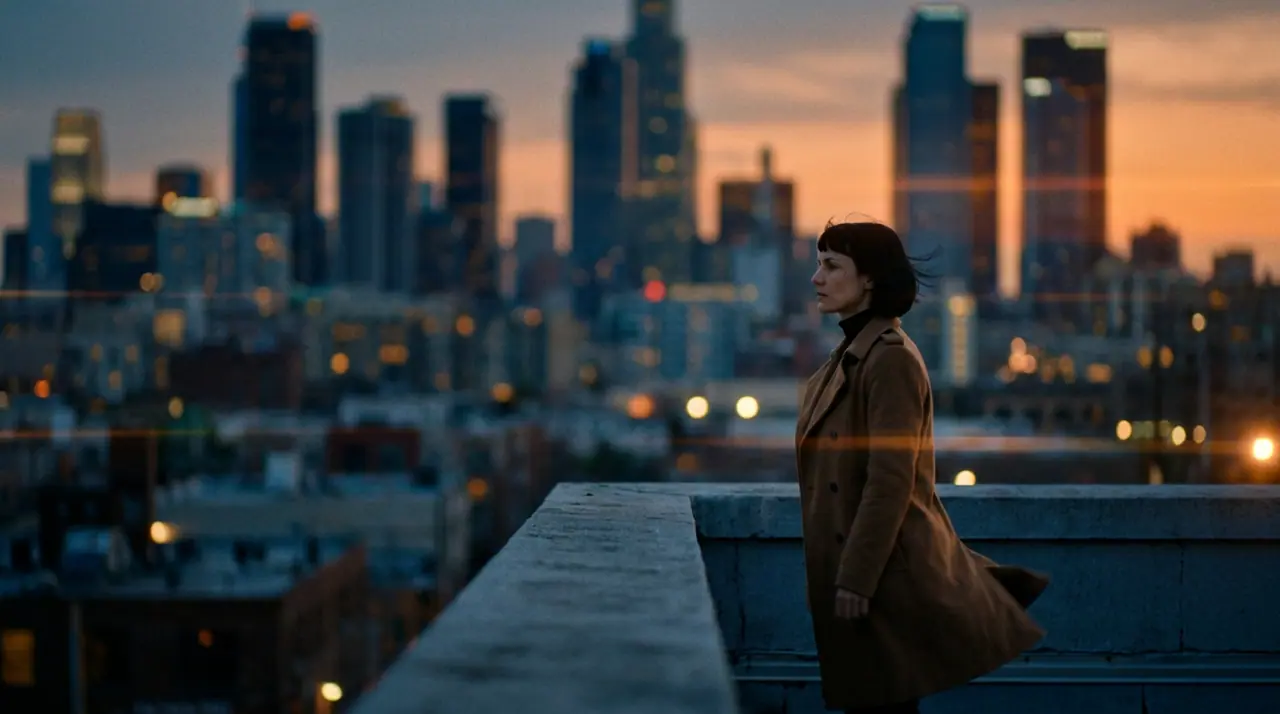
@Mara em um terraço ao entardecer, o casaco ao vento, a cidade se acendendo lá embaixo. lente anamórfica, 35mm. aproximação lenta
Estender Anteceder
Criar Editar Novo Replace Popular Efeitos
Adicionar personagem

@Mara em um terraço ao entardecer, o casaco ao vento, a cidade se acendendo lá embaixo. lente anamórfica, 35mm. aproximação lenta

Veo 3.1 Fast Sintaxe4s6s8s
Gerar 816
Engines
16: Seedance, Veo, Kling, Hailuo, Runway, Wan and Grok, plus eroq Motion One
Input
A prompt, a Christmas photo as the first frame, or a first and a last frame
Length
From 5 seconds, up to 30 on the plans that go furthest
Price
From 50 credits for five seconds on eroq Motion One (480p); 40 free credits at signup

How to make a Christmas video with AI

  • Start from a picture:make the Christmas photo first (the candy-cane studio, the snowfall street, matching sweaters) or drop one of yours, then press Animate. It becomes the first frame and the face holds.
  • Or write the scene:the place, the light, what moves (snow falling, lights twinkling, a door opening onto the snow) and how the camera moves.
  • Pick the engine and the length:five seconds for a card, more for a scene (up to 10 seconds on a free account, 30 on the plans that go furthest). Seedance 2.5, Veo 3.1 and Kling 3.0 Pro render sound with the picture.
  • Write a song in the music studio, then put the clips and the song together in the Editor and export for a Story, a Reel or a card.

Christmas video ideas that work

  • The snow globe:you, your pet or your character inside a glass globe, the snow swirling after a shake.
  • The moving card:a still Christmas photo that comes alive, snow falling, a smile, the tree lights twinkling.
  • The frosted window:two people by the fire, seen from outside as the snow falls past the glass.
  • The sleigh:reindeer and a red sleigh crossing the moon above snowy rooftops, a slow tracking shot.
  • The gift reveal:a box on the table, the lid lifts, warm light spills out.
  • The holiday ad:your product under the tree, the camera pushing in, your line at the end.

Your face in every scene

Save yourself, a friend who agreed, or an invented character as a Character once (a few photos, a name) and cast them in any clip: the same face in the card, the snow globe and the sleigh. Real, identifiable people need their consent, and minors are never allowed, so family videos with children are out.

Price

What the engine charges for the length and the resolution, shown on the Generate button before you render: from 50 credits for five seconds on eroq Motion One (480p). New accounts get 40 free credits, no card, enough for the Christmas pictures you will animate (from 10 credits each). After that, a $10 pack (1,000 credits) or a plan from $15/month. A failed render refunds itself.

Clap · agente de IA

Ou deixe o Clap fazer os clipes

Descreva o resultado no Ask. O Clap pergunta o que precisa, escolhe os motores, escreve os prompts e calcula o preço do plano. Quando você aprova, ele renderiza tudo na sua biblioteca. Tudo automático, e nada roda antes do seu sim.

  • 1O Clap faz uma pergunta por vez e mantém o briefing, o elenco e o storyboard em dia.
  • 2O plano lista cada render e o preço dele antes de qualquer coisa rodar.
  • 3Um clique em Aprovar e tudo é renderizado. Tomadas que falham são reembolsadas sozinhas.

Ask · Clap

Três clipes de 5 segundos, cheios de clima, de Kai andando na chuva neon, 16:9.

Clap · Pensou por 6s

Três tomadas do mesmo movimento, cada uma em um clipe. Aqui está o plano.

Plano · 3 renders435 cr
Clipe · Cena 1 · eroq Motion One · 5s · 16:9145 cr
Clipe · Cena 2 · eroq Motion One · 5s · 16:9145 cr
Clipe · Cena 3 · eroq Motion One · 5s · 16:9145 cr
Pronto · tudo entregue

Produção

Salvo na sua biblioteca

Pontos de partida

Escolha um: ele vai para a caixa lá em cima, pronto para gerar.

Privacidade

Privado e sem restrições

  • Sem filtro nos motores do próprio eroq: uma política escrita no lugar.
  • Eles não guardam nada, e nada é treinado com o seu trabalho.
  • O modo privado não guarda nenhum arquivo.

Perguntas frequentes

Can I turn a Christmas photo into a video?

Yes: press Animate under any picture in the image studio, or drop your own photo in the video studio as the first frame, and describe what moves. The face in the photo holds.

How do I make a snow globe video of myself?

Start from a photo of yourself (or a character), then describe the scene inside the globe and the shake: « inside a glass snow globe on a mantel, the snow swirls as it is shaken ». Five seconds is enough.

Can I add music to my Christmas video?

Some engines render sound with the picture. For a song of your own, the music studio writes and sings one from a sentence, and the Editor lays it under your clips.

Can I make a Christmas video with my kids?

No. Photos and videos of minors are never allowed on eroq. Everything here works with people 18 or older, with pets and with original characters.

How much does an AI Christmas video cost?

What the engine charges for the length and the resolution: from 50 credits for five seconds on eroq Motion One (480p), shown before you render. New accounts get 40 free credits.

Which format for Instagram or TikTok?

9:16 for a Story, a Reel or a TikTok, 16:9 for YouTube or a TV screen, 1:1 for a feed post. Pick the format before you render.

Experimente grátis

Vídeo

Abre o estúdio com isto preenchido. Crie sua conta na hora de gerar: 40 créditos grátis, sem cartão.40 créditos grátis · sem cartão · modo privado em todas as contas