blog/tutorials·7 Sep 2026·5 mnt·oleh tim eroq
Consistent characters in AI video — the same face in every scene
Keep the same character across AI images and video clips with eroq Characters — reference photos, @mentions, per-scene casting, seeds and a voice that sticks.
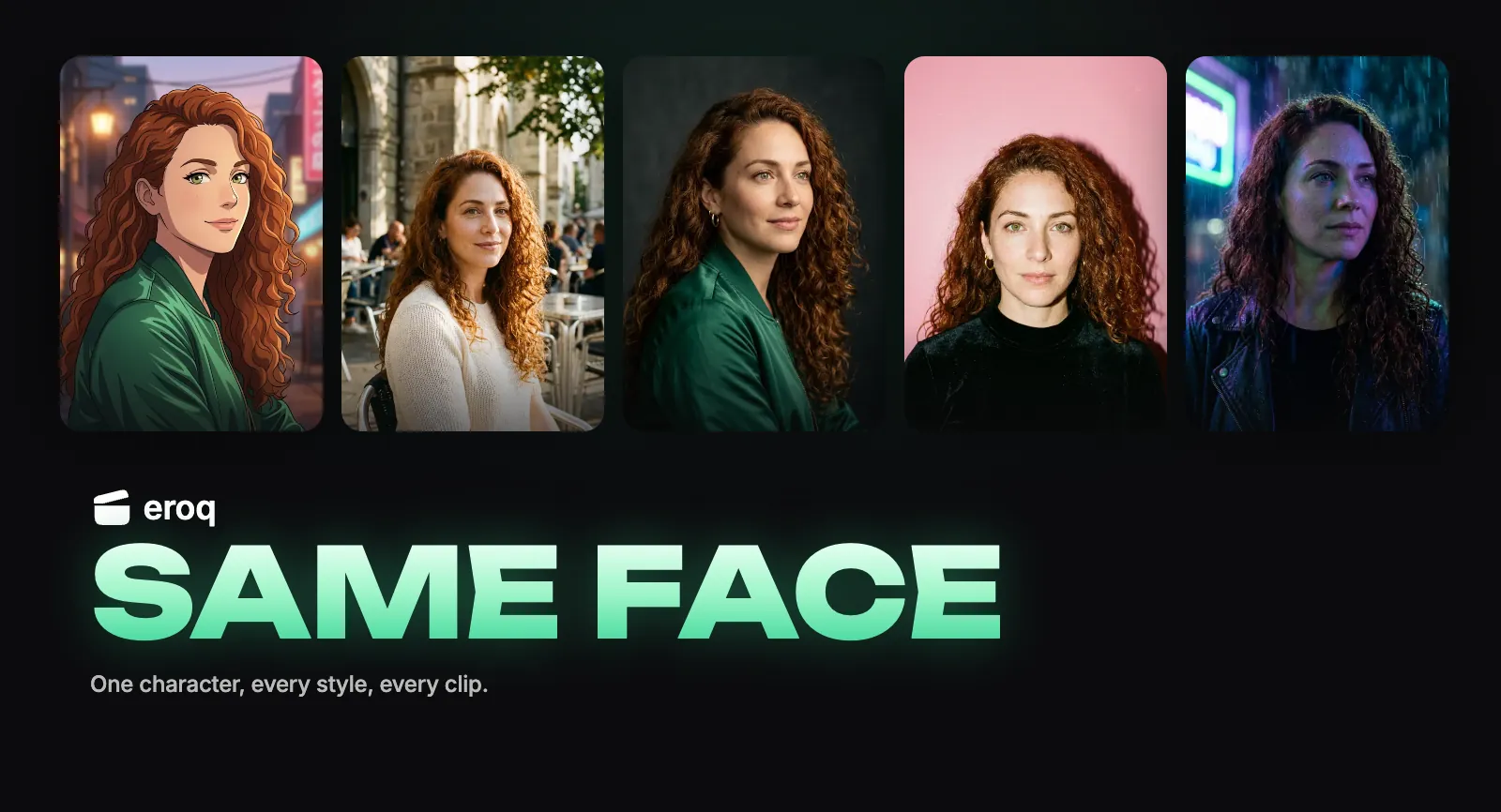
Write "a red-haired woman in a green coat" into a video generator four times and you get four red-haired women. Same type, different person. That is fine for a mood reel and fatal for a story, an ad series or a companion app — anything where the audience is supposed to recognize someone. Consistency is not a prompt-writing skill. It is a casting problem, and the eroq studio treats it as one: you build a Character once and put them in shots.
Why text alone cannot hold a face
A prompt describes a category. Even a long one — "freckles, a chipped front tooth, hair parted left" — is a set of constraints the engine satisfies fresh every time, and every render starts from nothing. Words narrow the space; they do not pin a point in it. The only thing that pins a face is a picture of the face. Everything below is about getting that picture in front of the engine every time, with as little friction as possible.
Build the Character once
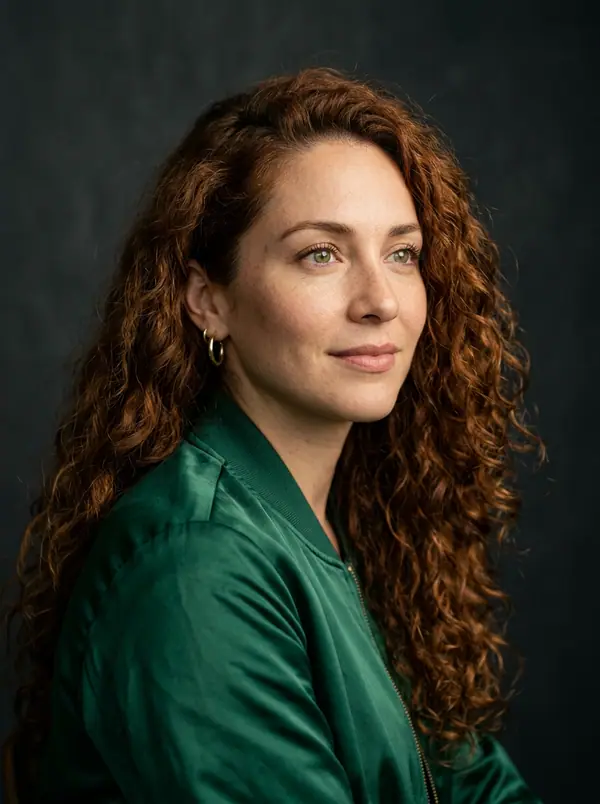
Open Characters and create one. A Character is four things: a name, a persona, reference photos, and a voice. The photos do the heavy lifting — they are the reference images the engines use to hold the same face across images and clips.
Where the photos come from matters:
- Generate them. In the Image tool, write the character once, render a batch of 4 on Krea2 (photoreal) or Anima (illustration), and keep the frames where the face is clear, front-lit and unobstructed. 10 credits an image, so a batch of four is 40 credits. No need to shoot angles: the character's identity sheet is generated from your photos when you create it. You can also skip the photos and describe their look in the creation dialog.
- Upload them. Only faces you have the right to use. Real, identifiable people without consent are outside the acceptable-use policy, and enforcement is at the account level. Characters are for fiction.
Write the persona while you are there — age (18 or older), temperament, the way they carry themselves. It is what rides along when you @mention the character, and it keeps "she hesitates at the door" from becoming a different she. The image generation for characters guide covers building a reference set in more depth.
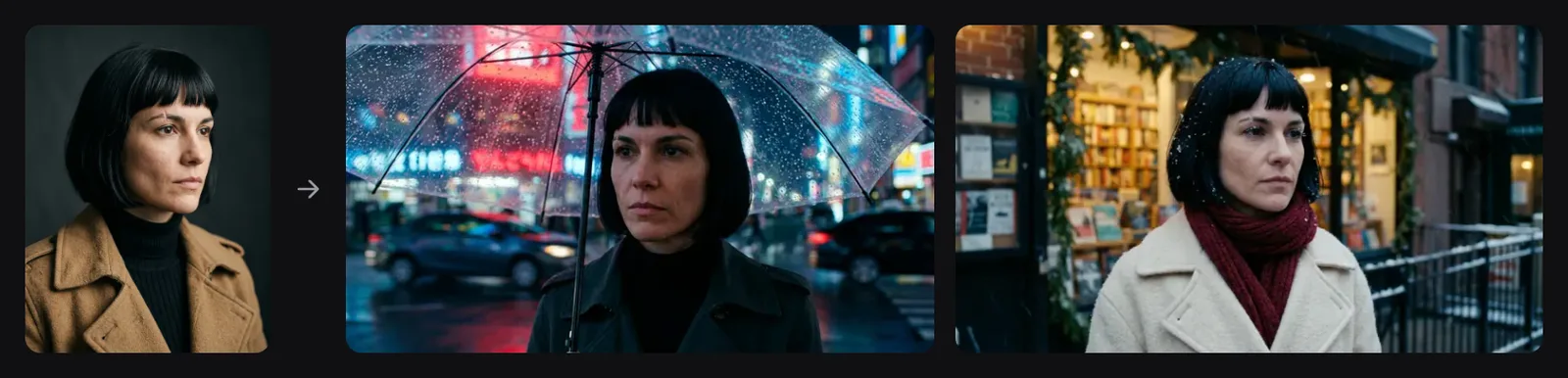
Put the Character in the shot with @mentions
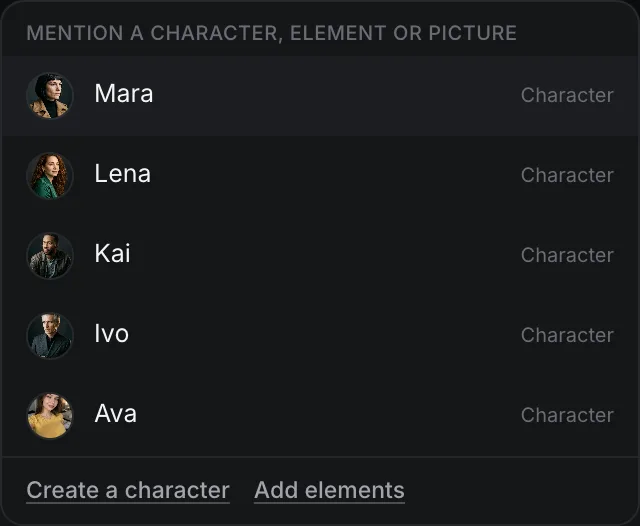
In the Video and Image composers, type @ and the character's name. The mention attaches their reference photos and persona to the render; the prompt goes on describing the scene around them. A complete scene prompt with a mention:
@Mara sits at the counter of an empty diner at 3 a.m., stirring a coffee she is not drinking, then looks up as headlights sweep across the window; static shot on a soft portrait lens at f/1.4, overhead fluorescent fall with a warm practical on the counter, nostalgic blue palette, a calm and lonely mood.
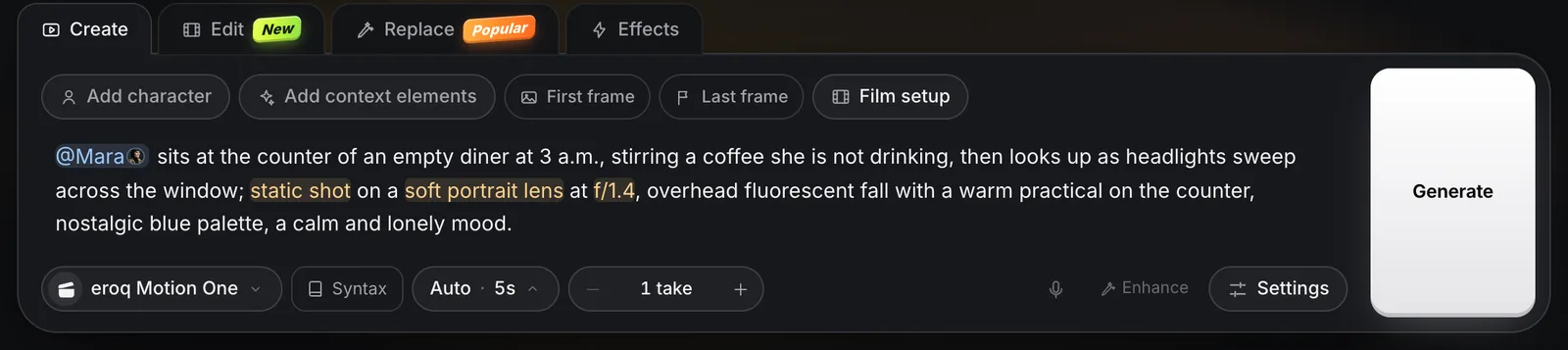
Notice the prompt never describes Mara's face, hair or clothes. That is the point — the photos carry her, and re-describing her only invites drift.
In Cinema, each scene of a film carries its own cast. Add Mara to scene one, scene three and scene seven; leave her out of the cutaway. A scene's cast does not leak into the next one, so a two-hander stays a two-hander.
Places, objects and styles get the same treatment through Elements — up to 50 reusable references, also @mentionable. A recurring apartment or a signature coat is a consistency problem too, and it is solved the same way: reference once, mention everywhere.
Animate the face instead of re-describing it
For video, the strongest move is image-to-video from a still of the Character. Set a picture of them as the clip's first frame and the engine animates it directly — the face is in the first frame, and the prompt only has to describe motion and camera. This is where most of the "same person across five clips" results come from.
Two settings help on top:
- Seed. Seedance engines honor a reproducibility seed. Once a take is close, lock the seed and make small prompt changes; you get variations of the same render instead of a fresh person.
- Engine choice. Kling 3.0 is known for fluid motion and faces; if the clip is mostly a face, it is worth the take. Motion One is open to every account and is the uncensored engine.
And a prompt rule: motion only. "Turns her head, exhales, the light shifts" — not "a woman with auburn hair". The still already said that.
Give them a voice that sticks
A Character also has a voice: one of the 24 on the roster — Aria, warm and intimate; Orion, low and calm; native Spanish, French, German, Japanese and Korean speakers; 13 languages each — or one you cloned from your own recordings. Set it once on the Character and the Voice tool lists your cast, so a line "spoken by Mara" is always the same Mara. Voice One is the expressive flagship at 3 credits per 100 characters; Voice Turbo is faster at 2, with the same roster and clones. Generate the line and lay it under the clip in the Editor, where your voice lines sit in the Audio tab. TTS for AI characters covers writing lines that sound like a person.
The checklist
- Build the Character with a handful of clean reference photos, several angles, one light.
- Write the persona in two or three sentences.
- @mention, never describe. Cast per scene in Cinema.
- Prefer image-to-video from the Character for clips where the face matters.
- Lock the seed on Seedance when a take is close.
- One voice per character, set on the Character.
FAQ
How many reference photos does a Character need?
More than one, fewer than a photo shoot. A handful of clean, well-lit shots from different angles beats twenty near-duplicates.
Does the same Character work in images and video?
Yes. The reference photos are used by the image models and the video engines alike, so the face you approved in a still is the face that gets animated.
Can I keep a character consistent without a Character?
Partly — reference photos in the Image tool hold a face for one render, and a seed reproduces a render. A Character is the way to make it automatic across a whole project.
Build your first cast member at /studio/characters, or read the AI character creator overview first.
Buat pemeranmu sendiri di Karakter
Semua yang di atas terjadi di studio: mesin yang sama, pengaturan yang sama, dirender saat kamu klik.
40 kredit gratis · tanpa kartu · mode privat di setiap akun
Prompt dari artikel ini
@Mara sits at the counter of an empty diner at 3 a.m., stirring a coffee she is not drinking, then looks up as headlights sweep across the window; static shot on a soft portrait lens at f/1.4, overhead fluorescent fall with a warm practical on the counter, nostalgic blue palette, a calm and lonely mood.
Privasi
Privat dan tanpa batasan
- Tanpa filter di mesin milik eroq sendiri: sebagai gantinya ada satu kebijakan tertulis.
- Mereka tidak menyimpan apa pun, dan tidak ada yang dilatih dengan karyamu.
- Mode privat tidak menyimpan file sama sekali.