blog/product·18 nov 2026·5 min·por el equipo de eroq
eroq V3: simpler, clearer, the same everywhere
eroq V3 is here: one composer in every tool, a Cinema you direct by talking, Ads becomes Marketing, characters in eroq Motion One, and a calmer studio.
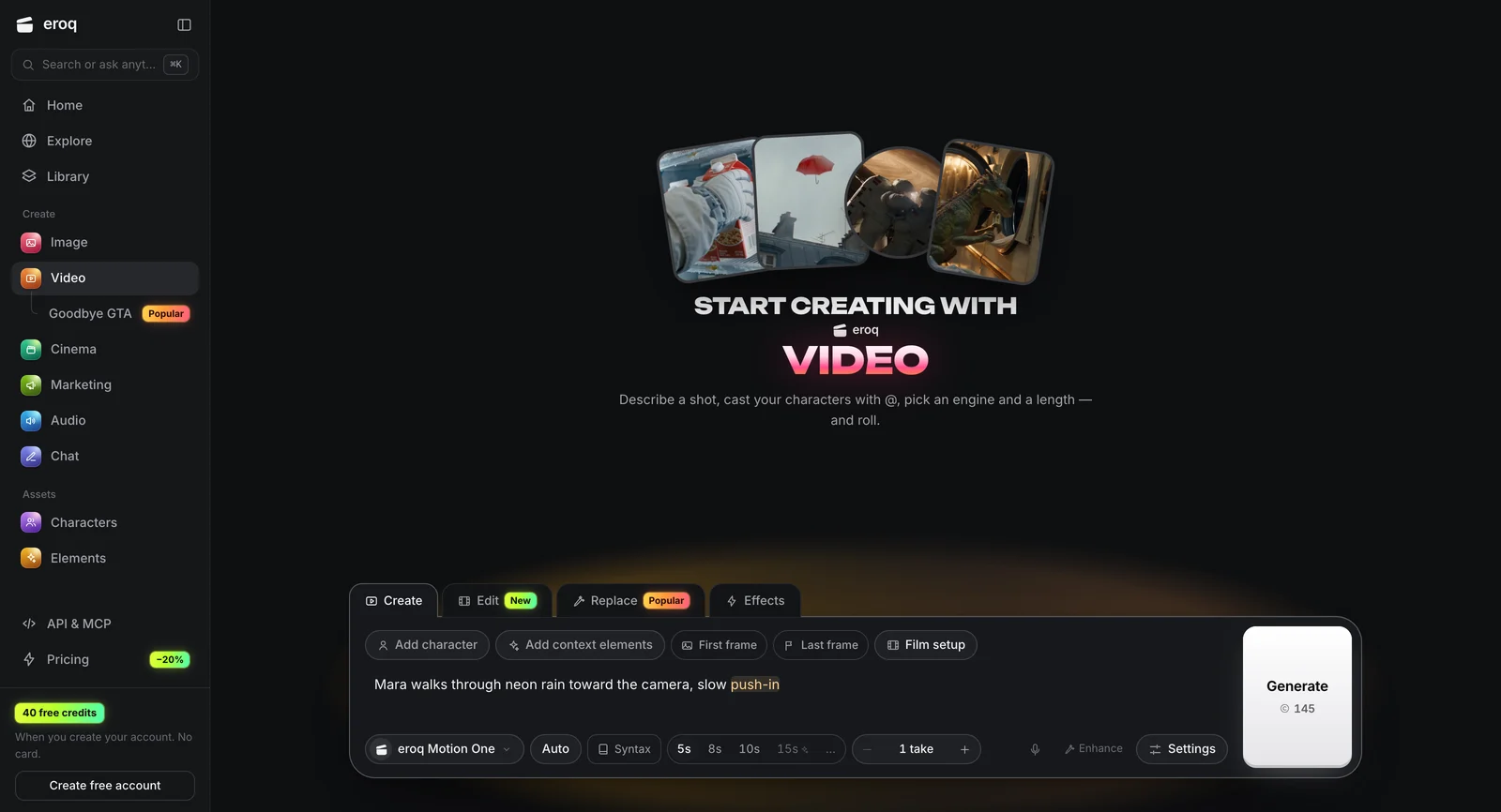
eroq V3 is a cleanup. Same studio, same engines, same credits, with fewer buttons and fewer places to look. Every tool now works the same way, Cinema is rebuilt around a conversation, Ads becomes Marketing, and eroq Motion One takes your characters.
V3 in one minute
- One composer, everywhere. The same box at the bottom of every tool, its modes as tabs on top, Generate on the right with the price on it.
- Cinema, rebuilt. Tell the Director what you want. It writes the film next to the chat, and you shoot it in one click.
- Ads becomes Marketing. One page per brand, Clap in the middle: ask for five TikToks, get five clips, post them.
- Characters in eroq Motion One. @mention your characters and elements, and Motion One renders them from their identity sheets.
- Replace in three clicks. Pick a trend, add your character, press Replace.
- A calmer studio. A shorter menu, one account button, the same settings drawer everywhere, and a Library that shows what is still rendering.
One composer, everywhere
Image, Video, Audio and Chat share one composer, docked at the bottom of the page. What used to sit in a header is now a tab on the box: Create or Edit in Image; Create, Edit, Replace or Effects in Video; Voice or Music in Audio.
The Generate block sits on the right of the box with its price, so you know what a render costs before you press it. Settings open in the same drawer in every tool. Your results read like a conversation: the newest one lands right above the box. On a phone, the buttons turn into icons so the box stays small.
Looks you can see before you render
In Image, Style opens a grid of looks: iPhone photo, photorealistic, anime, 35mm film, cinematic, flash editorial. Pick one and its words are added to the end of your prompt, where you can edit them.
In Video, the Film setup from Cinema is now on the composer: genre, era, tempo, camera, lens, aperture, lighting and palette, each one shown as a still on a strip of film. You see the look before anything renders.
Cinema, rebuilt around a conversation
Cinema could do a lot, but it was hard to start. In V3 you talk to the Director. Say what the film is about, and it writes the board next to the chat: the film as it stands, who is in it, and its shots as cards.
- Cast in one click. Give each role one of your characters, a photo of you, or let eroq cast it.
- Shots as cards. Open a shot to change it, drag it to reorder.
- One Shoot button. The price of the whole film is on it.
- Start from a trend. Make it mine writes the film with your cast. Nothing is spent until you shoot.
The Edit tab keeps the timeline for the final cut, and the video Editor now lives there.
Ads becomes Marketing
The Ads Studio is now Marketing: one page per brand, with Clap in the middle. Ask for "five TikToks for our new drop" and you get five separate vertical clips, each with its own hook, written with your brand kit and your products.
The other tools are tabs on the same page:
- Shorts. Video ads, made from your brand.
- Ads. Image ads for the main placements.
- Multiplier. One winning ad turned into many variants.
- Posts. Send a finished clip to Instagram, TikTok or YouTube through your connected accounts.
Old Ads links open Marketing.
Characters in eroq Motion One
eroq Motion One, our own video engine, now takes a cast. @mention up to four characters or elements in your prompt and Motion One renders them from their identity sheets: face, hair and outfit, from every angle. A clip with a cast renders in 768p or 1080p. Like every eroq engine, it is private and uncensored.
Replace in three clicks
Replace opens on the trends, already playing. Pick one, add your character in the box under it, press Replace. The play button shows the clip full screen, so you know what you will get.
You can still bring your own clip: from your Library, from your computer, or from a TikTok, Instagram or YouTube link.
A calmer studio
- A shorter menu. Home, Explore and Library; then Image, Video, Cinema, Marketing, Audio and Chat; then Characters and Elements.
- One account button. Your profile, your workspace, billing and invites, in one place.
- Engines you can read. Each one is a card that says what it is good at, with its price.
- Renders in your Library. What is still rendering shows next to what is done, with its progress.
- Private mode you can see. A violet edge and a lock on the composer while it is on.
- One look. Graphite and glass, the same in every tool.
What did not change
- Private and uncensored. The same written policy: fiction only, nothing involving minors, no real identifiable people without their consent, nothing illegal.
- Your work. Your library, characters, elements, voices, films and credits are where you left them.
- Prices. V3 does not change them. Every render shows its price on the Generate button, and on the pricing page.
- The API. The studio still runs on the public API, so anything you can do in it, your code can do too.
Open the studio and press Generate.
FAQ
What is eroq V3?
The new version of the eroq studio: one composer in every tool, a Cinema you direct by talking to it, Ads renamed Marketing with Clap at its center, characters in eroq Motion One, and a simpler, clearer layout. Same account, same credits.
Do I need to do anything to get V3?
No. Sign in and you are on V3. Your library, characters, voices, films and credits carry over as they are.
Where did the Ads Studio go?
It is now Marketing, in the menu under Create. Your brands are there, and old Ads links open it.
Can eroq Motion One use my characters?
Yes. @mention up to four characters or elements in your prompt, and Motion One renders them from their identity sheets, in 768p or 1080p.
What changed in Cinema?
You start by talking to the Director, which writes the film beside the chat: the cast, the shots as cards, and one Shoot button with the price of the whole film. The Edit tab keeps the timeline.
Where is the video Editor?
In Cinema, in the Edit tab of your film.
Did prices change?
No. V3 changes how the studio looks and works, not what renders cost. Every price shows on the Generate button before you press it.
Ruédalo en Video
Todo lo de arriba ocurre en el estudio: los mismos motores, los mismos ajustes, renderizado con tu clic.
40 créditos gratis · sin tarjeta · modo privado en todas las cuentas
Prueba este prompt
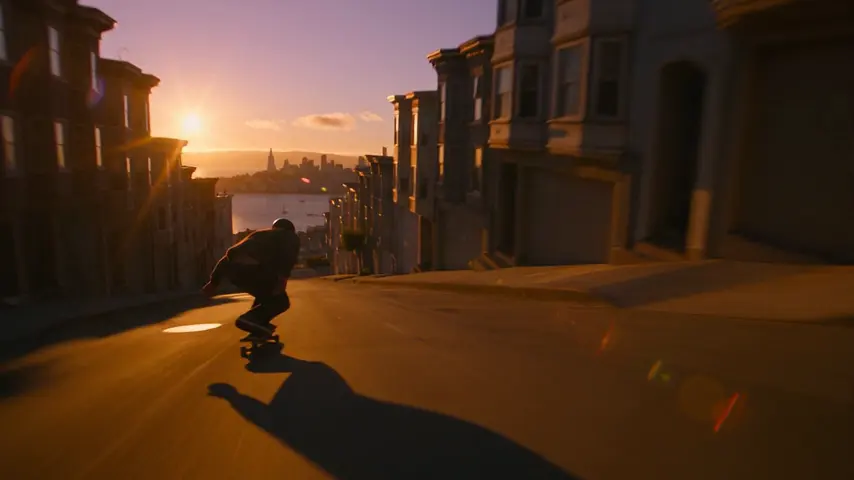
Tracking shot alongside a skateboarder bombing down a steep San Francisco street at golden hour, low angle, motion blur
Privacidad
Privado y sin restricciones
- →Sin filtros en los motores propios de eroq: una política escrita en su lugar.
- →No conservan nada y nada se entrena con tu trabajo.
- →El modo privado no guarda ningún archivo.