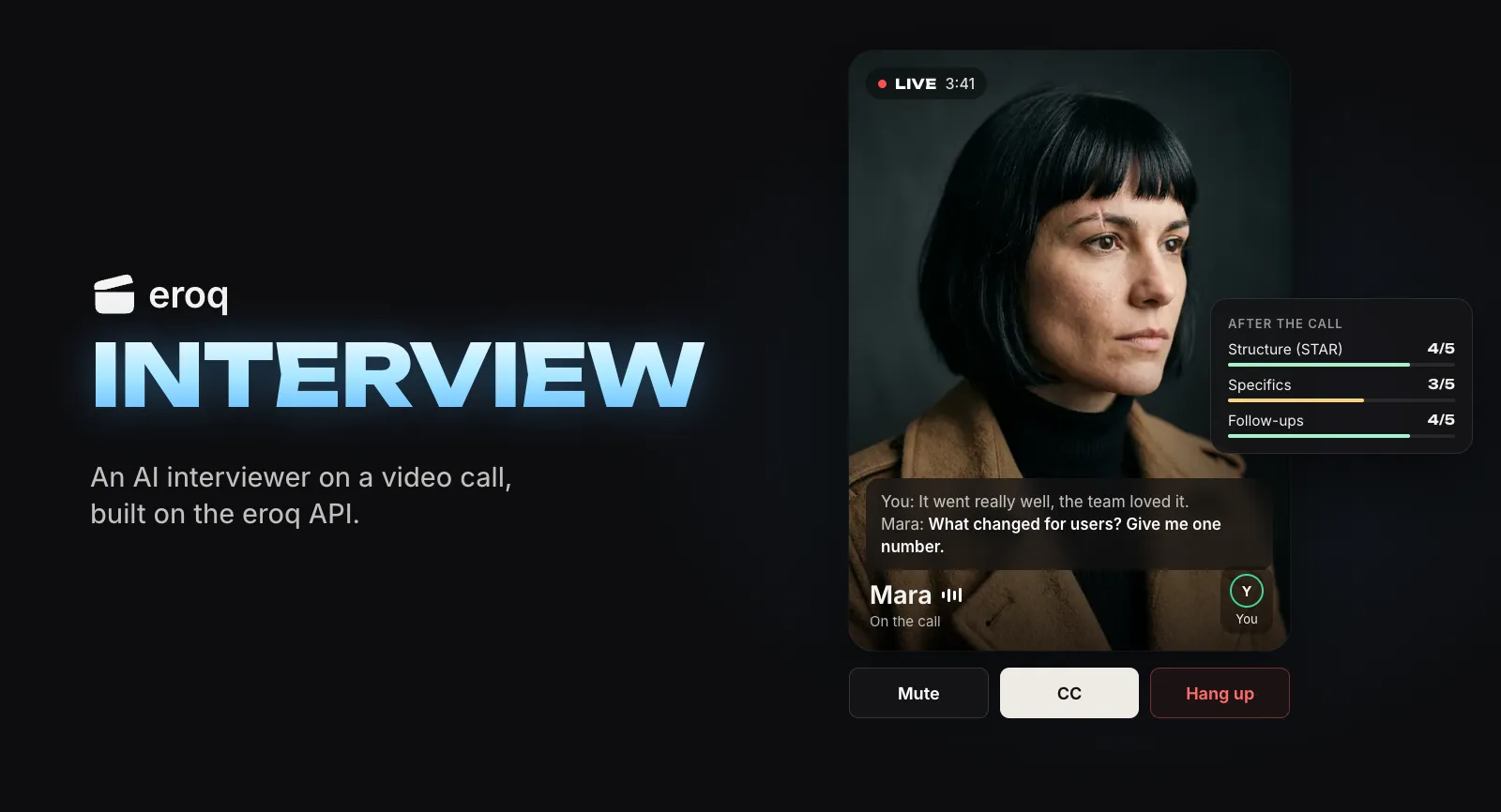
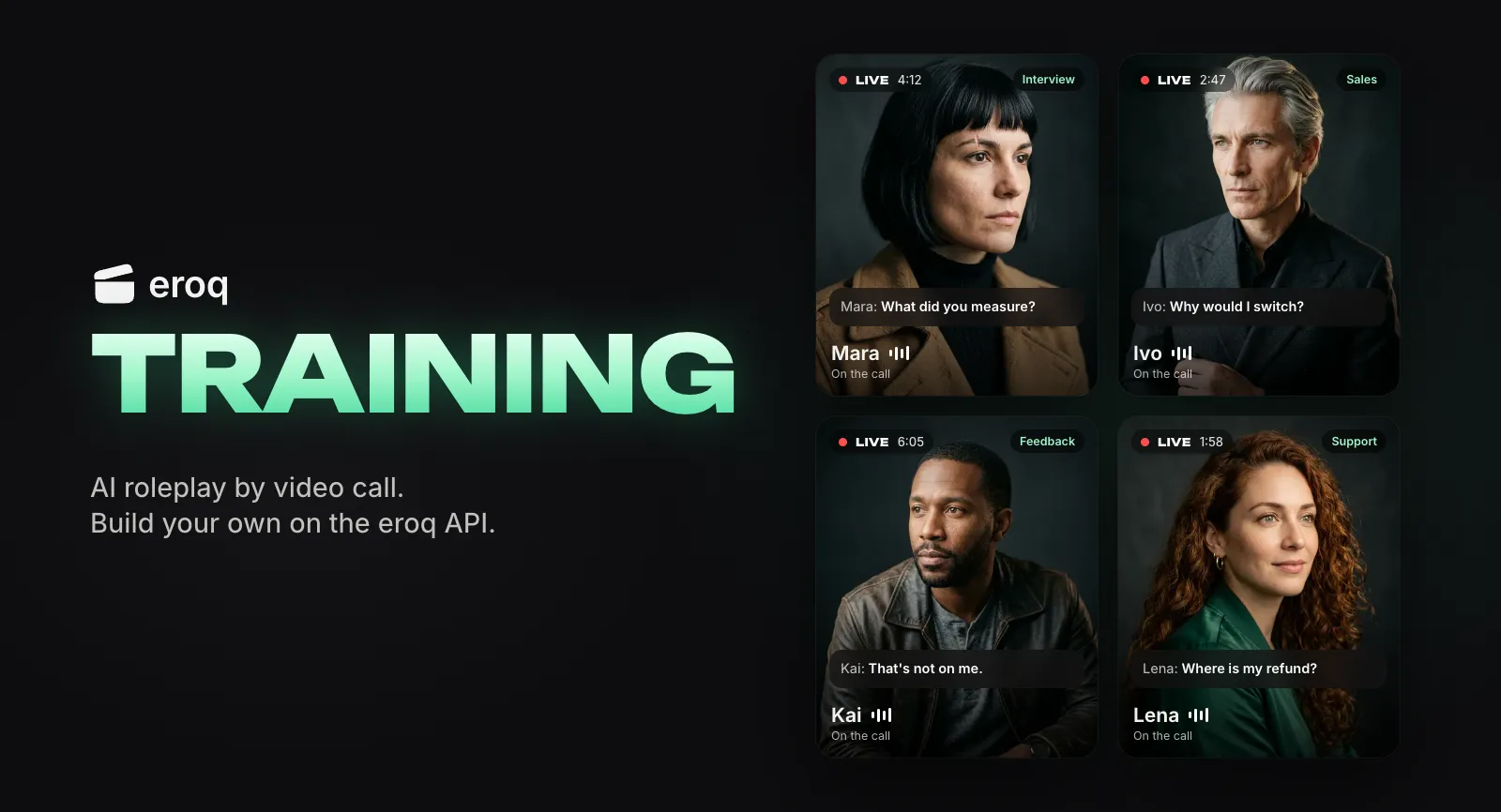
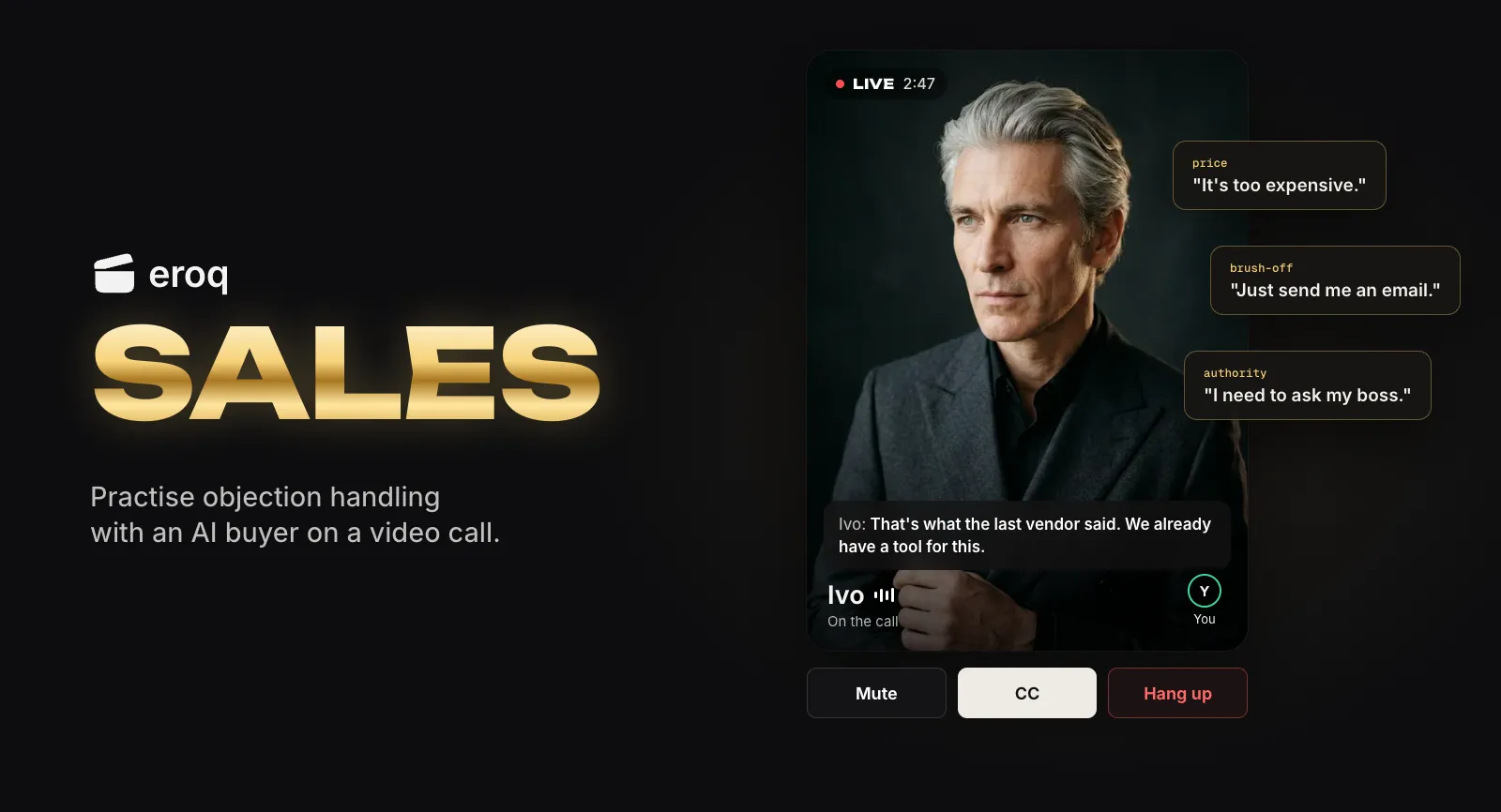
博客/use-cases·2026年11月25日·8 分钟·作者:eroq 团队
Practice speaking a language with an AI character on a video call: build a language partner
Practice speaking Spanish, German or French with an AI partner who has a face and a voice and stays in your target language. How a language app builds it on the eroq API, with gentle corrections from the transcript.
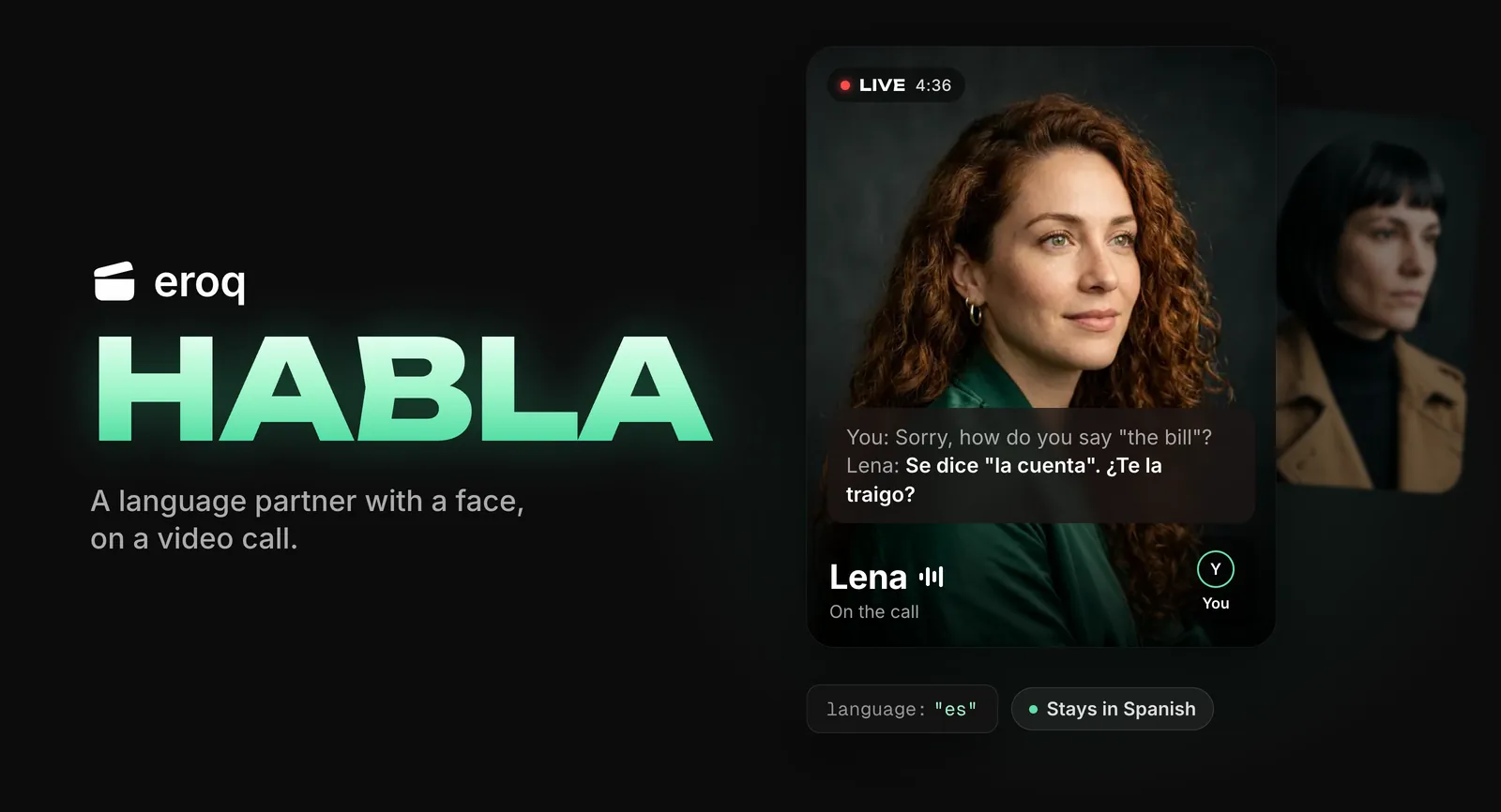
To practice speaking a language with AI, you need a partner who answers out loud, keeps to the language you are learning and lets you stumble. eroq Live gives you that on a video call: a character with a face and a voice picks up, and the API's new language field holds them to one language for the whole call, even when the learner falls back to English.
A language app, a tutoring platform or a company language program can build a speaking partner on it. You need one character per language, one scenario per situation (ordering at a café, a job interview in German, a visit to the doctor), and the transcript after the call for gentle corrections. The same build serves interviews and sales drills too: see the HR guide to AI roleplay training.
How the language partner works
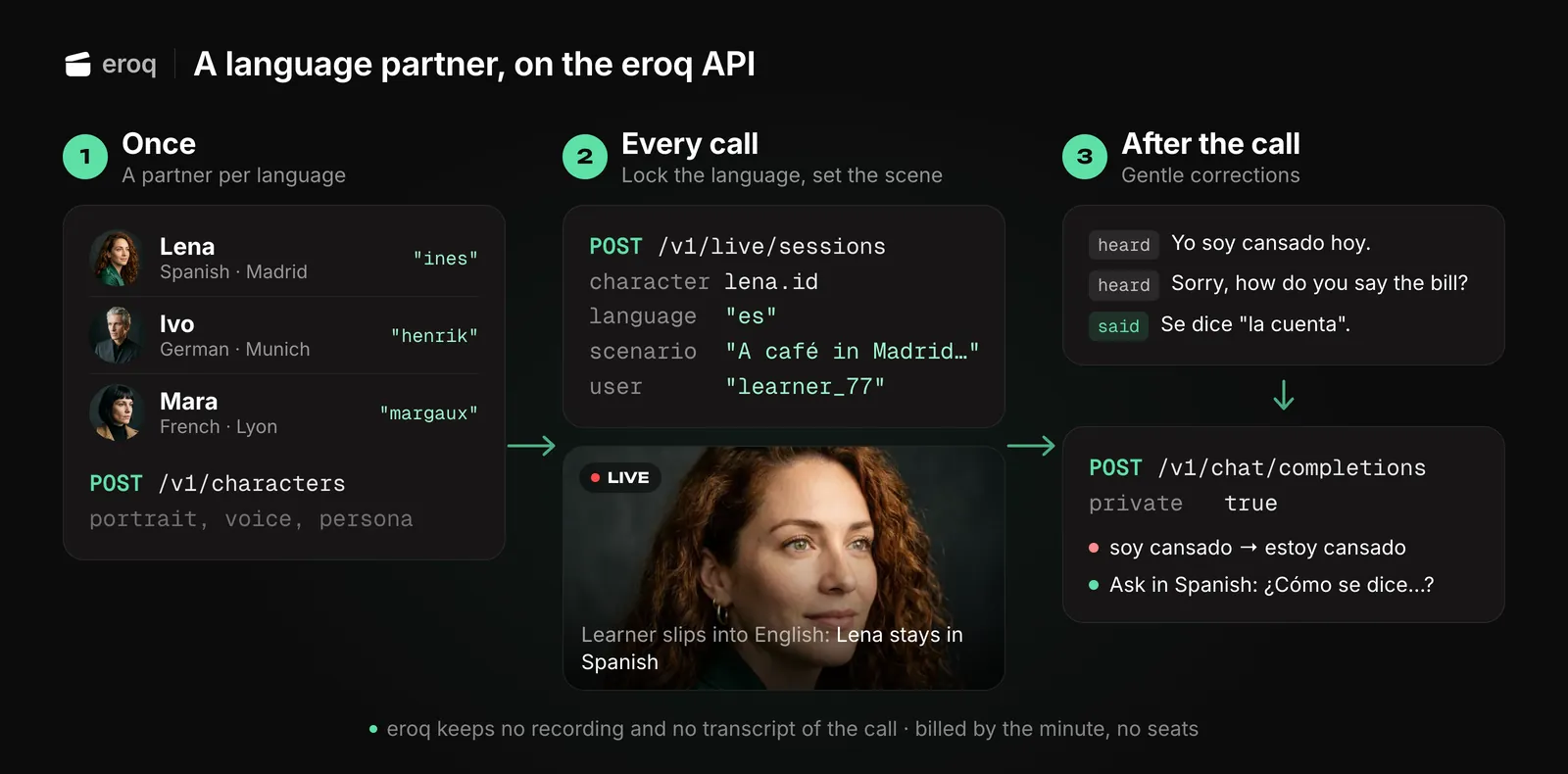
- Once: the partners.
POST /v1/characterswith a portrait, a voice and a persona. eroq's voice library has native Spanish, French, German, Japanese, Korean and English voices, and a teacher can clone their own. Creating a character is free. - Every call: a language and a scene.
POST /v1/live/sessionswith the character,language, ascenarioanduser, an opaque id for the learner. - During the call: the captions. On a data channel named
eroq, your page receives what the learner said (heard) and each sentence the partner speaks (said). - After the call: the corrections. Your server sends the learner's lines to eroq's chat API and shows a short, kind correction.
What language changes
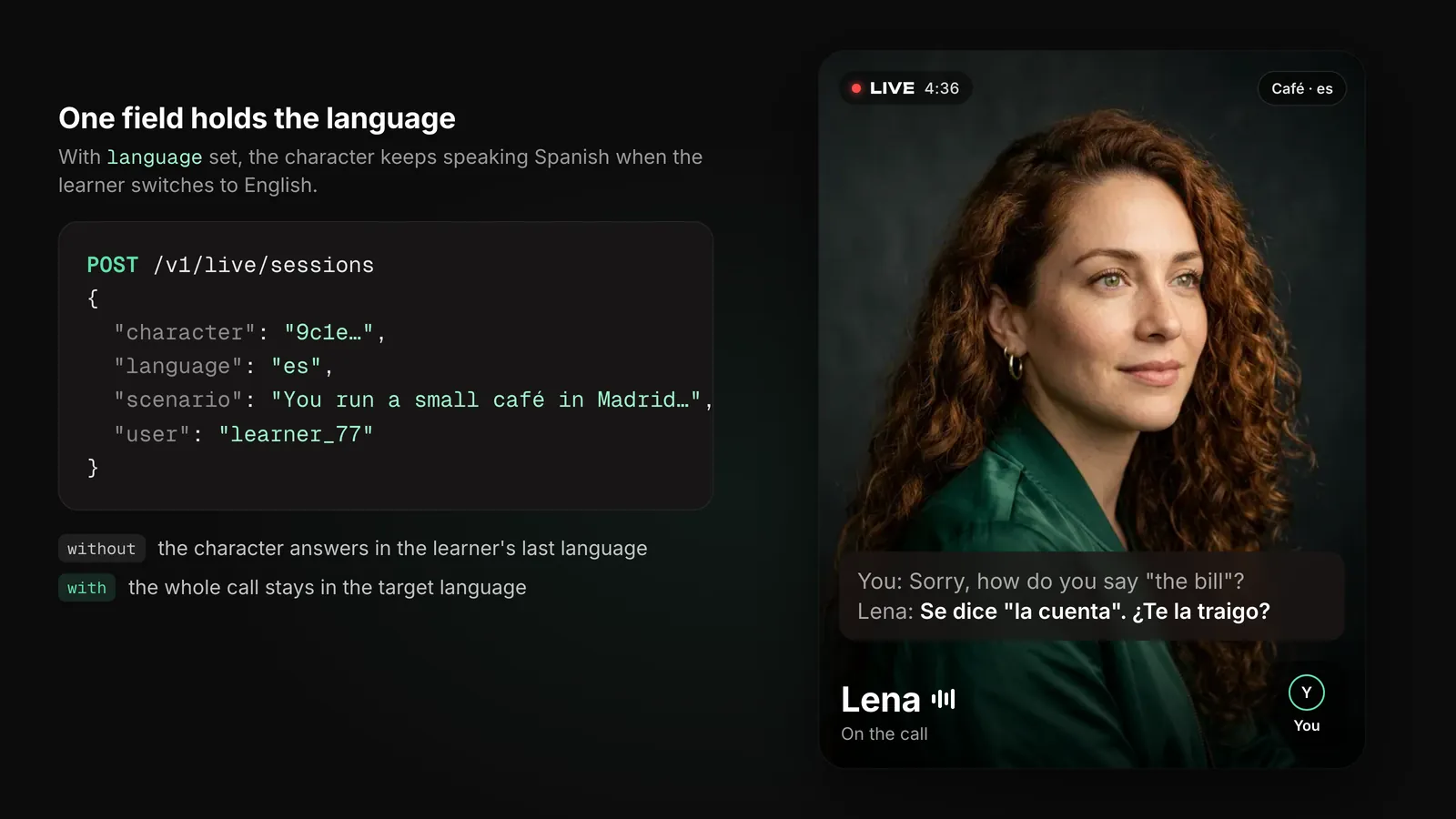
Without it, the character answers in the language of the learner's last sentence. That suits a companion and breaks a lesson: one "sorry, what?" in English and the whole call drifts to English.
With language: "es", the character speaks Spanish for the entire call. When the learner seems lost, it says the same thing more simply in Spanish instead of switching. The field takes a code (es, pt-BR, ja) or a name (Spanish).
On the learner's side: every sentence in its own language
The call transcribes each of the learner's sentences in the language it was spoken in, detected sentence by sentence; a very short sentence is read in the last language the call was sure of. So the heard captions show what the learner really said: Spanish where they managed, English where they gave up. That is exactly what a correction needs.
Three situations, three scenarios
Write each scenario to the character, and put the learner's level in it:
| Situation | language |
scenario |
|---|---|---|
| At a café | es |
"You run a small café in Madrid. They come in for breakfast. Take their order, ask one question about their day, then bring the bill. Beginner level: short sentences, everyday words." |
| Job interview | de |
"You are interviewing them for a project manager role at your company in Munich. Ask about one past project and push back once on a vague answer. Formal register (Sie), natural speed." |
| At the doctor | fr |
"You are a family doctor in Lyon. They have had a sore throat and a fever for three days. Ask about their symptoms and allergies, then explain the treatment in simple words." |
The same character can play every scene, or each language can have its own partner with a native voice: Lena in Madrid, Ivo in Munich, Mara in Lyon. Add picture, a Library image or a Storage upload of the partner in the scene (Lena behind her café counter), and the call frames their face there, falling back to the card portrait when no clear face looks at the camera.
The code
Your server creates the partner once, then opens each call, with the fields of the Live calls API:
const eroq = (path, body) => fetch(`https://eroq.ai/v1${path}`, {
  method: 'POST',
  headers: { Authorization: `Bearer ${process.env.EROQ_API_KEY}`, 'Content-Type': 'application/json' },
  body: JSON.stringify(body),
}).then(res => res.json())

// Once
const lena = await eroq('/characters', {
  name: 'Lena', gender: 'female', age: 31, voiceId: 'ines',
  avatarUrl: 'https://your-cdn.example/lena.webp',
  prompt: 'Lena runs a small café in Madrid. Warm, curious, patient with people learning Spanish. Speaks slowly and clearly.',
})

// Every lesson
const call = await eroq('/live/sessions', {
  character: lena.id,
  language: 'es',
  scenario: CAFE_SCENARIO, // the café line above
  picture: 'creation:<id>', // optional: Lena in her café
  user: 'learner_77',
})
The learner's browser opens the WebRTC connection with call.ice_servers and, before its offer, a data channel named eroq. Each message on it is JSON, { "type": "eroq-live", "event": "heard" | "said", "text": … }: keep the heard lines for the correction. Your server relays the offer and the answer, and buys each next minute with POST /v1/live/sessions/{id}/extend.
Gentle corrections after the call
During the call, the partner keeps the conversation going and does not stop to correct. If you want it to model the right form, say so in the scenario: "When they make a mistake, use the correct form in your answer without pointing it out."
The real correction comes after the call, from the transcript:
const feedback = await eroq('/chat/completions', {
  model: 'claude-fable-5-2',
  private: true,
  messages: [
    { role: 'system', content: 'You are a kind Spanish tutor. From the learner\'s lines in this café conversation, pick their four most useful mistakes. For each: what they said, a natural version, and why, in one short line of English. Then three phrases to reuse next time.' },
    { role: 'user', content: learnerLines.join('\n') },
  ],
})
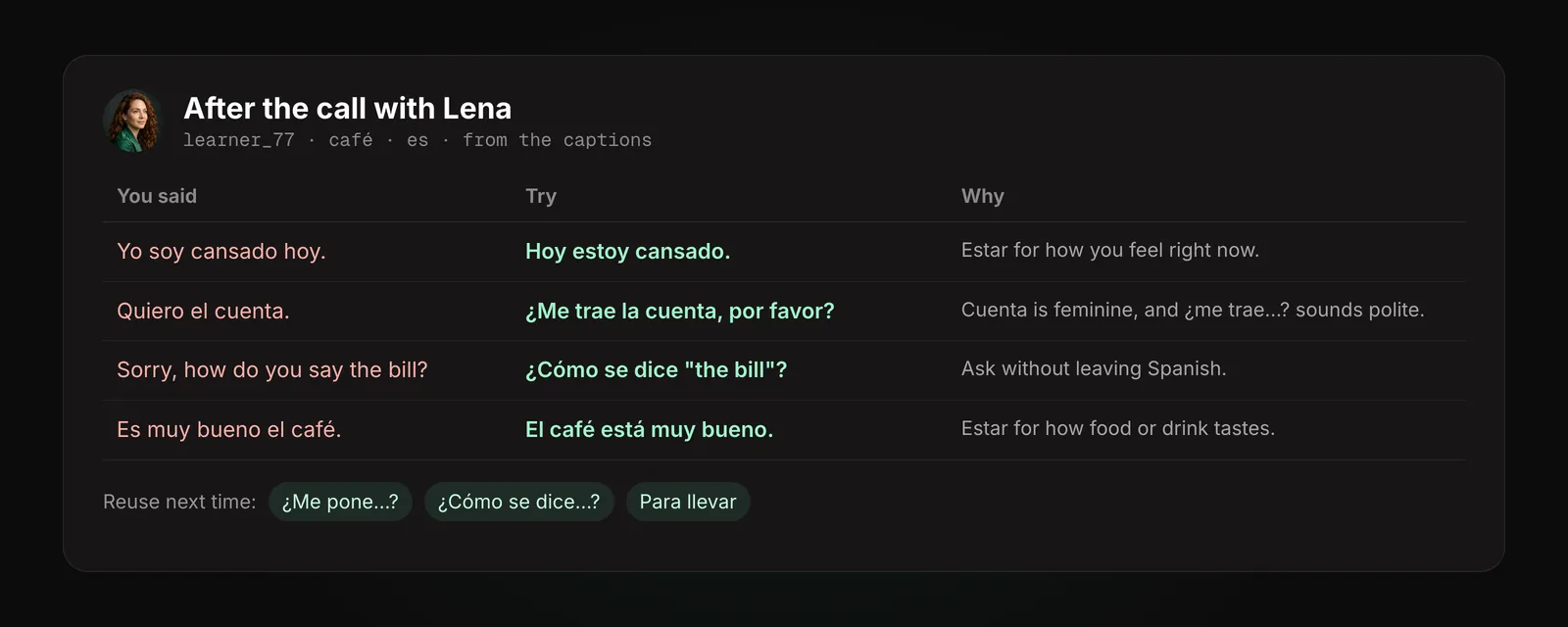
- Yo soy cansado hoy becomes Hoy estoy cansado: estar for how you feel right now.
- Quiero el cuenta becomes ¿Me trae la cuenta, por favor?: cuenta is feminine, and the question sounds polite.
- Sorry, how do you say the bill? becomes ¿Cómo se dice "the bill"?: a way to ask without leaving Spanish.
To make the next lesson build on this one, put the phrases to reuse into the next scenario: "Give them a chance to use ¿me pone…? and para llevar."
A finished app, or your own
Duolingo has its own version. When it launched Video Call in September 2024, it came with the Duolingo Max subscription: one character, Lily, for its English, Spanish, French, German, Italian and Portuguese courses (Japanese and Korean on iOS), in calls of up to about three minutes. A finished feature inside one app.
Building on eroq is the opposite trade. You choose the characters, the scenes and the language, a call lasts up to two hours, and it lives inside your own product. The lesson design and the corrections are yours to build.
Private, by the minute, no seats
eroq keeps no audio, no video and no transcript of a call, so a learner's voice is not stored. The captions go to your page only, and the correction request, sent with private: true, is not written anywhere on eroq's side.
A call costs 100 credits a minute, bought ahead a minute at a time, and a call that never connects gives its minute back. A 15-minute conversation plus its correction comes to 1,520 credits, about $15.20 at the rate of the $10 Starter pack. A learner who takes a month off costs nothing.
What it does not do
- No built-in correction. You build it from the captions, as above.
- No lesson plan or memory between calls. Each call starts fresh: carry progress forward in the next
scenario. - A reply takes a few seconds, and a cold start can take a minute or more to pick up.
- Two open calls per workspace, two hours at most per call.
- Microphone only. The partner hears the learner but does not see them.
- Languages are not all equal. Widely spoken languages are where the voices and the transcription are strongest: test yours before you build on it.
Try it in the studio
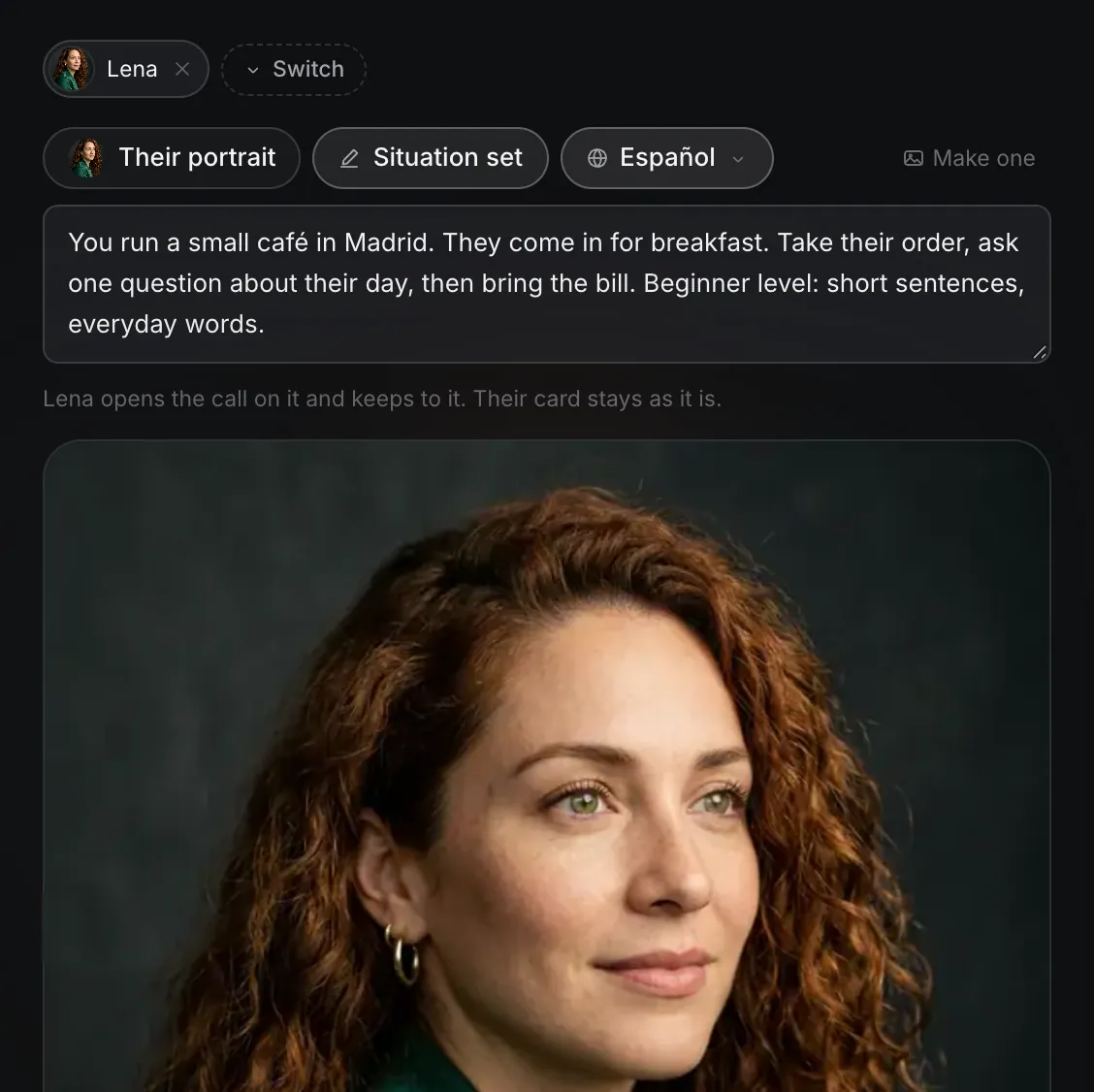
In eroq Live, create a character with a Spanish voice from the voice library (Inés or Mateo) and pick them. In the row under them, set Language to Español and write the scene in Situation, then call. These choices stay in your browser, and the character's card does not change. The help page covers a first call.
FAQ
Can I practice speaking Spanish with AI on a video call?
Yes. On eroq Live you call a character who has a face and a Spanish voice and answers out loud. language: "es" in the API, or Language set to Español in the studio, keeps the whole call in Spanish.
Will the AI switch to English when I get stuck?
Not when a language is set: the character rephrases more simply in the target language instead of switching. Without it, the character follows the language of your last sentence.
Does the AI correct my mistakes?
Not during the call: it keeps the conversation going. An app built on the API corrects afterwards, by sending the learner's lines from the captions to eroq's chat API, as shown above.
Which languages can I practice?
language takes a code such as es, de, fr, ja or pt-BR, or a language name. eroq's voice library has native Spanish, French, German, Japanese, Korean and English voices. For other languages, test a call before you build a course on it.
Is my voice recorded?
No. eroq keeps no audio, video or transcript of a call. The captions reach only the page you call from.
How much does it cost?
100 credits a minute, bought ahead, with no subscription to a learning app. New accounts start free with 40 credits, which is less than a minute, so a call needs a pack: the $10 Starter pack is 10 minutes.
More: AI roleplay training, the HR guide · eroq Live, video call your characters · AI video call · Live calls API.