















Tool
AI video extender
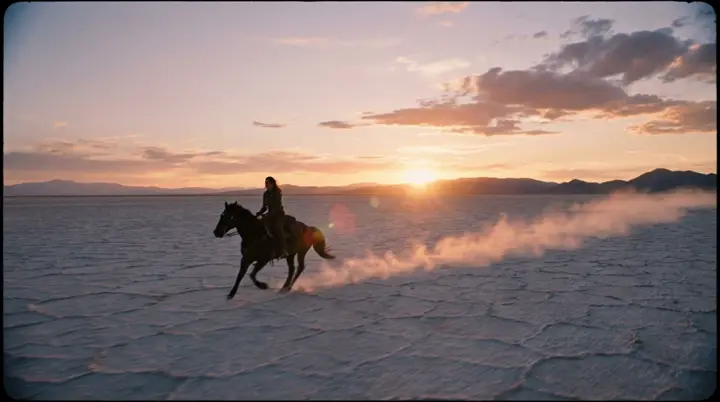
A shot ends too soon: the walk needs to reach the door, the camera needs one more beat. Extend sends the last seconds of your clip to eroq Motion One and Seedance 2.5 with a line about what happens next, and renders the seconds that follow, starting where your clip ends, with the motion and the camera carried on. Lay them after the clip in the Editor and it plays as one shot.
免费送 40 积分 · 无需绑卡 · 每个账号都有私密模式
- Engines
- eroq Motion One and Seedance 2.5
- Extension
- Up to 30 s, from your clip's last frame
- Source clip
- 480p or more; its last seconds are sent, as many as the extension
- Price
- From 100 credits for 5 s
- API
- POST /v1/videos/generations with video_reference and video_mode "extend"
How it works
- →1 · Open Video › Edit and pick Extend. Drop a clip, or pick one from your Library.
- →2 · Choose the length of the extension, up to 30 seconds within your plan's clip length. As many seconds are sent from the end of your clip, cut in your browser: the engine bills what it reads.
- →3 · Write what happens next ("she turns and walks out of frame") and press Extend. You get the new seconds only: put them after your clip in the Editor.
Two ways to carry a shot on
- →Extend, in Video › Edit: eroq Motion One and Seedance 2.5 read the last seconds, so the motion, the speed and the camera move go on. Seedance 2.5 turns down clips showing real-looking people; eroq Motion One, our own engine, takes any clip within the acceptable-use policy.
- →Extend on a take, in Create: a new shot that opens on the clip's last frame, on any engine that starts from a frame, and the shots play as one sequence. It reads one picture rather than the motion, and costs a normal clip.
Pricing
The extension is billed per second at the engine's video-input rate, which covers the seconds it reads. Five more seconds cost 100 credits on eroq Motion One and 585 on Seedance 2.5 (Creator), at each engine's default resolution. A render that fails refunds itself.
常见问题
How do I make a video longer with AI?
Extend it: in Video › Edit, eroq Motion One and Seedance 2.5 read your clip's last seconds and render what comes next. Put the new seconds after the clip in the Editor and export one video. For a story longer than one shot, Cinema chains shots into a film.
Does the extension include my original clip?
No, only the new seconds, starting where your clip ends. The Editor joins the two on its timeline, at no credit cost.
Why was my clip refused?
Seedance 2.5 turns down clips showing real-looking people; eroq Motion One, our own engine, takes any clip within the acceptable-use policy. Seedance 2.5 also needs 480p or more. A new shot from the last frame also works on other engines: Extend on a take, in Create.
How much does extending cost?
From 100 credits for 5 more seconds, billed per second at the engine's video-input rate, which covers the seconds sent. A failed render refunds itself.
Is there an API?
Yes: POST /v1/videos/generations with video_reference (an upload: or creation: id), video_mode "extend" and a prompt for what happens next. It returns the new seconds only.
继续探索