Generate a clip
2 min de leitura
Em resumo
The Create tab: engine, length, format, resolution, sound, start and end frames, takes, and what each control costs.
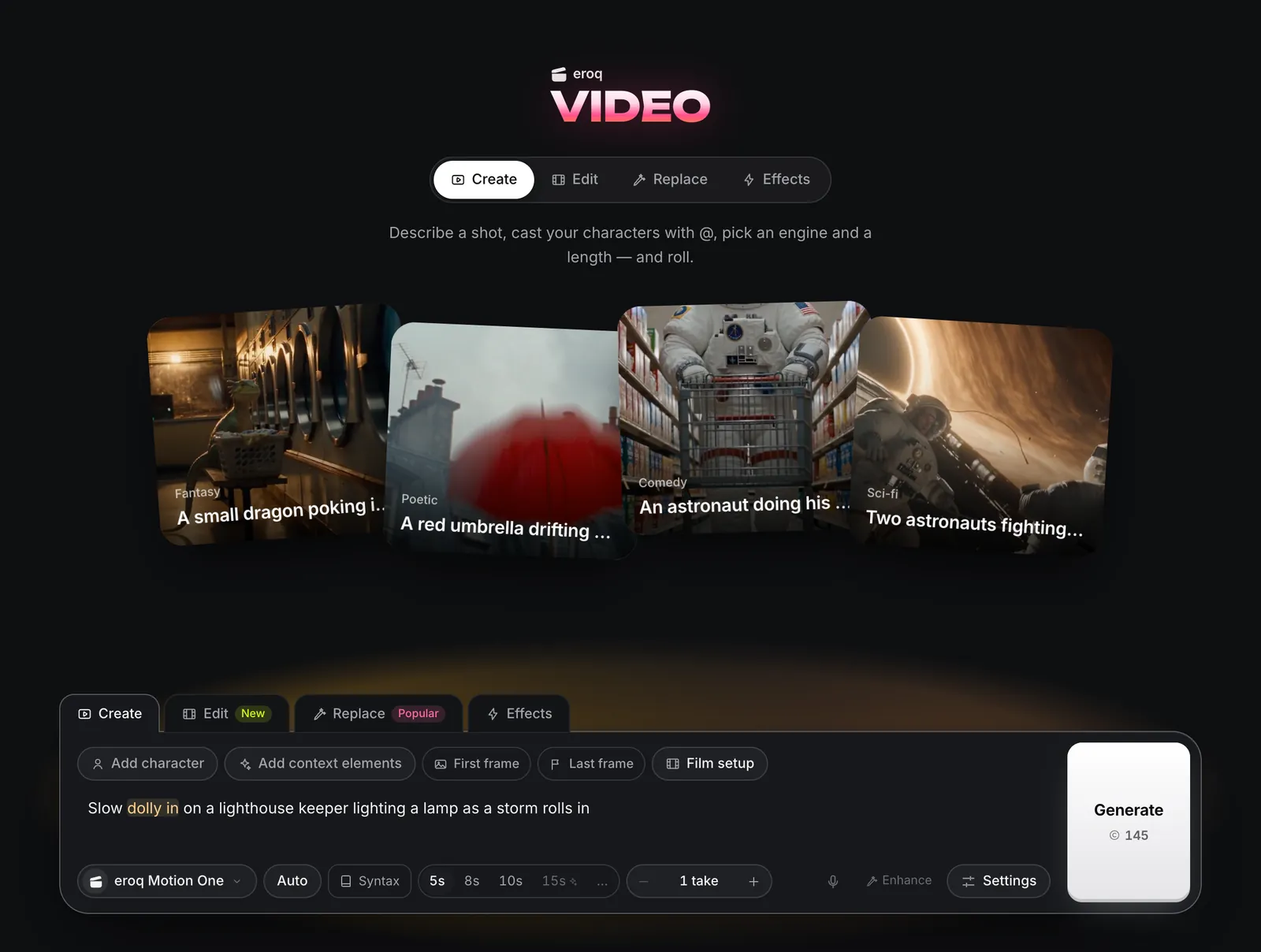
Open Video → Create and describe one beat — one action, one camera move. Engines render a single beat cleanly; two actions in one prompt come out as two shots crammed together.
In Settings, pick an engine card. Cards are either pickable, locked behind a plan (the tag names the plan; click it to see the plan) or "soon" when the engine is not available right now.
Set the length with the duration pills under the prompt (each engine has its own grid; "…" lists the lengths other engines render), the format and the resolution in Settings, and 1 to 4 takes beside the pills. The button shows the total: click Generate. Each Generate adds a row to the feed under the composer.
Controls that depend on the engine
Sound: engines that render audio show a Soundtrack switch; where sound is optional it is billed per second and the price updates as you toggle it.
First frame and Last frame: two buttons beside Add character, shown only on the engines that take them. Click one to pick a picture from Creations, Storage or an upload, or paste or drop a picture on it. With a first frame the engine animates the picture.
Seed: on engines that honour it, the same prompt, settings and seed reproduce the same take. Four takes with one seed are four identical clips.
Avoid (negative prompt): what to keep out, on engines that read one.
A control the engine does not support simply does not appear — nothing is silently ignored and charged.
Length and your plan
Your plan caps the clip length: 10 s free, then Hobby 15 s, Creator 20 s, Studio 30 s, Team 30 s, Agency 30 s. Pills beyond your cap stay visible with a sparkle; clicking one opens Billing on the plan that unlocks it.
After a take
Under a finished clip, Extend opens a new shot on its last frame and Lead into ends a new shot on its first frame; the shots play as one sequence. Edit opens the clip in the Editor, on its timeline.
Isso respondeu à sua pergunta?
Relacionados
Ainda travado?
Conte o que aconteceu e uma pessoa responde em até um dia útil — ou escreva para hello@eroq.ai