Edit with reference pictures
1 menit baca
Singkatnya
The Edit tab turns pictures into numbered slots you can point at from the prompt: "put the jacket from Picture 2 on Picture 1".
Di halaman ini
Image → Edit works from pictures: the ones you bring (uploads, Storage picks, recent renders) form one ordered stack above the prompt, numbered Picture 1, Picture 2 and so on. Type @ in the prompt to mention a slot by number, and the instruction reads naturally: "Picture 1 wearing the dress from Picture 2, on a rooftop at dusk". Characters and elements join by their @Name instead: their sheet rides after your pictures without taking a number.
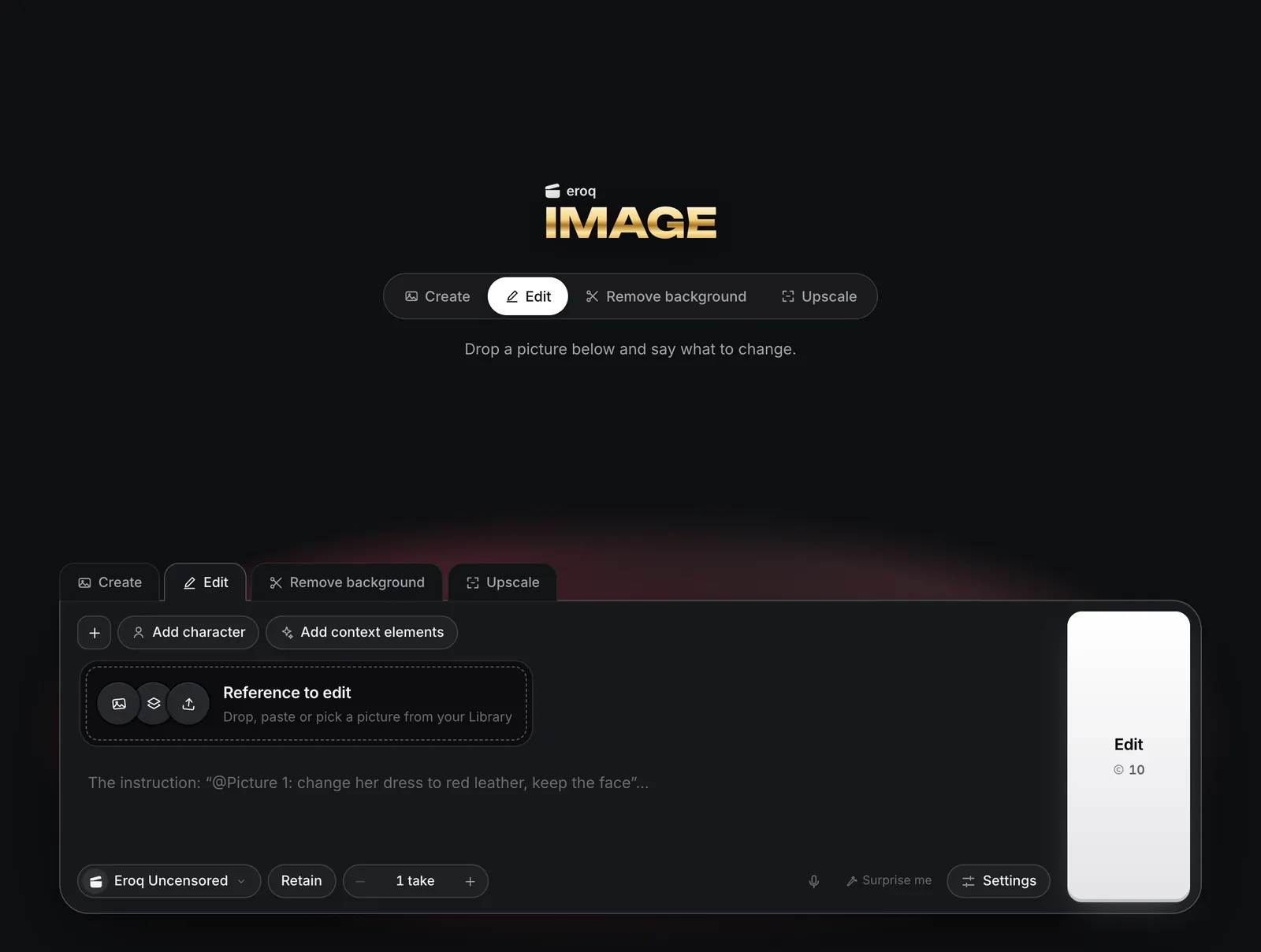
Adding pictures
The "Reference to edit" tile (then "Reference" once one is in) opens the picker: Creations, Storage or "Upload a new file". You can also drop files on the stack or paste from the clipboard. Uploads go to Storage (free while your plan's storage has room, counted in your quota) unless Private mode is on, in which case they stay in the browser.
Each model reads a set number of pictures, shown on the stack. A character and an element with a photo each take one slot; a description-only style rides the prompt for free.
Removing a picture renumbers the stack and rewrites the mentions in your prompt; a number never silently points at a different image.
With your own picture in the stack (in Edit, or a reference in Create), Format offers Retain first: the output keeps your picture's frame, at the engine's usual resolution. Pick a ratio instead to reframe it.
Limits
There is no masked inpainting: you describe the change, and identity holds while the rest follows the prompt. Enhance works on Edit too: on a paid plan it sharpens your draft into one precise instruction and keeps every @Picture mention as written.
Apakah ini menjawab pertanyaanmu?
Terkait
Masih buntu?
Ceritakan apa yang terjadi dan seseorang membalas dalam satu hari kerja, atau tulis ke hello@eroq.ai