Write the story
อ่าน 2 นาที
สรุปสั้น ๆ
A film's Story tab is Clap and the board: ask for any change in a sentence, or open a shot and change it by hand.
ในหน้านี้
The Story tab has Clap on the left and the board on the right (one or the other on a phone). The board is the film as it stands: its title, three chips that set the whole film (the look, the format and the engine), the film playing, its Cast and its Shots, and one Shoot button with the price at the bottom. Ask Clap for any change in a sentence ("add a twist", "make shot 3 at night"): it rewrites the board and lists what changed, shots added, rewritten or removed. Writing with Clap is free; only Shoot spends credits.
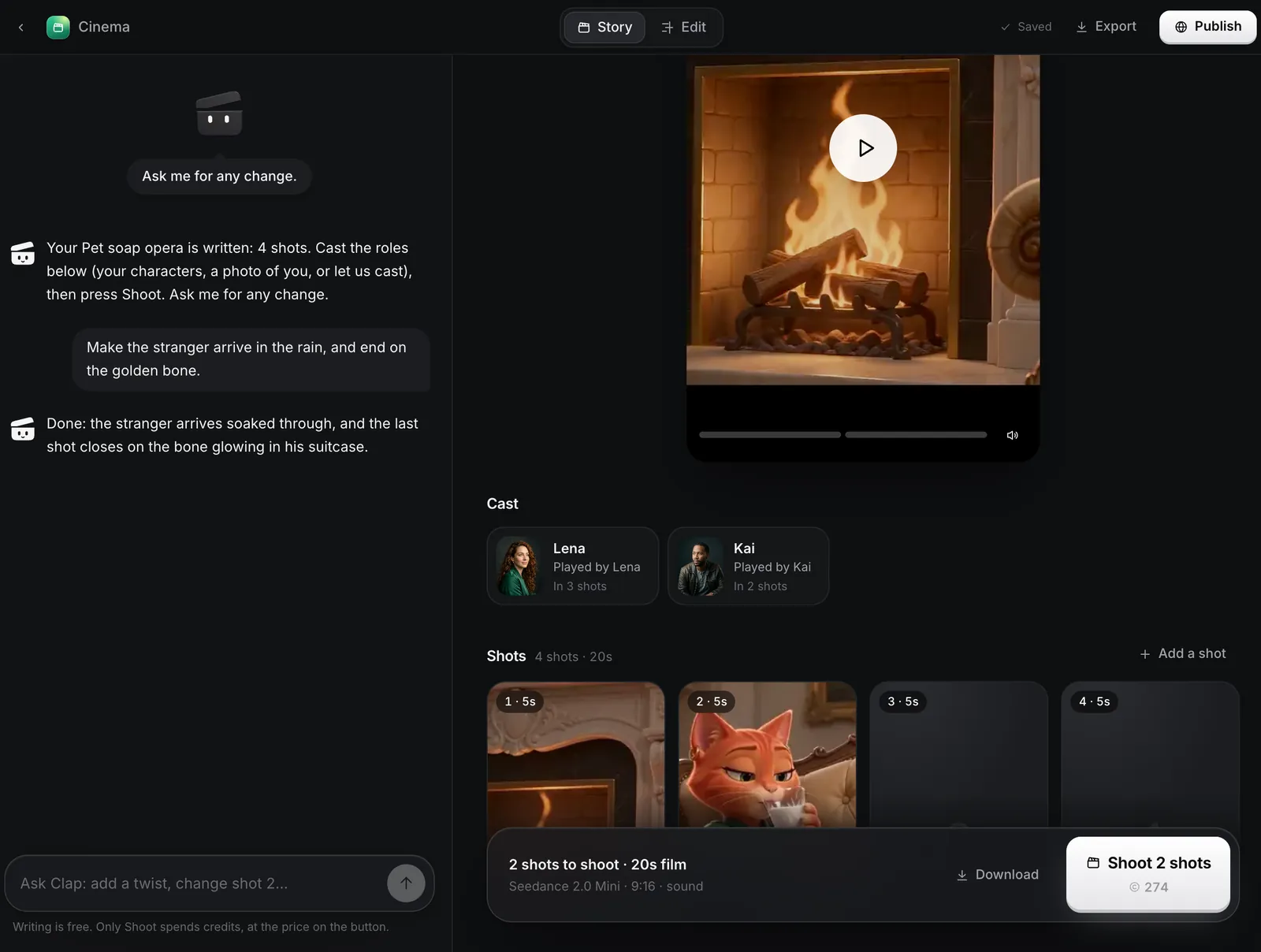
Shots
Open a shot to change it by hand: its takes (pick the one in the film), what happens (Bring in: writes a role into it), who says what, its length and its camera move, with its own Shoot and price. Duplicate copies it; Add a shot opens an empty one at the end; drag the cards to reorder them.
Lines: who speaks (a role or the Narrator), how they say it and the line. On engines that render sound the characters speak them; on an engine with no sound the lines ride the prompt as words.
Shots of one place are written as one scene: on an engine that cuts between shots itself, they are shot together in one take, so the people and the place hold from one shot to the next.
Cast and look
Cast lists the film's roles. Click one to play it with one of your characters, a new character from your photo, or an actor eroq casts; casting a role changes every shot it is in at once, and a role left empty is cast for you when you shoot. The look chip opens the Film setup (genre, era, tempo, camera, lens, aperture, lighting and palette), folded into every shot. A show keeps its own look, locked on every shot.
คำตอบนี้ตอบคำถามของคุณไหม
ที่เกี่ยวข้อง
ยังติดปัญหาอยู่?
บอกเราว่าเกิดอะไรขึ้น แล้วจะมีคนตอบภายในหนึ่งวันทำการ หรือเขียนมาที่ hello@eroq.ai