@mentions and cast
1 min di lettura
In breve
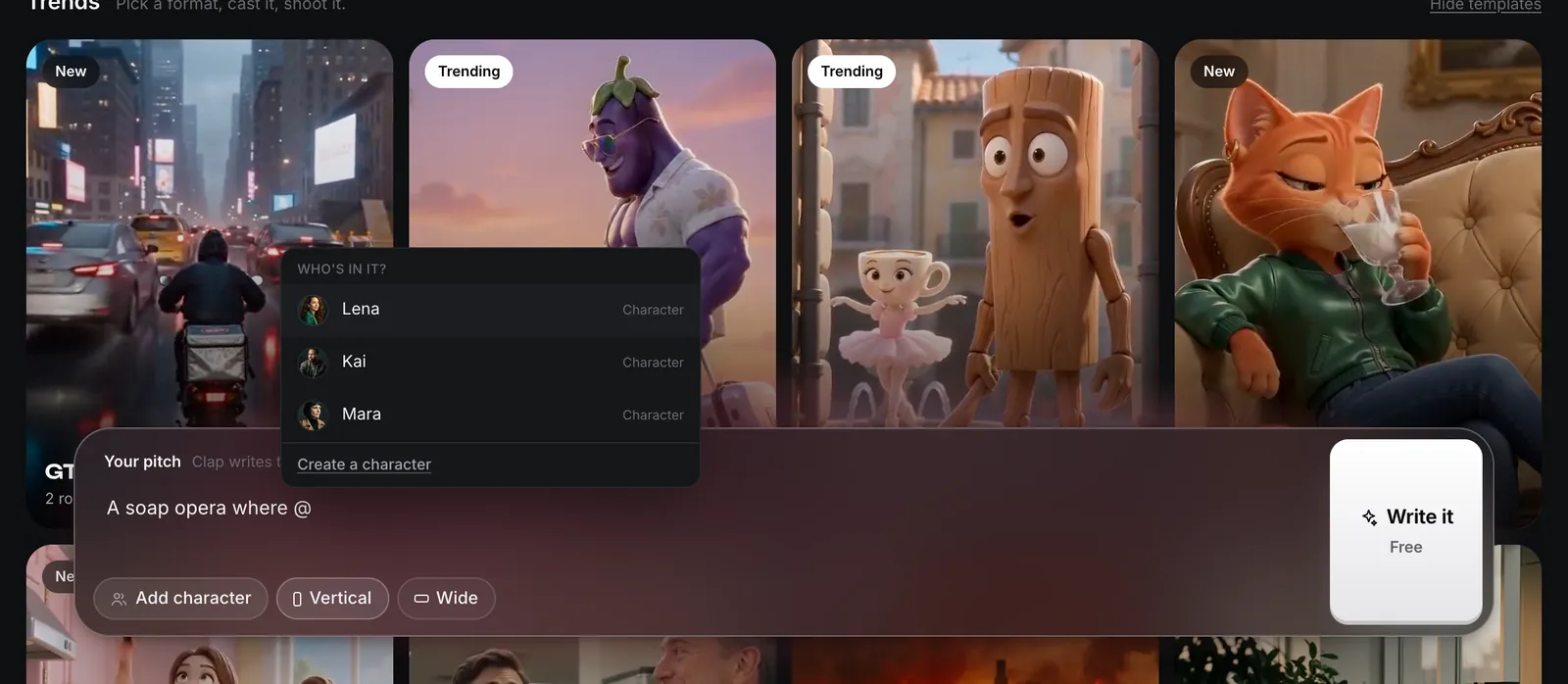
Type @ in any prompt to bring in a character, an element, an upload or a recent render; Add character and Add context elements open the same list.
In questa pagina
Type @ in a composer and a panel lists what you can mention: characters, elements, your Storage uploads and your last thirty image renders. Pick one and it becomes a blue token in the prompt; its sheet or picture is sent as a reference and its description joins the text. The Add character and Add context elements buttons above the composer write the @ for you and open the list on that kind; Settings has no separate cast or elements picker.
Picture slots
Every image model reads a set number of pictures; the picture stack shows "N / max" and refuses beyond it rather than quietly dropping one. Switching to a model with fewer slots trims the stack; switching back restores it.
In video and Cinema
On Video, as on Image, the cast joins by @Name, with the same two buttons above the composer. In Cinema, your pitch and a show's story name their cast the same way (Add character writes the @): the film holds them as roles, each cast once for every shot it is in, and Clap reads plain names. On engines that read no reference pictures, the page says so: the cast is redrawn from the words alone.
Questa risposta ti è stata utile?
Correlati
Sei ancora bloccato?
Raccontaci cos’è successo e una persona ti risponde entro un giorno lavorativo, oppure scrivi a hello@eroq.ai