blog/tutorials·21 nov. 2026·5 min·par l’équipe eroq
Chat with your AI character and ask them for photos
Open Text, pick your character, and they answer in character from their persona and the scene you set. Ask for a photo and they send one of themselves.
To chat with your AI character on eroq, open Text, click Chat with… and pick them, or press Chat on their page: they answer as themselves, from their persona and the scene you set. Type what you want to see and press Photo under the box, and they send you a picture of themselves in that moment, with their own face.
It works with any character you made in the studio. This lesson goes from an empty thread to a conversation with photos in it, and covers what each setting changes and what it costs.
Before you start: a character worth talking to
The chat plays the character from their card, so two things on the card matter.
- A persona. Under System prompt · persona on the character, write who they are and how they talk, in the second person: "You are Mara, a night-shift bartender. You are dry, guarded, quietly warm." Without one, they still know their name, age and description, and the thread says "No persona yet: add one on their card".
- A picture. Photos only come from a character with a face: a card picture, ideally an identity sheet. Without one, the thread says "Add a photo to their card and they can send you pictures."
No character yet? Create one from your photos or from a description first; it takes a few minutes.
Step 1: open the chat
- Open Text and click Chat with…. The list is searchable, and offers to create a character if you have none.
- Or start from the character: on their page, press Chat in the header, or Chat with Mara (their name) in their Content kit ("Text Mara, in character, and ask for photos").
- The thread opens on "Chat with" and their name, with their portrait. From the first reply on, their face and name sit beside every message, like a DM, and the box says "Message Mara…".
Step 2: set the scene
The persona says who they are; the scene says where you are and what is going on. Open Settings and write it under Scene, for example:
- "We're at a small trattoria on a rainy Tuesday, the last two customers. She's had a long shift."
- "Day three of a road trip down the coast. The car's radio only gets one station."
- "A rainy café near the station; we met an hour ago when she took my umbrella by mistake."
You can @mention your places and props there, and change the scene between sessions without touching the character.
Step 3: pick a register and a model
Register, in Settings, sets how they answer:
- Messaging — texting length. Turn on Emoji reactions and they now and then react to your message; Several messages splits a reply into a few short ones, like a real DM.
- Roleplay — vivid prose, for a scene told like a story.
- Roleplay+ — remembers the scene: it keeps a Scene state (the place, the outfit, what they are doing, the mood, the relationship) and sends it back with every turn, so a conversation that moves from the café to the station stays consistent. It runs on eroq RP+ only.
Temperature goes from Steady to Wild: steadier replies stay closer to the persona, wilder ones take more chances.
The model sets the price of a reply, shown on each turn's receipt:
- eroq RP+ — 3 credits a reply, the default, and the one Roleplay+ needs.
- eroq RP mini — 1 credit a reply, for quick, cheap messaging.
- Claude Fable 5.2 — 20 credits a reply, Anthropic's frontier model, for long, literary replies.
RP+ vs RP mini compares the two eroq models.
Step 4: talk
Write as yourself; they answer as themselves and never write your lines for you. A few habits make the conversation better:
- Give them something to react to. "I brought you the book I told you about" goes further than "hi".
- Let the scene move. Change place, time or mood in your message ("an hour later, the rain stops") and Roleplay+ updates its scene state.
- Correct them in their world. If they drift, steer inside the fiction ("You told me last week you hate the sea") rather than out of it.
Step 5: ask for a photo
- Type what you want to see in the box: "a selfie at the window, the rain behind you", "you at the wheel, sunglasses on, the coast road ahead".
- Press Photo, the chip under the box. Its price is on the chip before you click.
- The thread says "Mara is taking a photo…", and the picture lands in the conversation.
What the photo shows: what you typed; if you typed nothing, the scene Roleplay+ keeps (place, outfit, what they are doing, the mood); and otherwise the moment their last reply describes. It renders on an image engine that reads their face, so it is them and not a stranger, and it costs one image on that engine — for example 10 credits on Eroq One.
- A photo that fails says "The photo didn't come through. A failed render is refunded."
- Reloading the page resumes the wait instead of losing the photo.
- Short of credits, the chip offers the way to top up.
Step 6: switch, or start over
Switch picks another character: the current conversation is filed in your History and a new one starts. New conversation starts fresh with the same character.
Private mode in the chat
With Private mode on (the switch at the bottom of Settings), the conversation is kept in this browser only: nothing is written on eroq's side, and the credit history hides your lines. A photo taken in Private mode is kept in this page only — download it if you want it. Private mode explained covers the rest.
FAQ
Is it free to chat with my character?
A new account starts with 40 free credits, no card needed. A reply on eroq RP mini costs 1 credit, on eroq RP+ 3 credits, and a photo costs one image, shown on the Photo chip before you click.
Why doesn't the photo look like my character?
The photo engine reads the face from their card. With only a card picture the face holds less firmly than with an identity sheet: generate one on the character's page ("Generate identity sheet") and later photos read it.
Does my character remember earlier messages?
Within a conversation, yes: the whole thread is sent with each turn, and Roleplay+ also keeps the scene state. Who they are lives in the persona, so it carries into every new conversation.
Can I chat with a character based on a real person?
No. Characters are original, fictional people, 18 or older; real, identifiable people without their consent are not allowed under the acceptable-use policy.
More in the help center: Scene writing and messaging and Create a character.
Open Text and start a conversation.
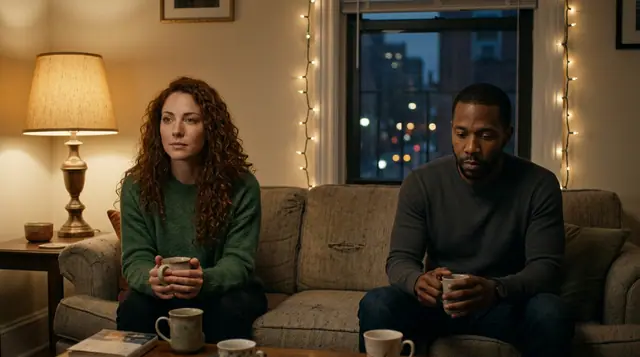
Joue la scène dans Texte
Tout ce qui précède se passe dans le studio : mêmes moteurs, mêmes réglages, rendu à ton clic.
40 crédits offerts · sans carte · mode privé sur chaque compte
Essayer ce prompt
A quiet evening scene between two roommates who almost said too much last night. Tender, slow, lots of subtext.
Confidentialité
Privé et sans restrictions
- →Aucun filtre sur les moteurs d’eroq : une politique écrite à la place.
- →Ils ne gardent rien, et rien ne s’entraîne sur ton travail.
- →Le mode privé ne garde aucun fichier.