# eroq Phone — AI photos and videos that look shot on a phone
> Two new eroq models made for the everyday phone look — Eroq Phone Uncensored for pictures and eroq Motion Phone for vertical clips with sound. Why, how they work, prices and the API.
Published 2026-11-23 · eroq.ai — canonical: https://eroq.ai/blog/ai-photos-and-videos-that-look-shot-on-a-phone
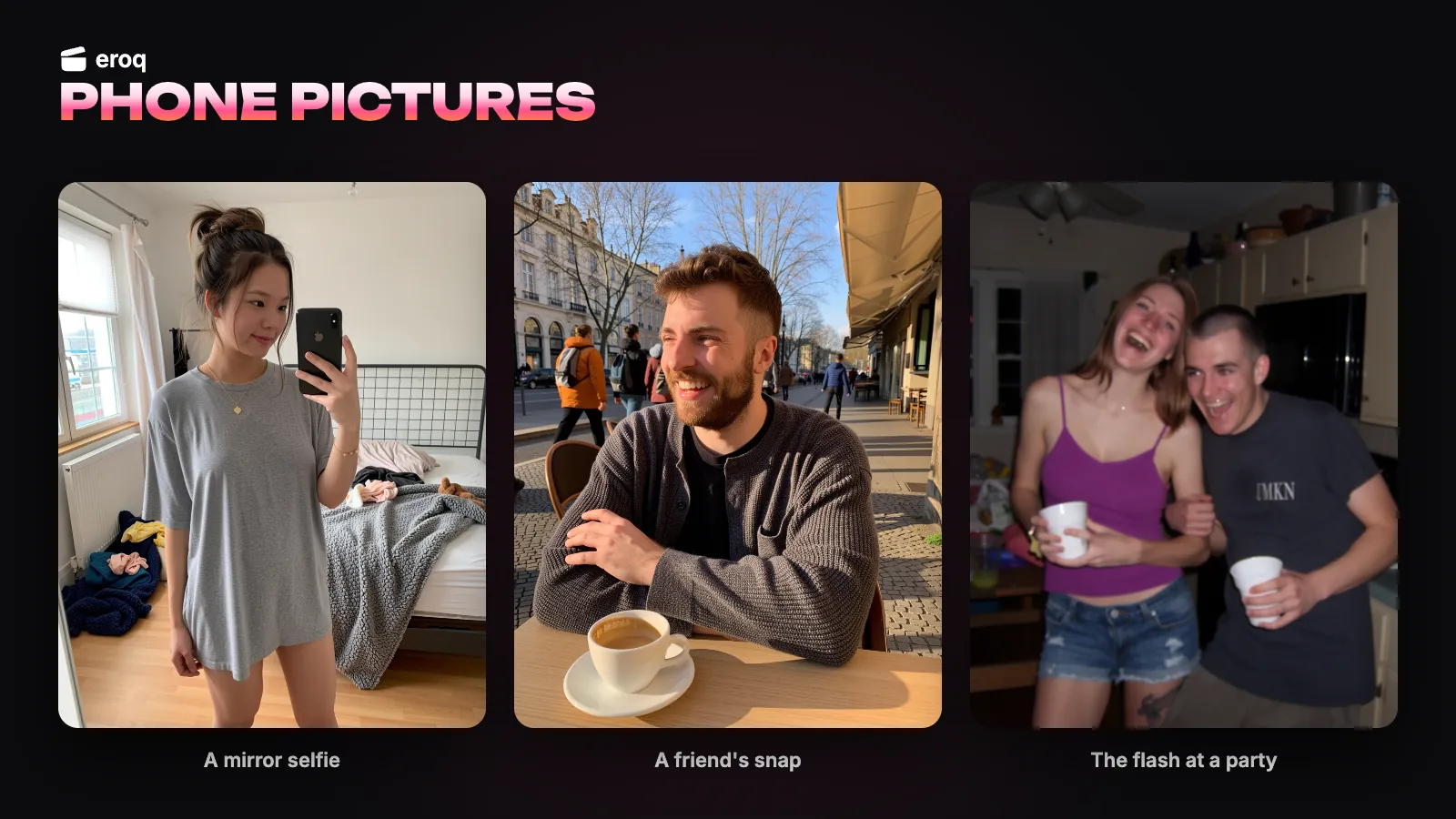
Almost everything people share every day was shot on a phone. A mirror selfie before going out, a friend filming you laugh in the car, a flash photo at a party, a clip of someone dancing in their room with the phone propped on the desk. That is what a picture or a video looks like to most people now: handheld, everyday light, a real room, real skin.
AI images and videos look like something else. They look like a photo shoot or a trailer: perfect light, perfect skin, a lens nobody carries, a camera that glides. People kept asking for the other thing, the clip that looks like it came from someone's camera roll, and kept getting the trailer. So eroq made its own two models for it.
- **[Eroq Phone Uncensored](/models/eroq-phone-uncensored)** for pictures that look taken on a phone.
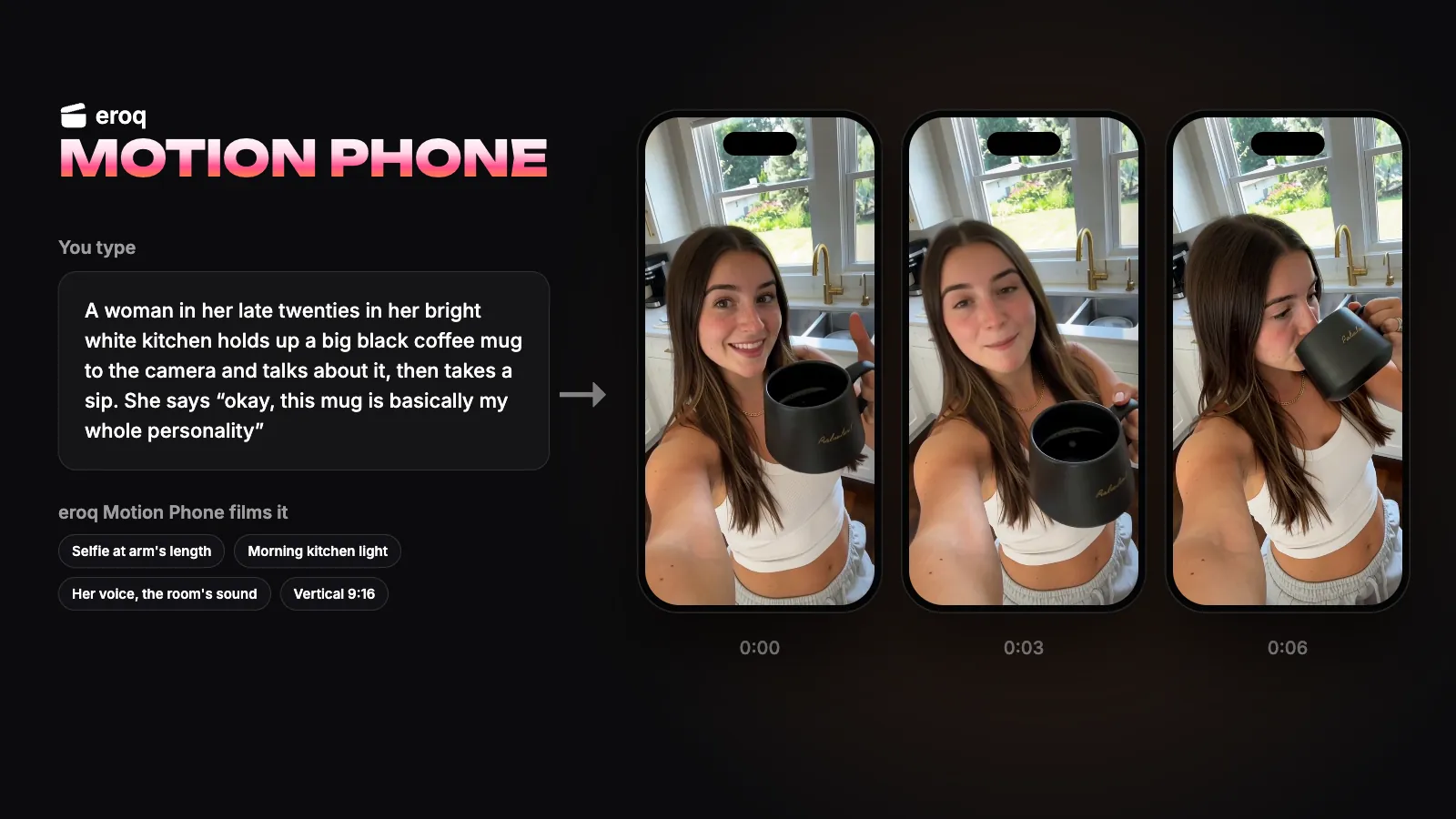
- **[eroq Motion Phone](/models/eroq-motion-phone)** for vertical videos that look filmed on a phone, with their sound.
Both are uncensored within eroq's written policy, both are private, and both are on every account.
## What makes a picture look like a phone took it
It is not a filter on top. A phone picture is a set of choices nobody writes down: someone is holding the phone, so the framing is a little off and the arm is sometimes in the shot; the light is whatever the room has, or the flash; the background is a real place with things lying around; the skin has texture because nothing smoothed it.
Both models make those choices for you. Whatever you type is rewritten as a phone shot before it renders: who holds the phone (a selfie at arm's length, a mirror, a friend from a step away, the phone propped on a shelf), where the light comes from, what the room looks like. You write "a woman dancing in her room" and it comes back as a woman dancing in her room, filmed on her phone, not a music video.
## The numbers
- **Eroq Phone Uncensored**: model id `eroq-phone-uncensored`, 20 credits / image, five formats from square to vertical, about 20 seconds a picture, up to four takes at once. Every render is checked before it reaches you.
- **eroq Motion Phone**: model id `eroq-motion-phone`, 20 credits / second, so a 5-second clip is 100 credits and 10 seconds 200. Clips of 5 to 15 seconds, vertical 9:16 only (the format of the phone it imitates), 768p with 1080p and 2K upscales, sound in every clip. Text or a start frame.
- **Access**: every account, pay-as-you-go included. New accounts start free with 40 credits; the $10 Starter pack (1,000 credits) is 50 phone pictures or 10 five-second phone clips.
## How to prompt them
Write what happens, in plain words. The model adds the phone.
- **Say who is filming if it matters**: "a mirror selfie", "her friend films her", "the phone is propped on the nightstand". Leave it out and the model picks the most natural one.
- **Name the place and the moment**: a bedroom at night, a beach in the afternoon, a car at sunset, a kitchen in the morning.
- **Skip the camera words.** Lens sizes, film stocks and "cinematic" are rewritten into their phone equivalent anyway.
- **For video, say what they do and say**: "she turns to the camera and says 'okay, last one'". The voice and the room's sound come with the picture.
A few to start from:
- *A mirror selfie of a woman in her late twenties in her bedroom, oversized hoodie, morning light.*
- *A guy in his twenties showing off his new sneakers in a mirror selfie, then pointing the phone down at his feet.*
- *Two friends in their twenties laughing in a car at sunset, filmed by the one in the passenger seat.*
## Uncensored, within the policy
Like eroq's other own models, both render under eroq's written [acceptable-use policy](/legal/aup) instead of a provider's filter: fiction only; nothing involving minors, no real identifiable people without consent, nothing illegal. Everyone in a picture or a clip is 18 or older. A request the policy refuses returns `content_blocked` before anything is charged.
Both are private. eroq runs them itself, nothing goes to a third-party provider, prompts are never used for training, and Private mode keeps no file and no library entry.
## From the API
The same models, at the same prices, from your eroq key:
```bash
curl https://eroq.ai/v1/images/generations \
-H "Authorization: Bearer $EROQ_API_KEY" \
-H "Content-Type: application/json" \
-d '{ "model": "eroq-phone-uncensored", "prompt": "a mirror selfie in a bathroom at night, flash on" }'
curl https://eroq.ai/v1/videos/generations \
-H "Authorization: Bearer $EROQ_API_KEY" \
-H "Content-Type: application/json" \
-d '{ "model": "eroq-motion-phone", "prompt": "a woman dancing in her room", "seconds": 8 }'
```
Video renders asynchronously: poll the returned job, or set a webhook. The phone rewrite happens on eroq's side, so a raw prompt from your app gets the same look as one typed in the studio.
## FAQ
### What is the difference with Eroq Uncensored and Motion One?
Eroq Uncensored and eroq Motion One are the polished ones: photoreal pictures with reference photos and an edit mode, cinematic clips in five formats with a director's rack. The phone models trade that polish for the everyday look, and pick the framing for you.
### Can I use my own face or a character?
On eroq Motion Phone you can start the clip from a picture of your character. Eroq Phone Uncensored renders from your words alone; to keep a face across pictures, use Eroq Uncensored with reference photos.
### Why is the video vertical only?
Because the clips it imitates are vertical. It was made for the 9:16 of a phone screen, the format of Reels, Stories and short videos.
### Is it free to try?
Yes. New accounts start with 40 free credits and no card, enough for two phone pictures. A phone clip starts at 100 credits for 5 seconds.
### Where do I find them?
In the [image studio](/studio/image) and the [video studio](/studio/video), in the model picker, marked New.